This is a researched hardware and workflow guide, not a Techotick laboratory review. Specifications and software support are linked to their primary sources. Recommendations are editorial judgments; hypothetical calculations and third-party tests are identified. No single model-size or memory figure guarantees that a workload will fit.
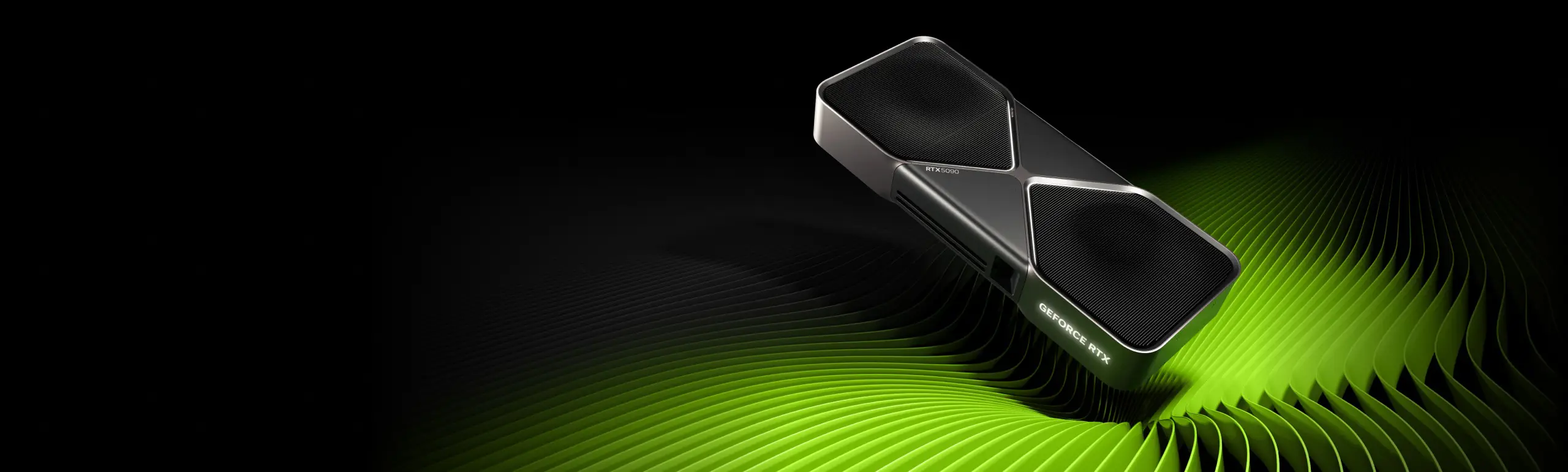
Our default for a serious mixed workload: start by pricing an expandable x86 desktop with an NVIDIA RTX 5090 32GB, 128GB system RAM and adequate NVMe storage, running a supported Linux distribution. This profile suits an evaluation combining CUDA-based development, image generation, smaller-model serving and adapter training. Choose another profile when large-model capacity, noise, software compatibility or a limited budget matters more.
The shortlist: which machine is best for which job?
Choose the row that describes your main activity, then check the limitations before comparing quotes. These are machine profiles rather than an endorsement of a particular system integrator. The processor, motherboard, memory, cooling and support package must be specified alongside the GPU.| Main requirement | Machine to evaluate first | Main reason | Main compromise |
|---|---|---|---|
| One desktop for development, images, local LLMs and adapter training | Linux x86 tower with RTX 5090 32GB | A practical CUDA-based development starting point with replaceable components. | 32GB dedicated VRAM can become the limit before compute speed does. |
| More model capacity while retaining a single CUDA GPU | Validated workstation with RTX PRO 6000 Blackwell Workstation Edition 96GB | A much larger dedicated GPU memory pool without first splitting a model across cards. | High acquisition cost, substantial cooling and power requirements. |
| A compact Mac for large supported local LLMs | Mac Studio M5 Max 128GB or M5 Ultra 256GB, chosen by workload | Large shared memory configurations and an Apple-silicon inference ecosystem. | Shared capacity is not dedicated VRAM; CUDA-dependent projects need another route. |
| Compact NVIDIA development with more shared capacity than a consumer GPU | NVIDIA DGX Spark 128GB | A CUDA-capable integrated desktop platform with substantial unified memory. | Arm software dependencies and workload-specific performance need validation. |
| Lower-cost entry to a CUDA workstation | Existing or refurbished tower with a tested RTX 3090 24GB, if the local price is attractive | Useful capacity for selected learning, inference and adaptation projects. | Used condition, power consumption and older hardware support can erode the saving. |
| A specific project already verified on AMD | Linux workstation with Radeon AI PRO R9700 32GB | A legitimate alternative when the required ROCm or other backend is supported. | Do not assume arbitrary CUDA-focused projects or extensions will transfer unchanged. |
| Large full-parameter training or sustained team throughput beyond a desktop | A validated multi-GPU workstation/server or rented accelerator capacity | Capacity, interconnects and operations can be designed around the real job. | Higher system cost and substantially more administration. |
Separate the jobs before spending money
Inference means using a trained model: generating text, an image, a transcript or a prediction. Hosting adds a service around inference so an application or other users can submit requests. Hosting introduces concurrency, uptime, queues and access control; a successful chat on your own desktop is only the beginning. Fine-tuning adapts a pretrained model. Full fine-tuning updates the model's parameters, while methods such as LoRA train a smaller set of additional parameters. QLoRA combines a quantized base model with trainable adapters. These methods have different memory and software requirements. Hugging Face's quantization and PEFT guide. Pretraining from scratch builds a model from its initial state using a training corpus. Learning with a small model is a reasonable desktop project. Pretraining a broadly competitive large foundation model is a different undertaking, involving data preparation, many experiments, evaluation and large amounts of compute.Memory is the first calculation, not the whole answer
Model weights are only the starting point
A simple storage calculation is: Raw weight bytes = parameter count × bits per parameter ÷ 8| Parameters | 16-bit | 8-bit | 4-bit |
|---|---|---|---|
| 8 billion | 16GB | 8GB | 4GB |
| 14 billion | 28GB | 14GB | 7GB |
| 32 billion | 64GB | 32GB | 16GB |
| 70 billion | 140GB | 70GB | 35GB |
| 120 billion | 240GB | 120GB | 60GB |
Long context and several users can consume the remaining capacity
An LLM's key-value cache stores attention information used during generation. Its size depends on the model, context, precision and cache implementation. Supported methods can move or compress caches, with their own trade-offs. Hugging Face's cache-strategy documentation. As a deliberately hypothetical full-cache example, take 32 layers, eight key-value heads, a head dimension of 128 and two bytes per value. Storing both keys and values requires 128KiB per token. At 32,768 cached tokens, that is 4GiB for one sequence; four independent sequences would require 16GiB before cache sharing or other optimisations. That calculation does not describe every current model: sliding windows, alternative attention designs, cache precision and runtime allocation change it. It shows why “the model fits at a short prompt” is weak evidence for a long-context team server.VRAM, shared memory and ordinary RAM are different resources
Dedicated GPU memory is attached to a discrete graphics card. Ordinary system RAM is primarily the CPU's working memory. Unified-memory systems offer a shared pool, but that pool also serves the operating system and applications. Compare usable capacity, bandwidth, supported kernels and measured performance together.How the main hardware options compare
NVIDIA x86 tower: our starting point for mixed development
We favour this profile when a user wants to move among CUDA-based research code, image workflows, adapter training and serving tools without changing platforms. That preference is about a practical development baseline, not proof that every NVIDIA GPU beats every competitor on every model. The RTX 5090's 32GB is a useful consumer-workstation capacity, but large dense models, long context and simultaneous image jobs can exceed it. Choose the workload first. If it does not fit comfortably, replacing a midrange CPU with the most expensive desktop processor is unlikely to fix the GPU-memory problem. Software versions matter even when the brand is familiar. Require a demonstration using a supported driver, framework build, attention implementation and exact model. A newer GPU can need a newer software stack than an old tutorial provides.RTX PRO workstation: buy it for a demonstrated requirement
The RTX PRO 6000 Blackwell Workstation Edition provides 96GB of dedicated ECC graphics memory. That can remove the need to split a workload that exceeds a consumer card's capacity. Specify the exact edition when obtaining a quote: similarly named workstation, Max-Q and server products are not interchangeable cooling or power designs. NVIDIA's workstation specifications.Mac Studio: a serious capacity option for supported local LLMs
The current Mac Studio offers M5 Max configurations up to 128GB and M5 Ultra options up to 512GB, with chip-selection restrictions. A practical quote might compare the 128GB Max with the 256GB Ultra rather than automatically choosing the largest advertised system. Apple's configuration table. MLX-LM supports generation and fine-tuning on Apple silicon, while llama.cpp provides a Metal inference backend. Macs can therefore do more than merely display a chat interface. The important qualification is that your selected model, training method and tools must support that path. MLX-LM and llama.cpp. Do not choose a large-memory Mac on capacity alone if your essential project requires CUDA extensions or a particular training library. Also test media-generation pipelines separately from text generation. Success with an MLX language model does not validate every image or video workflow.DGX Spark: compact CUDA development with an Arm caveat
DGX Spark combines NVIDIA graphics with 128GB of unified system memory. Its CPU is Arm-based, so it is not simply a small x86 tower with a large desktop graphics card. Check package availability, container architecture and any proprietary dependencies before buying. Hardware guide and NVIDIA's porting overview. It belongs on the shortlist for a developer who wants this platform's integrated NVIDIA environment and can validate the whole stack. It should not be bought on the assumption that 128GB of shared memory produces the same speed as a discrete card with a similar capacity. Large-model capacity claims also do not establish full-training capability. Ask for a complete run: load the exact checkpoint, process realistic prompts, measure concurrency, run the intended fine-tuning recipe and inspect sustained behaviour. Compactness is valuable only after the required job works.AMD: evaluate supported workflows, not brand assumptions
The Radeon AI PRO R9700 has 32GB of graphics memory. It is a credible candidate for projects verified on the required AMD software path. Consult AMD's current compatibility matrix for the GPU, operating system and framework combination; support for one Radeon model does not establish support for every card. Product specifications and ROCm compatibility matrix.Budget machines, laptops and NPUs
A used 24GB RTX 3090 can be worth investigating when its price and condition are favourable. Test sustained load, memory stability, cooling, connectors and the software you intend to run. Include the power supply and enclosure in the purchase calculation rather than pricing the card alone. A laptop is useful for development on the move, but verify the exact laptop GPU, memory and sustained limits. A similar product name does not establish desktop-equivalent behaviour. For heavy work at a fixed desk, compare the laptop with a modest client machine connected to a dedicated local workstation. An NPU's advertised TOPS figure describes a particular accelerator capability under particular assumptions. It does not tell you whether your model, precision or framework uses that accelerator. Choose an NPU-based system for a supported workload, not as an automatic replacement for a development GPU.Image generation needs its own hardware test
Generating an image and training an image model are different tasks. A complete generation workflow may combine a transformer or diffusion network, text encoders, an image decoder, conditioning networks, an upscaler and several adapters. Calculate the pipeline's peak requirements rather than looking only at one weight file.For image-model adaptation, validate the trainer separately
A style or subject adapter can be much more approachable than full model training, but inference capacity is not the trainer's memory requirement. Specify image resolution, which components are trained, adapter settings, batch size and any caching. Diffusers offers separate training and adaptation recipes; its examples are starting points that may need changes for your task. Diffusers training overview.Video raises both the capacity and waiting-time questions
Frame count, resolution, temporal processing and post-processing can make a video job substantially heavier than a still image. Choose the exact model and target clip before specifying hardware. A short, low-resolution demonstration is not proof of a useful production workflow. Measure the entire cycle: preparing inputs, generating the clip, decoding, improving or upscaling it, and saving the output. Include failed attempts in your time budget. For occasional demanding video work, compare a local image workstation plus rented video capacity with an expensive desktop built around the largest job.Coding models, agents and model development
A useful coding model must do your development tasks well enough, not simply generate text quickly. Evaluate code completion, repository questions, edits across files, tool calls and the ability to produce valid structured responses. Run the resulting code through your normal tests. A smaller model with a reliable workflow can be more useful than a larger one that repeatedly breaks the task. Long repository prompts make prompt-processing latency important. Measure time to the first useful response separately from the rate of later token generation. Interactive completion, a background refactor and a batch code-review job can justify different model sizes and serving settings.Other AI workloads can change the best purchase
Embeddings, search and document assistants
Document processing includes extraction, chunking, embedding, indexing, retrieval, optional reranking and generation. Measure those stages individually. A slow PDF parser or storage system should not be mistaken for an LLM GPU problem. Sentence Transformers documents CPU and GPU operation and several backend options. For a modest collection with occasional updates, evaluate your existing machine before buying a large accelerator solely for embeddings. Larger ingestion batches or demanding rerankers may change that decision. Sentence Transformers performance guidance.Speech recognition, voice generation and translation
For transcription, test the actual languages, recording quality and number of simultaneous streams. Compare real-time behaviour with batch throughput: processing a recording overnight is different from responding while someone speaks. The faster-whisper project documents CPU and GPU paths, batching and memory trade-offs. faster-whisper documentation.Computer vision, OCR and multimodal models
Image classification, object detection, document OCR and vision-language chat do not have one common hardware requirement. Input resolution, frames per second, simultaneous cameras and model architecture matter. Some applications have strict latency needs; others can process a queue. For a multimodal LLM, include its image or audio encoders and the extra processing generated by those inputs. Compare the complete request, not only a text-only prompt sent to a related language model.Tabular learning, forecasting, simulation and reinforcement learning
Not every AI project should start with an expensive graphics card. Profile data preparation, model fitting and evaluation on a representative dataset. Some jobs are limited by CPU work, system memory or storage; others benefit strongly from an accelerator supported by the chosen library. Reinforcement-learning experiments can also depend on simulation throughput and parallel environments. A large model GPU is an incomplete purchase if the CPU-side environment cannot feed it. Measure the slowest stage before choosing the component to upgrade.Fine-tuning and full training: set realistic expectations
Adapter training is a sensible first local target
For a new LLM project, start with a suitable pretrained model and a small, measurable adaptation experiment. QLoRA can reduce base-weight memory while adapters are trained, but the training process still needs memory for activations, adapters and runtime state. Model size, sequence length, batch size, optimisation choices and implementation all matter.Full-parameter training has a different memory budget
Training adds gradients, optimiser state, activations and other allocations to the weights. Hugging Face's versioned explanation gives a conventional mixed-precision AdamW example of about 18 bytes per parameter, plus activations. For seven billion parameters, that arithmetic is roughly 126 decimal GB before activations. Other optimisers, precision schemes, sharding and offloading can change it substantially. Training-memory anatomy. This is why fitting a four-bit inference checkpoint does not prove that the same machine can fully train that model. It also does not mean all training is beyond a desktop: smaller networks, limited experiments and supported adapter methods can be practical local work.Pretraining requires a time and data plan as well as memory
For training from scratch, specify the model architecture, data volume, target quality and acceptable completion time. Include unsuccessful experiments, dataset revisions and validation runs. A configuration that fits one training step may still take too long to be useful.Multiple GPUs do not automatically combine their memory
Data-parallel training usually replicates the model, so adding a second card does not automatically double the model size each replica can hold. Sharded training, tensor parallelism and pipeline parallelism distribute different parts of the work and require explicit software support. Serving frameworks also distinguish replication from splitting a model. See PyTorch's distributed data parallel documentation and vLLM's parallelism guide. For a multi-GPU purchase, validate slot spacing, available PCIe lanes, actual links, cooling, power and the interconnect path used by your software. NVIDIA lists no NVLink on the RTX 5090. Two cards may be useful, but they are not equivalent to one card with twice the memory and no communication cost. RTX 5090 specifications.Complete machine configurations to request quotes for
The following are planning profiles, not validated bills of materials or current retail quotations. Ask a builder to specify compatible parts and reproduce your workload. System RAM and storage figures are editorial starting points; datasets, checkpoints, offloading and simultaneous applications may justify different amounts.Profile 1: learning and selected local services
Investigate: an existing or refurbished x86 tower with a tested 16–24GB supported GPU; a 24GB RTX 3090 is one candidate when its local price makes sense. Start with 64GB system RAM if your workload warrants it and a 1–2TB NVMe drive, plus a separate backup destination. Suitable target: learning the stack, selected quantized models, modest media workflows and carefully scoped adapter experiments. Test your actual models rather than treating the memory tier as a promise. Buy only if: the complete refurbished machine remains materially cheaper after the power supply, cooling, storage and any repair allowance. If you only need a small occasional model, use the hardware you already have first.Profile 2: our default serious mixed AI workstation
Request: one RTX 5090 32GB; a modern 8–16-core x86 desktop CPU selected for your preprocessing and development needs; 128GB system RAM; a 2TB NVMe system/project drive and, if your files justify it, a separate 2–4TB model/data drive. Include backups, cooling and a supported Linux installation. Specify carefully: a quality power supply sized for the complete build, a case that fits the exact card and its connectors, adequate airflow and a documented framework/driver environment. NVIDIA's reference recommendation is a 1000W system power supply under its stated test configuration; the appropriate unit depends on the actual build. Limits: this profile does not cover arbitrary large-model serving or unrestricted full training. A second GPU requires a separate check of the motherboard, slots, power and cooling; leave room for it in the quote only if it is a credible upgrade plan.Profile 3: a professional single-GPU CUDA workstation
Request: an RTX PRO 6000 Blackwell Workstation Edition 96GB, 128–256GB system RAM as a starting range, sufficient NVMe capacity for working datasets and checkpoint retention, and a CPU/platform chosen around actual I/O requirements. Include ECC system memory if the selected platform and reliability requirements warrant it. Ask for: burn-in results, sustained-load behaviour, a supported software image, remote administration options, recovery documentation and an appropriate service arrangement. Add fast wired networking when the data path benefits from it. Justification: the actual workload needs more dedicated capacity or service support than Profile 2 provides. The purchase should remove a measured limit rather than simply maximise the invoice.Profile 4: a compact local model host
Compare: Mac Studio M5 Max 128GB, Mac Studio M5 Ultra 256GB and DGX Spark 128GB, with adequate internal or supported external storage and a separate backup plan. These are different platforms, not interchangeable memory sizes. Choose by demonstration: model support, response quality, time to first token, sustained generation, concurrent sessions and the other services you expect to run. Prefer the Mac path when its supported tools and macOS fit the project; prefer Spark when its NVIDIA environment and Arm-compatible dependencies fit it. For everyday use: test remote access, restart recovery and noise where the machine will live. Do not assume a compact enclosure guarantees silence under sustained load.What matters in the rest of the build?
CPU: tokenisation, data loading, decompression, augmentation, compilation and application services still need CPU resources. Upgrade the CPU when those stages are measured bottlenecks, not simply to match the GPU's price. System memory: leave room for the operating system, dataset preparation, cached files, offloaded tensors, containers and the development environment. There is no universal rule that system RAM must be exactly twice GPU memory. Storage: account for several model versions, downloaded originals, quantized copies, datasets, intermediate files, generated media and training checkpoints. Measure free space during a real run. Keep a restorable copy of data that cannot be recreated. Cooling and power: assess the complete system under a sustained job. A graphics card's board-power rating is not whole-machine wall consumption, and the power supply's capacity is not a prediction of continuous draw.Three examples of how the choice changes
A solo developer who also creates images: evaluate Profile 2 with the coding model and development tools loaded, then run the real image pipeline. If both cannot remain resident, decide whether switching models is acceptable. Schedule adapter training rather than expecting it to coexist with a responsive daytime service. A team that needs a larger private LLM: start with the required checkpoint and context length. Compare a professional GPU workstation with the supported compact options, using several simultaneous real requests. If the required quality comes only from a model outside their practical capacity or speed limits, consider a validated server before buying a desktop that will need immediate replacement.Hosting your local model is an operations job
Choose the serving stack and operating system together
For a single-user supported model, llama.cpp's server is one route to a local API. For other workloads, investigate a serving engine whose supported model architecture, quantization and platform match your requirements. llama.cpp server documentation. vLLM's current documentation covers CUDA and ROCm paths and a community-maintained vLLM-Metal plugin for Apple silicon. It does not document native Windows as its principal route; Windows users should assess the supported WSL route or another suitable runtime. Check feature support on the exact backend rather than assuming parity. vLLM platform requirements. Our preference for an always-on mixed CUDA service is a supported Linux configuration. Windows can still suit a creator's desktop, and macOS can suit supported Apple-silicon hosting. Choose the environment in which the required service is reproducible and maintainable.Design the service around real requests
A practical local arrangement has an authenticated application or private network in front of the model API, bounded queues for expensive work, and storage for approved model files and application data. Long image or video jobs can run through a worker queue while interactive text requests receive their own limits.Protect availability and access
Plan process restarts, health checks, disk-space monitoring, model-version tracking and a documented recovery procedure. Keep a known working environment so a routine upgrade can be rolled back. Test restart behaviour after an interruption, not just after a clean shutdown. Keep the service private by default. For remote access, use an authenticated private connection or a properly configured authenticated gateway rather than exposing an unauthenticated model port. Give agents only the files and tools their tasks require, and separate credentials from prompts and shared logs. Local execution can reduce what leaves your network, but inspect the whole workflow. A hosted search connector, remote embedding endpoint or cloud media node can still transmit inputs. Verify model licences and any required permissions for the intended distribution and use.Separate serving from experiments when interruptions matter
A training run and an interactive service can compete for the same memory and compute. For dependable use, schedule experiments outside service hours, place them on a separate GPU where appropriate, or use a separate machine. A smaller stable serving host plus occasional rented training capacity may be more useful than one powerful desktop whose services disappear during experiments.Compare ownership cost with useful work completed
Obtain complete local quotes with taxes, configured memory, storage, power supply, cooling, warranty and delivery dates. Comparing a GPU's historical launch MSRP with a complete Mac's current configured price produces a misleading result. Include electricity, room heat and noise, backups, administration time, replacement risk and any occasional external compute. Do not assume that avoiding an API bill makes a local system free to operate or that the machine will retain a particular resale value. For an illustrative electricity calculation, assume a complete workstation averages 600W at the wall during eight hours of work per day for 30 days, and electricity costs A$0.30/kWh. That is 144kWh, or A$43.20 for that month's active use. These are assumed inputs, not measured consumption or a current tariff; add idle use and other equipment separately. A sensible cloud comparison uses the same successful job, not a raw hourly price. Include setup, model loading, storage, transfers, interrupted work and the time needed to reproduce an environment. Run a representative job on a candidate rented GPU before buying a workstation around an untested requirement. Local ownership becomes more attractive when you use the hardware frequently, need predictable access or require the data to remain on your own equipment. Renting can be better for occasional jobs that need more memory or more accelerators than your regular workload. A modest local development system plus larger rented runs is a legitimate long-term setup.The acceptance tests that should decide the purchase
Ask a seller for a reproducible demonstration or run these checks under the applicable return conditions. Agree on the outputs and limits before discussing a more expensive configuration.- Freeze the workload. Record model/checkpoint revision, quantization, runtime, driver, operating system and important kernel or extension versions. For images and video, record the whole pipeline.
- Test quality first. Use your actual coding, document, speech or media tasks. Confirm that the chosen model is good enough before paying to make an unsuitable model faster.
- Test the intended scale. Use the real context length, resolution, frame count, batch size and number of concurrent requests. A minimal demo is not the acceptance workload.
- Record peak and sustained behaviour. Measure GPU/shared-memory use, system-memory pressure, storage growth, latency, throughput, power at the wall and noise during a representative long job.
- Separate latency from throughput. Measure how long one user waits and how much work the complete system finishes. Optimising one can make the other worse.
- Validate training end to end. Save a checkpoint, resume it, load the resulting model or adapter into the serving stack and evaluate held-out examples. Include checkpoint time and disk requirements.
- Test service recovery. Reboot, restart a failed process, restore a file and verify remote access. Confirm that a full disk or failed job does not silently remove the whole service.
- Compare a smaller alternative. Test a smaller model, less demanding precision or narrower context when it still meets quality needs. Avoid buying capacity for a workload you do not require.
- Get the entire build in writing. Specify the exact GPU edition, system parts, supported software, service terms and delivery date. Include a complete quote for a realistic alternative.
Which machine should you actually buy?
For one flexible machine doing image generation, AI development, selected LLM hosting and adapter training, our starting choice is an expandable Linux tower with an RTX 5090 32GB and enough system RAM and storage for the full workload. Move to a professional 96GB GPU workstation when a verified capacity or service requirement justifies it. For a compact host focused on large supported local LLMs, compare a suitably configured Mac Studio with DGX Spark using the same intended requests. Choose the software path and measured behaviour that meet your needs. A larger shared-memory number does not decide the outcome alone. For learning, begin with existing hardware or a carefully priced lower-cost workstation. For substantial full training, price a validated multi-accelerator system against rented capacity. Keep model quality, reliable operation and successful work completed ahead of impressive specifications.Sources
- RTX 5090 — nvidia.com
- RTX PRO 6000 Blackwell — nvidia.com
- Mac Studio configurations — apple.com
- DGX Spark — docs.nvidia.com
- RTX 3090 — nvidia.com
- Radeon AI PRO R9700 — amd.com
- Apple's release and availability statement — apple.com
- Hugging Face's quantization and PEFT guide — huggingface.co
- Hugging Face's cache-strategy documentation — huggingface.co
- Original tests and methodology — gamersnexus.net
- MLX-LM — github.com
- llama.cpp — github.com
- NVIDIA's porting overview — docs.nvidia.com
- ROCm compatibility matrix — rocm.docs.amd.com
- ComfyUI requirements — docs.comfy.org
- Diffusers memory guidance — huggingface.co
- Diffusers training overview — huggingface.co
- Sentence Transformers performance guidance — sbert.net
- faster-whisper documentation — github.com
- Training-memory anatomy — huggingface.co
- PyTorch's distributed data parallel documentation — docs.pytorch.org
- vLLM's parallelism guide — docs.vllm.ai
- llama.cpp server documentation — github.com
- vLLM platform requirements — docs.vllm.ai