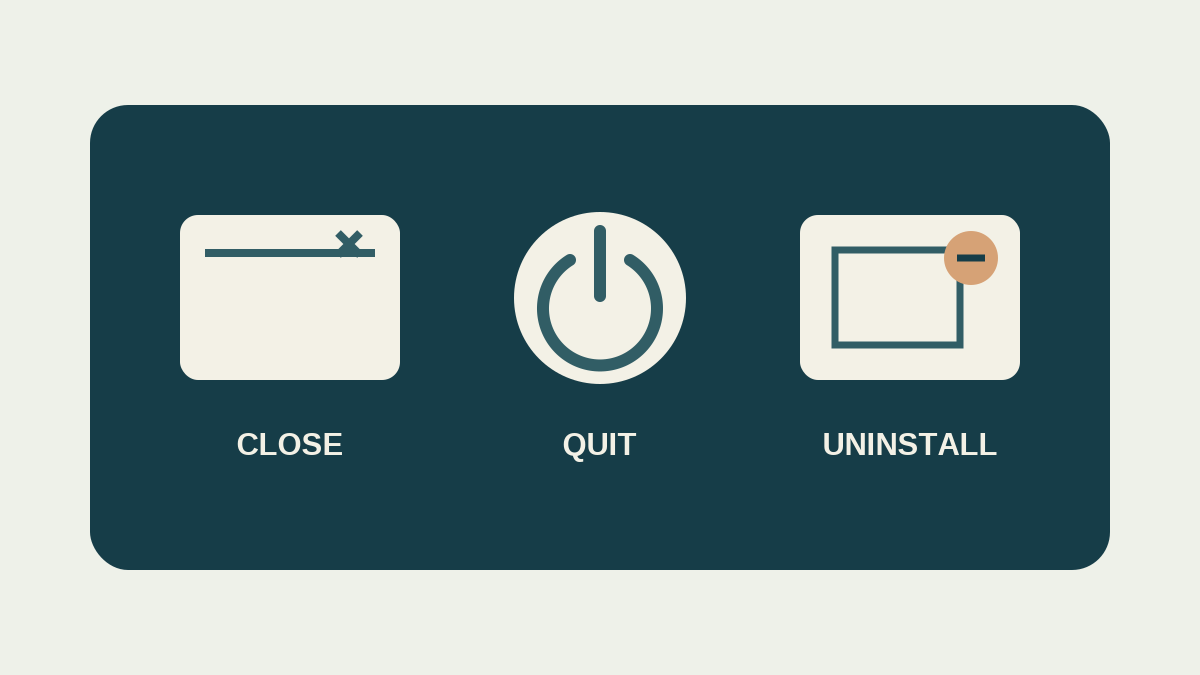
If you installed a Claude artifact and its reminders continue after you close the window, first check whether it has a menu-bar or system-tray item. Anthropic documents this as normal behaviour for apps with those items.
The Install as app beta announced on 24 November 2026 gives artifacts their own desktop icons and windows on Mac and Windows. The beta is rolling out across Claude plans. These apps remain linked to Claude: opening requires an online, signed-in session, and edits to the source artifact update the app. A familiar desktop icon does not make it an independent offline program.
For everyday use, separate three intentions: clearing your screen, stopping an app for now, and removing its installation. This guide concerns installed artifacts, not a fix for the main Claude Desktop client refusing to quit.
Choose the action that matches your intention
| Your intention | Action to consider |
|---|---|
| Clear the window from view | Close it. A menu-bar or tray app may keep running. |
| Stop using the app for now | Use its quit or exit command. |
| Remove its desktop installation | Uninstall it through Claude. The underlying artifact remains. |
Anthropic's installation and removal guide gives these ways to quit a resident app: on Mac, quit from the Dock or press Command-Q while that app is active; on Windows, select Exit in its tray-icon menu.
Try the stop control before relying on the app
Our suggested rehearsal is to use an app with harmless sample data and one observable action. For a reminder tool, choose a short test interval. Write down the app's name and what you expect to happen; this helps avoid confusing an artifact's reminder with a separate calendar or phone alert.
First observe the normal action. Then close its window and note whether the tray or menu-bar item remains and whether the action still occurs. Finally use the documented quit command and watch through the next expected interval. Record what happened rather than assuming the disappearing window proved anything.
A hypothetical note might read: “Sample reminder: window closed at 15:00; tray icon remained; reminder appeared at 15:01.” That is a useful distinction to give the app's creator. It is not evidence of a fault, nor proof that every background operation behaves the same way. This is a suggested check, not a test Techotick performed.
Remove the installation without deleting the artifact
In Claude Desktop, open File > Apps, select the app and choose Uninstall. Windows puts File under the menu button. Uninstalling clears granted permissions but keeps the artifact. Remove any leftover Dock, Start or taskbar pin too.
Before removing a tool you use regularly, make a brief record of what you still need: its name, where you open the source artifact, and any work you want to retain. Treat uninstalling the desktop app and deciding what to do with that work as separate tasks.
Permissions are a separate decision
Anthropic distinguishes ordinary app features, such as notifications, from full computer access. Full access can permit running programs and reading, changing or deleting files without a new question each time. The company says it does not review apps before installation. Keep that scope in mind when deciding whether an app needs more access merely to perform a small task.
Save work before withdrawing full access: the app may reload or close. Anthropic says withdrawal does not reverse changes already made, and independently detached programs can continue.
At work, ask the administrator about organization controls rather than changing a shared setup yourself. The admin guide says disabling an installation setting leaves installed apps and their granted permissions in place, ready to work again if re-enabled. It also documents exceptions to stopping programs, including detached programs and a change of organization. An offline computer can retain its previous organization setting.
For a support request, include the exact artifact, operating system, action you took and activity you still observed. “I closed its window” and “I selected Exit from its tray menu” describe different situations. Use that record to ask the creator or your administrator for help if the result differs from what you expected. Avoid deleting unrelated Claude files as a troubleshooting shortcut.
Editorial disclosure: AI assisted research and drafting, followed by a separate editorial revision against Anthropic documentation checked on 25 November 2026. No account, installation, quit, permission or file-recovery tests were performed. The rehearsal and example are editorial suggestions. No sponsorship or affiliate links. The cover is an original conceptual diagram, not a Claude screenshot.
Sources
- Install an artifact as an app — Anthropic
- Turn artifacts into Mac and Windows apps — Anthropic
- Artifacts admin guide for Team and Enterprise plans — Anthropic