Techotick / Practical AI

AI Prompt Library

Choose a task, personalise the inputs and copy a ready-to-use prompt into your AI assistant. Each published prompt includes practical guidance to help you adapt it to your work.

3 prompts to explore

Text & chatSummariseBeginner

Summarise a document into key points

Turn meeting notes, an email or a report into a focused summary for a specific reader. Choose the length while keeping important facts, numbers and unanswered questions visible.

Use this prompt

What to provide

  • The source text you want summarised, such as meeting notes, an email or a report.
  • Who will read the summary and how short it should be.
  • A short description of the material, such as meeting notes or a project report.
Make it yours

Fill in what you know. Empty fields stay as placeholders.

Describe the source, for example meeting notes, an email or a report.

Name the reader and their relevant background.

Use a word limit, number of bullets or another clear format.

Paste the material to summarise. Remove confidential details you cannot share with your chosen AI service.

Optional instructions
1 input to replace

Example Illustrative example

Input

Fictional example Type of material: meeting notes Audience: the project team Length: five bullet points Source text: The internal pilot has moved from 12 November to 19 November because accessibility checks are still unfinished. The pilot is limited to 12 staff members. Lena will finish the checks by 16 November. Amir will update the onboarding guide by 17 November. The team will review pilot feedback on 23 November before deciding whether to invite customers. A customer rollout date has not been agreed.

Output

• The internal pilot moves from 12 November to 19 November because accessibility checks are unfinished. • The pilot is limited to 12 staff members. • Lena will finish the accessibility checks by 16 November. • Amir will update the onboarding guide by 17 November. • The team will review feedback on 23 November before deciding whether to invite customers; no customer rollout date is agreed.

Improve the result

  • Check each statement in the summary against the source. Identify any unsupported claims or missing qualifications.
  • List the decisions, named owners and deadlines stated in the source. Mark anything not stated as unknown.
  • Shorten the summary to three bullets while preserving the main decision, dates and unresolved questions.
Compare the result with the source before sharing it. AI summaries can omit context or misread numbers, dates and qualifications. Process long documents in manageable sections and check the combined summary for omissions. The example is fictional and illustrative; it is not a recorded model test.

Revision 1

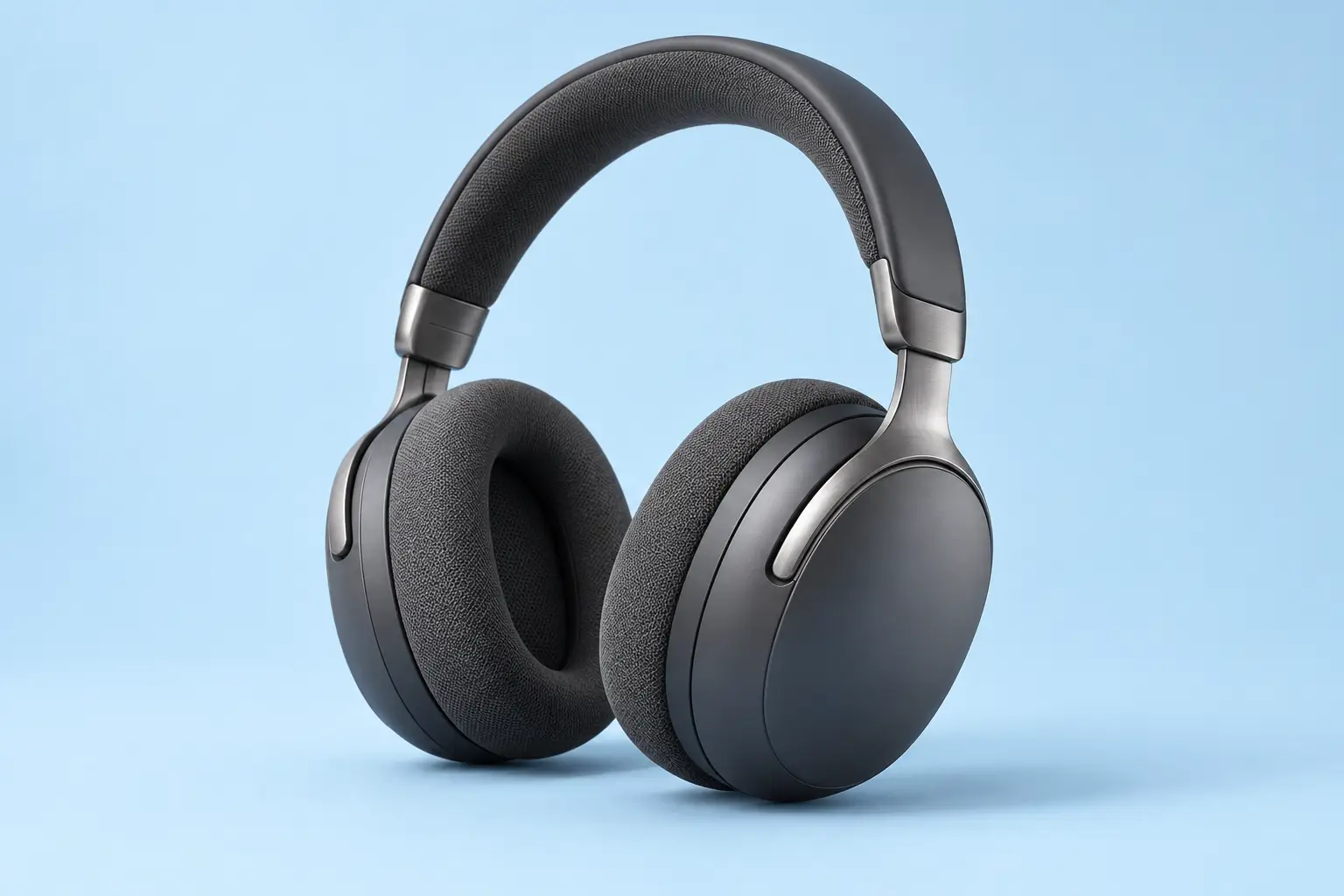
AI-generated matte graphite over-ear headphones with fabric cushions and brushed metal arms, shown at a three-quarter angle on a pale sky-blue studio background.
Result preview

Recorded test output

ImageGenerateBeginner

Create a studio headphone product image

Make a clean product-style image for a concept, mood board or presentation. Start with the graphite headphone example, then change the finish, lighting and background.

Use this prompt

What to provide

  • A description of the headphones and their visible materials.
  • Your preferred background and lighting. The example requests a landscape 3:2 composition.
Make it yours

Fill in what you know. Empty fields stay as placeholders.

Describe the headphones and their finish. Avoid relying on an exact brand match.

Choose a simple colour and studio setting.

State the light direction and softness.

Name the visible finishes you want the model to show.

Optional instructions
Ready to copy

Example Recorded test output

Input

Product: unbranded matte graphite over-ear wireless headphones. Background: pale sky-blue seamless studio. Lighting: softbox from upper left with gentle fill. Materials: matte plastic earcups, brushed metal arms and soft fabric cushions. The defaults above reproduce the exact text used for the recorded image generation.

Output

This image was generated with the prompt and default inputs above. It shows a fictional pair of headphones with a clean background, soft shadows and visible material textures. The result was visually checked for framing, coherent structure and unwanted text or logos.

AI-generated matte graphite over-ear headphones with fabric cushions and brushed metal arms, shown at a three-quarter angle on a pale sky-blue studio background.
Result

Tool settings

Recorded run: 26 October 2026. Codex built-in image generation; the tool did not expose a model name or seed. Opaque background. The prompt requested landscape 3:2; the saved PNG is 1536 × 1024. No reference image was supplied.

Improve the result

  • Keep the headphones and composition. Change only the background to a warm off-white seamless studio.
  • Keep the framing. Use softer, more diffuse light and a less pronounced floor shadow.
  • Check both earcups, hinges and the headband at full size. Regenerate or edit any structural errors before using the image.

Tested with Codex built-in image generation (model name not exposed) on .

One recorded generation, not a guarantee of repeatable output or compatibility with every image model. Changing the inputs creates a new, untested variation. The fictional product image should not be presented as an accurate photograph of an item for sale. Prompt wording cannot guarantee the absence of artifacts or establish commercial clearance.

Revision 1.0

AI-generated matte graphite over-ear headphones with fabric cushions and brushed metal arms, shown at a three-quarter angle on a pale sky-blue studio background.
Reference image
VideoAnimateBeginner

Animate a product photo with a slow push-in

Turn a still product image into a brief, restrained product shot. Use the source image and six-second motion preview to understand the intended framing, then try the prompt in an image-to-video tool.

Use this prompt

What to provide

  • Upload a clear source image you have permission to use as the first frame.
  • Select a supported duration and aspect ratio in your video tool. For this example, aim for six seconds and preserve the 3:2 source framing.
Make it yours

Fill in what you know. Empty fields stay as placeholders.

Use a duration your selected tool supports; also set it in the tool controls.

Describe the visible product without adding features absent from the source.

Start with a small, steady move to reduce distortion.

Optional instructions
Ready to copy

Example Illustrative example

Input

Source: the AI-generated headphone image shown below. Duration: six seconds. Camera: centred, slow push-in of approximately 5%. Sound: none.

Output

The playable clip below is an illustrative animated still made from the source image. It shows the requested pace and framing using a gradual 5% zoom. It is not output from a video-generation model; this video prompt has been reviewed but has not been tested in one.

AI-generated matte graphite over-ear headphones with fabric cushions and brushed metal arms, shown at a three-quarter angle on a pale sky-blue studio background.
Reference / before
Video description / transcript

Silent, six-second illustrative preview made by animating a still image. Graphite headphones remain motionless on a pale sky-blue background while the frame gradually zooms in by about 5%. There are no cuts, added objects, speech or music. This demonstrates the intended framing; it is not output from a video-generation model and does not demonstrate generated motion or parallax.

Tool settings

Suggested setup: image-to-video mode; upload the reference as the first frame; use a supported duration closest to six seconds and preserve the 3:2 composition where supported. Choose low motion strength if available. Turn audio off. Illustrative preview file: 1200 × 800, 30 fps, six seconds, H.264 MP4, no audio. These are the preview export settings, not verified controls for a particular video model.

Improve the result

  • If the headphones deform, shorten the clip and request an even smaller camera movement.
  • If the frame crops the headband or earcups, use a wider source image with more space around the product.
  • Inspect the first, middle and final frames for flicker, added details or changes in materials before sharing a generated result.

No video-generation model was run for this example. The preview is a 2D zoom of one still and cannot demonstrate realistic depth, parallax, generated motion or model quality. Tool support for exact duration, aspect ratio and audio controls varies. Image-to-video generation may distort product geometry; review every output.

Revision 1.0