Create a studio headphone product image
Make a clean product-style image for a concept, mood board or presentation. Start with the graphite headphone example, then change the finish, lighting and background.
Tools: Codex built-in image generation
What to provide
- A description of the headphones and their visible materials.
- Your preferred background and lighting. The example requests a landscape 3:2 composition.
Example Recorded test output
Input
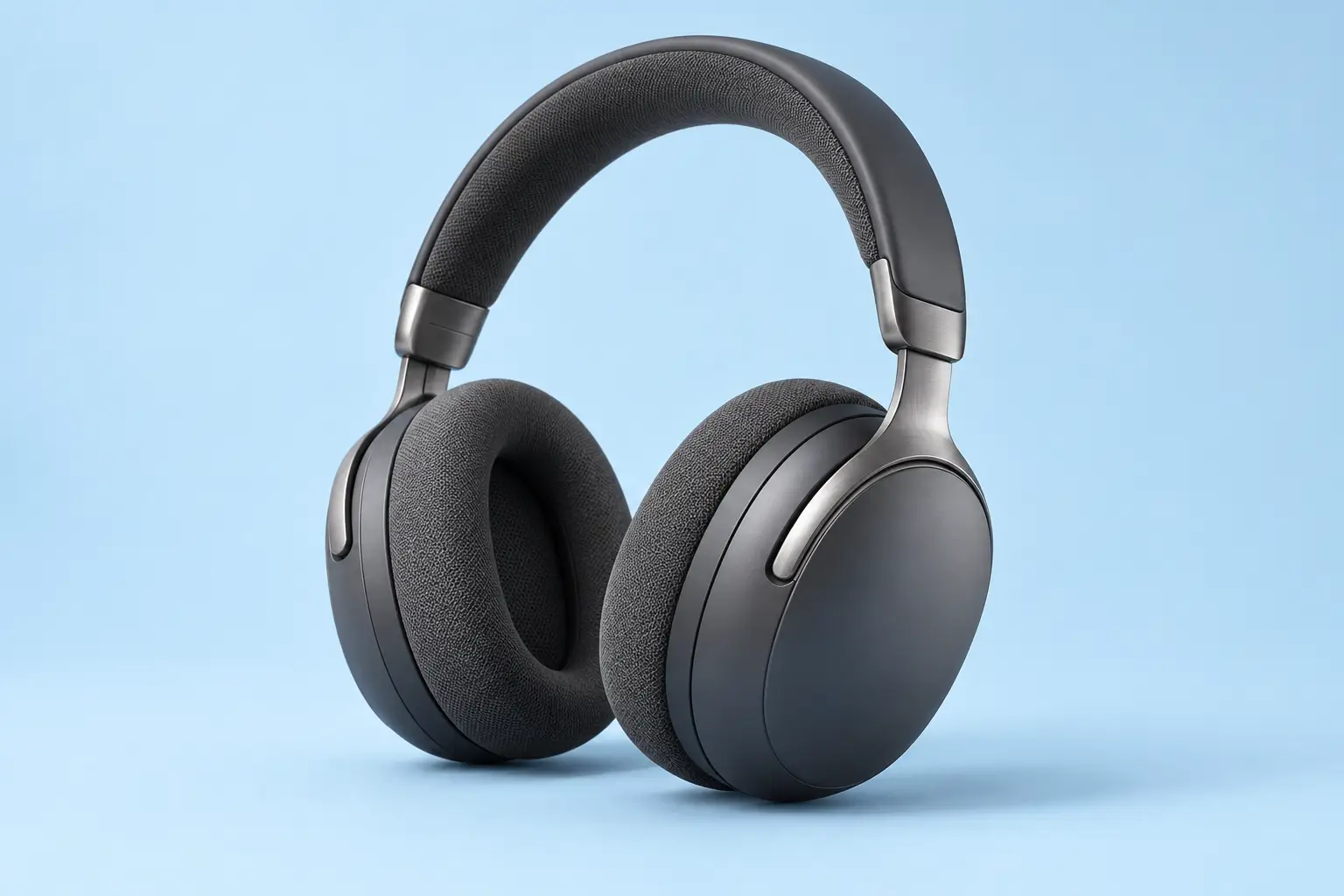
Product: unbranded matte graphite over-ear wireless headphones. Background: pale sky-blue seamless studio. Lighting: softbox from upper left with gentle fill. Materials: matte plastic earcups, brushed metal arms and soft fabric cushions. The defaults above reproduce the exact text used for the recorded image generation.
Output
This image was generated with the prompt and default inputs above. It shows a fictional pair of headphones with a clean background, soft shadows and visible material textures. The result was visually checked for framing, coherent structure and unwanted text or logos.
Tool settings
Recorded run: 26 October 2026. Codex built-in image generation; the tool did not expose a model name or seed. Opaque background. The prompt requested landscape 3:2; the saved PNG is 1536 × 1024. No reference image was supplied.
Improve the result
- Keep the headphones and composition. Change only the background to a warm off-white seamless studio.
- Keep the framing. Use softer, more diffuse light and a less pronounced floor shadow.
- Check both earcups, hinges and the headband at full size. Regenerate or edit any structural errors before using the image.