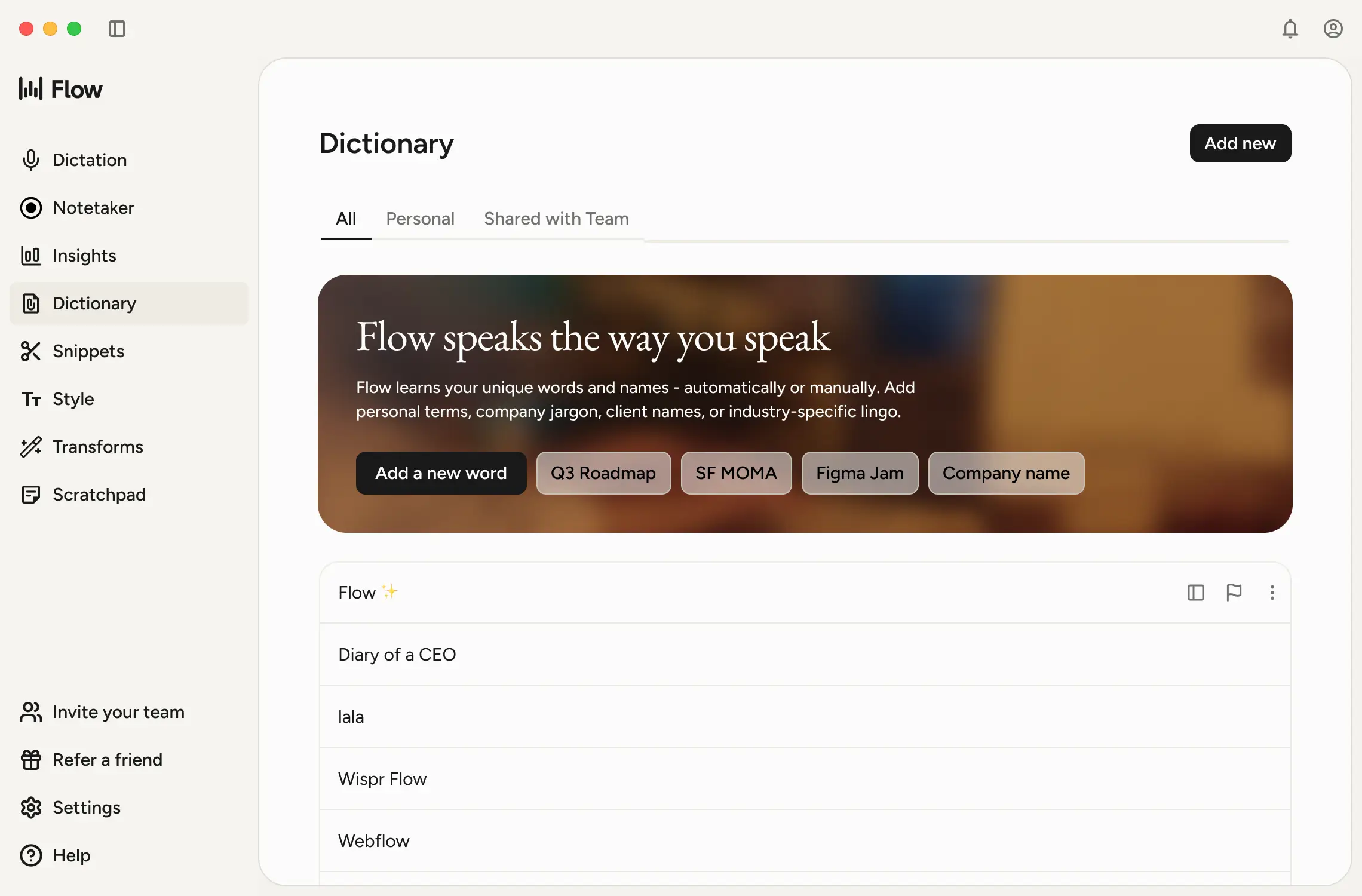
If Wispr Flow keeps misspelling a name, first decide what you want it to do: recognise an unfamiliar word, replace a recurring wrong spelling, or insert a whole saved reply. Those are different jobs. Choosing the right tool makes the result easier to check.
Wispr's 24 November Canto-2 announcement says the new model improves recognition of names and specialised terms. Its release notes list availability in the Americas on Mac, Windows, iOS and Android, with other regions rolling out. That includes the US; it does not confirm completed Australian rollout. The performance claims are Wispr's own, and a new model is not a reason to stop checking important text.
Match the tool to the result you need
The dictionary guide separates vocabulary from explicit spelling corrections. Wispr's feature overview describes snippets as spoken shortcuts for saved text. Use this decision table before adding another entry.
| Your aim | Starting point |
|---|---|
| Help Flow recognise an unfamiliar name or term | Add a dictionary word. |
| Replace the same unwanted spelling each time | Create an explicit spelling correction. |
| Insert a complete recurring message or link | Use a snippet with a distinct spoken cue. |
Choose the smallest change that fits the problem. If the rest of the sentence is useful, focus on the troublesome term. If you want identical wording every time, save that wording separately as a snippet.
Start with one troublesome term
In Dictionary, choose Add new on desktop or + on mobile, enter the intended word and save. For a repeated error, Mac, Windows and iOS offer Correct a misspelling when adding an entry: supply the desired spelling and the wrong output to replace. Android can apply synced corrections but cannot create them.
Wispr says corrections match whole words without regard to case and are literal, rather than language-aware. Free-form and custom prompt requests do not use the dictionary. Test through ordinary dictation before deciding the entry failed.
Check what changed before adding another rule
Consider a hypothetical project called LumaDesk. You want that spelling in a status update, but Flow repeatedly produces Looma Desk. First record the exact unwanted text. If you create a correction, target that specific phrase. A broad rule for desk could alter unrelated sentences you still need.
Our suggested check is to keep a small before-and-after note: intended text, actual output, entry changed and the next result. Change one thing at a time in the app you normally use. Read the whole sentence, including names, numbers and meaning, before sending. This is a troubleshooting method, not a guarantee that a particular rule will succeed.
For a recurring project introduction, a snippet might be the clearer choice. Give it an unusual cue and save the complete wording you intend to reuse. Keep changeable details, such as today's deadline or a recipient's name, out of a generic saved reply unless you will review them every time.
Look for a conflicting personal entry on desktop
Wispr's desktop library instructions say Dictionary and Snippets are separate pages. Search the relevant page, then compare Personal with the shared tab. When the same trigger exists in both personal and team libraries, the personal entry takes precedence; the All tab shows that personal copy.
This gives you a useful diagnostic question: is the team rule wrong, or is your own entry overriding it? Review the affected entry before asking somebody to change a rule for everyone. On desktop, Edit replacement has separate misspelling and correct-spelling fields; a plain word uses Edit word. Correct the entry that corresponds to the unwanted result.
If the problem persists, our suggestion is to send support a concise example with the device, app version, intended spelling, actual output and steps tried. A clear example is more useful than a collection of overlapping experimental rules. Avoid including private customer details when a fictional term can demonstrate the same behaviour.
Image: vendor-supplied Mac Dictionary screenshot from the Wispr Flow media kit, used for editorial coverage. Interface details may differ by platform and version. AI assisted research and drafting; the article received a separate editorial revision against documentation checked on 26 November 2026. No account, dictation, correction, synchronisation or accuracy tests were performed. The project example is hypothetical. No sponsorship or affiliate links.
Sources
- Canto-2 release and regional rollout — Wispr
- Dictionary words and spelling corrections — Wispr
- Desktop dictionary and snippets library — Wispr
- Wispr Flow features — Wispr
- Wispr media kit — Wispr