Turn a short label such as /branding or /noir into an image brief by naming the subject, framing it clearly and describing the colors and light. The label can organize your idea; the rest of the prompt gives the image its direction.
This first set of ChatGPT image prompts turns 24 slash-style labels into a practical vocabulary for design, product marketing, technology scenes and cinematic images. It includes four newly generated samples, with the exact prompts used beside each one. The other short examples are suggestions to adapt; they were not all generated separately.
These are informal prompt labels, rather than documented built-in image commands. The slash is part of the text we supplied. OpenAI's image-prompting guide accepts several prompt formats and emphasizes describing the result clearly; its desktop slash-command reference documents a separate menu of app actions. We have not run a controlled comparison proving that adding a slash improves an image.
For the broader explanation, read our guide to image slash commands and official controls. This companion focuses on what to create and how to describe it.
How to use Set 1
Choose a label for the deliverable, then add a subject, setting and visible constraints. A useful structure is: label + image to create + composition + lighting and materials + details to preserve or exclude. For example, /packaging names the task; “a forest-green coffee pouch on warm stone, with soft side lighting and a single sunrise symbol” gives the image its direction.
Paste the whole prompt into an image-capable ChatGPT conversation and ask it to create the image. Keep the labels in your saved prompt for organization, or replace them with their ordinary-language meaning. Avoid combining incompatible directions such as a tight macro close-up and a complete room view in one image.
Every sample here was created with the built-in image-generation tool from a text prompt, without reference photos. All products, brand concepts and scenes are fictional. The cover is also generated artwork. These are illustrative results from this session, not a promise of identical output from another run.
1. Design: from identity to publication layout
These six labels describe different design jobs. Start by choosing the object you need: a coordinated identity, a package, a symbol or a finished layout.
/branding— Coordinate an identity across several touchpoints. Try: /branding Create a coffee identity using a sunrise symbol, forest green, ivory and terracotta./packaging— Explore graphics on a box, pouch or container. Try: /packaging Show a resealable coffee pouch with a clear front label and realistic folded edges./logo— Explore an original mark and its readability. Try: /logo Sketch a simple sunrise symbol that remains legible in one color at small sizes./poster— Set a clear hierarchy and short headline. Try: /poster Design a coffee-tasting poster with the exact title "Morning Notes" and generous margins./billboard— Plan for reading at a distance. Try: /billboard Show one coffee pouch beside the headline "Start Your Morning" with high contrast./magazine— Explore a cover or editorial page. Try: /magazine Create a coffee-culture cover with the masthead "Morning Notes" and one short cover line.
Worked example: a fictional coffee identity
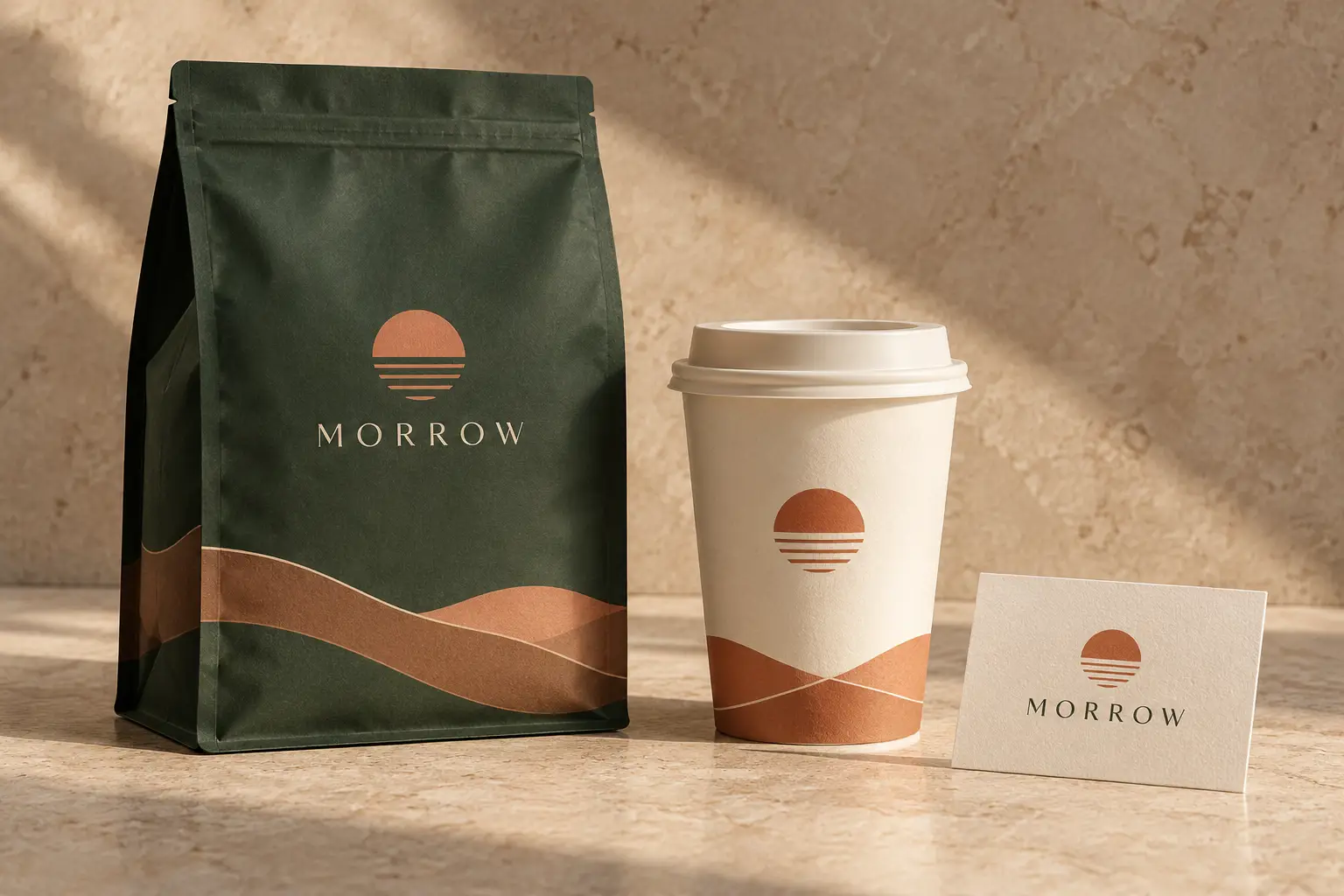
We combined /branding, /packaging and /logo so the result has a concrete consistency task: repeat one sunrise motif and a restrained palette across a pouch, cup and card.
Exact prompt used for this sample
/branding /packaging /logo Create a landscape 3:2 brand identity concept for a fictional coffee company called Morrow. Show a matte forest-green coffee pouch, an ivory paper cup and a small identity card arranged on a warm stone studio surface. Use one original simple sunrise symbol consistently on the three items, muted terracotta accents and restrained spacing. The only readable word is "MORROW", spelled exactly M-O-R-R-O-W, appearing once on the pouch and once on the card. Use soft side lighting, a three-quarter product view and sharp, realistic paper textures. Keep every object fully visible with breathing room. This is a fictional AI-generated branding mockup, not a real product or an existing brand identity. Do not copy any real logo. Do not print the slash labels, add extra lettering, watermarks or unrelated objects.
What the sample shows
The forest-green pouch, ivory cup and identity card share the sunrise motif and terracotta accents. “MORROW” is readable on the pouch and card. The symbol treatment varies slightly between items, which is a reminder to inspect consistency before approving a brand system.
For a real project, choose the mark separately, refine it in a vector editor and place the approved artwork on each surface. A generated package view does not supply a print-ready dieline or verified dimensions. For posters, covers and billboards, supply exact copy and finish typography in your layout tool.
2. Product marketing: control the treatment
Choose whether the product belongs in a studio, an everyday setting or a deliberately stylized campaign. Describing material and viewpoint is more actionable than adding several words for “luxury.”
/mockup— Show a concept applied to a physical object. Try: /mockup Place the approved label on a matte bottle and matching carton, with all edges visible./floating— Make the subject appear suspended. Try: /floating Suspend one pair of headphones above a pedestal and show a soft shadow below./splash— Add a liquid-motion effect. Try: /splash Put a clear water arc behind the product without obscuring its outline./lifestyle— Use a believable everyday setting. Try: /lifestyle Show headphones beside a notebook on a sunlit desk with natural wear./premium— Specify a restrained high-end treatment. Try: /premium Use brushed metal, a charcoal background and a narrow rim light, with no clutter./macro— Focus on a small surface detail. Try: /macro Show the fabric weave of one headphone cushion with shallow depth of field.
Worked example: floating headphones with a water effect
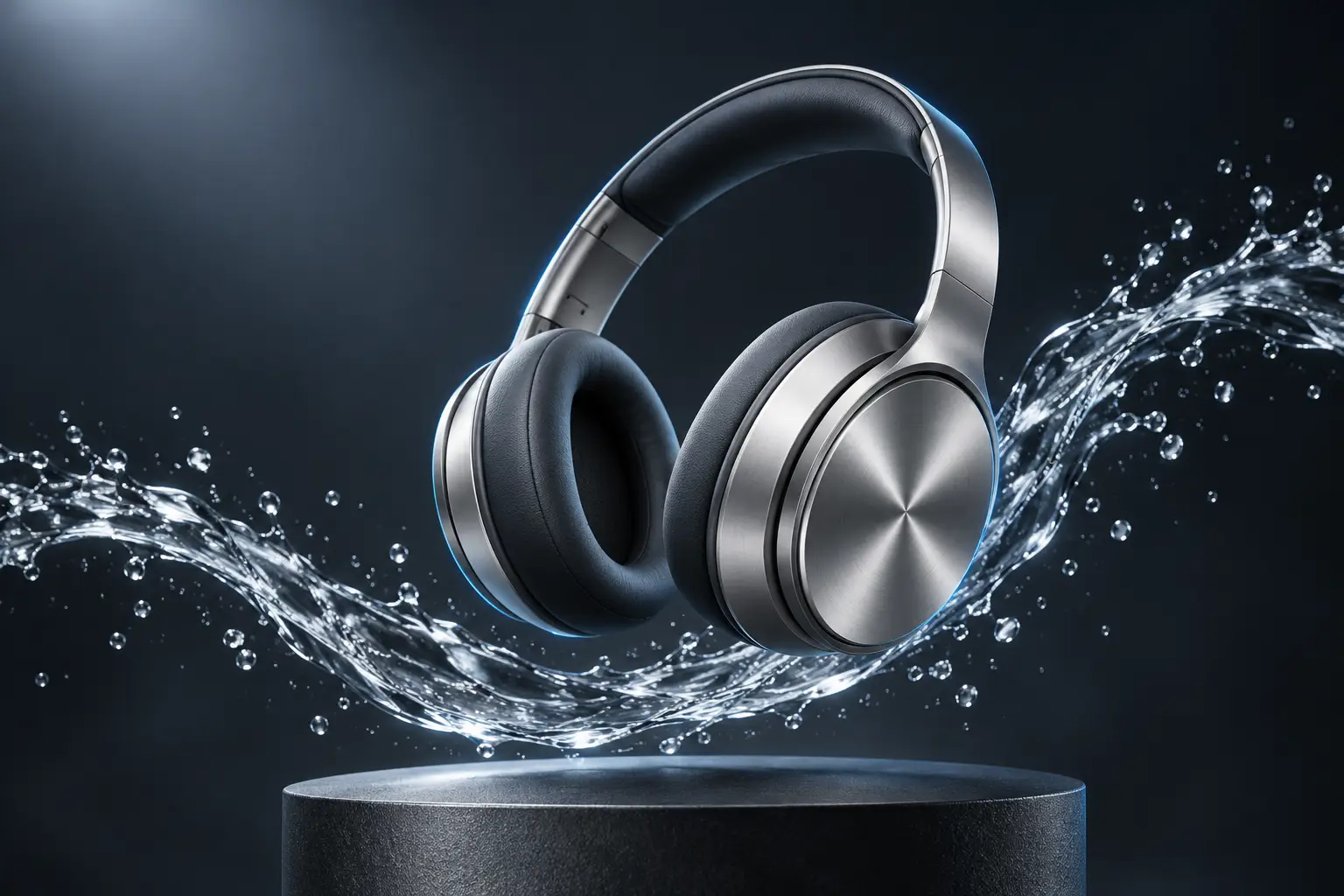
The prompt combines /mockup, /floating, /premium and /splash. It also says where the water should go and which parts of the headphones must remain visible.
Exact prompt used for this sample
/mockup /floating /premium /splash Create a landscape 3:2 premium advertising concept for fictional unbranded over-ear headphones. Show one pair of brushed-silver headphones floating above a dark graphite pedestal, with an elegant clear-water arc passing behind and below them without covering either ear cup. Use a three-quarter view, crisp metallic texture, a narrow cool-blue rim light and a soft overhead studio light against a charcoal background. Keep the entire headband and both ear cups inside the frame; leave modest negative space at the upper left. Make the liquid feel like a stylized advertising effect. This fictional generated scene must not imply a real product exists or has waterproof certification. No logos, text, slash-label lettering, watermarks, people or extra headphones.
What the sample shows
The silver headphones remain the focal point, with the water arc largely below them and cool edge lighting separating the metal from the background. Both ear cups and the headband remain visible. The pedestal and suspended pose make this a stylized advertising concept.
For an accurate picture of an actual product, provide an image you have permission to use and state which shape, controls, labels and colors must stay fixed. Check those details after generation. Avoid adding water, impact or performance cues to a real advertisement unless the implied claim is supported.
3. Technology: define the environment
Technology labels mix purpose with aesthetics. /techad describes a task; /cyberpunk suggests a visual world. Decide which should lead before filling a scene with glowing objects.
/techad— Create a technology advertisement concept. Try: /techad Frame one desktop tower clearly and reserve an uncluttered area for later copy./futuristic— Suggest a future-facing visual language. Try: /futuristic Use precise geometry, concealed lighting and restrained reflective materials./minimal— Reduce visual competition around a subject. Try: /minimal Show one device on an ivory background with a soft shadow and no extra props./workspace— Place devices in a work environment. Try: /workspace Arrange a monitor, keyboard and notebook on a believable uncluttered desk./gaming— Build a gaming-oriented setup. Try: /gaming Show one monitor, one tower and a keyboard with a clear seating position./cyberpunk— Use neon urban science-fiction cues. Try: /cyberpunk Use cyan and magenta reflections, a rainy window and a distant city at night.
Worked example: a neon gaming workspace
This brief combines task and environment labels. It names the equipment, limits the screen to an invented abstract landscape and specifies the cyan and magenta lighting.
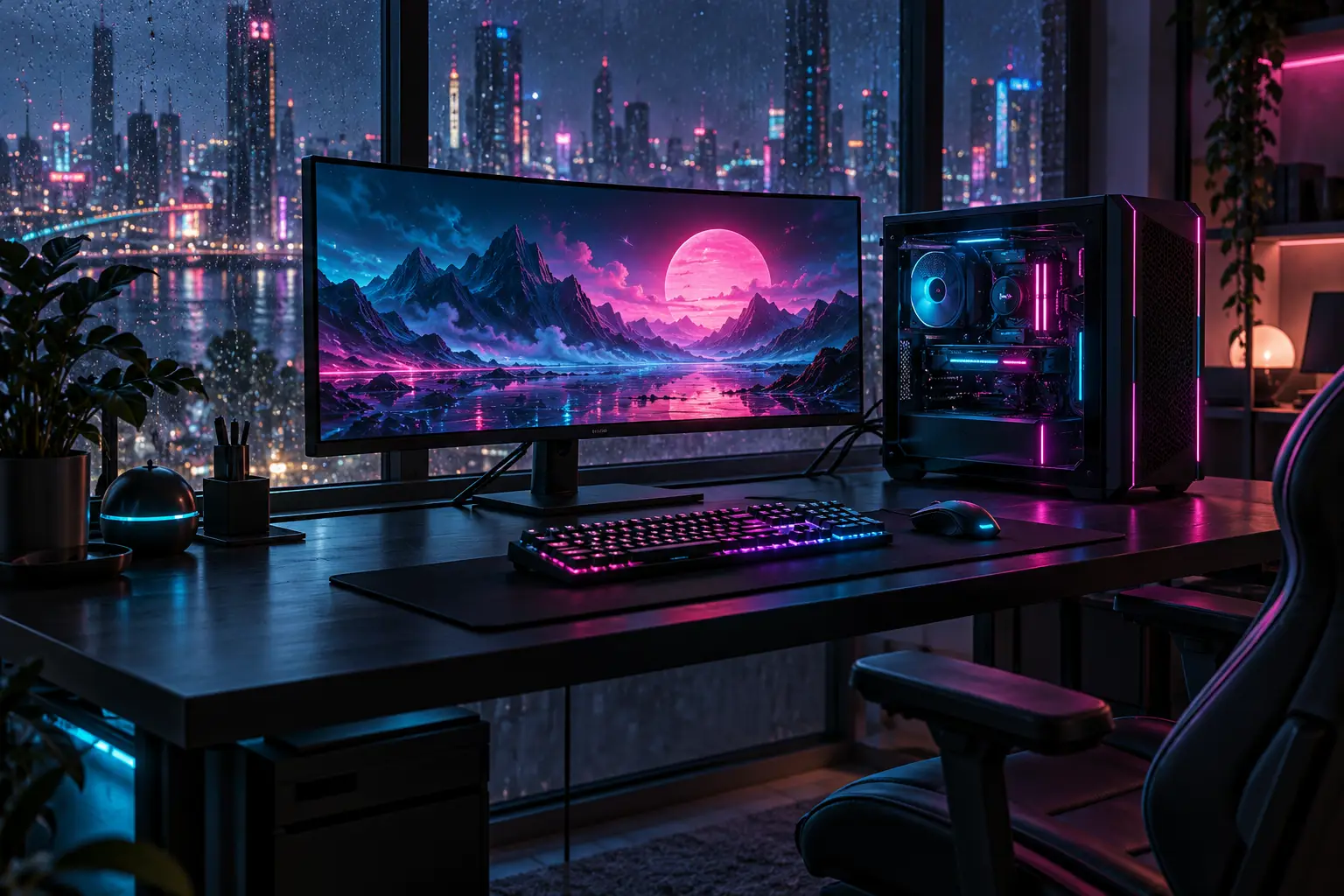
Exact prompt used for this sample
/techad /futuristic /workspace /gaming /cyberpunk Create a landscape 3:2 editorial concept of a compact futuristic gaming workspace. Place one unbranded desktop tower with subtle internal lighting beside one ultrawide monitor, a mechanical keyboard and a mouse on a dark uncluttered desk. Use restrained cyan and magenta light strips, rain on the window behind the desk and a softly blurred nighttime skyline. Show the desk at a three-quarter eye-level angle so the keyboard, screen and tower have clear distinct silhouettes. The screen displays only an original abstract neon landscape, with no app interface or readable text. Keep cable routing plausible and the whole workspace inside the frame. This is fictional AI-generated concept art, not a photograph or a real hardware specification. No brand marks, text, watermarks, people or slash-label lettering.
What the sample shows
The monitor, keyboard and tower have distinct silhouettes, and the rain-speckled window carries the futuristic city setting. Cyan and magenta light connects the screen, equipment and room. Small hardware details remain invented: a convincing render does not establish functional ports, cooling, cable routing or component compatibility.
For a minimalist variation, replace the neon directions with soft daylight and a neutral background, then remove incidental desk objects. Change the environment instructions as well as the label; leaving both complete treatments in the prompt creates an ambiguous brief.
4. Cinematic: choose a shot and a mood
A cinematic image needs a scene, a viewpoint and a source of light. These labels organize that brief; they do not identify an actual movie, recording or aerial flight.
/noir— Use contrast, shadow and mystery. Try: /noir Frame a lone figure beneath a streetlamp with deep but readable shadows./action— Suggest movement in one still image. Try: /action Show a fictional cyclist leaning through a turn, with controlled background motion blur./night— Specify nighttime illumination. Try: /night Light a wet street with one lamp and distant window reflections./drone— Request an aerial-style viewpoint. Try: /drone Show a fictional coastal road from high above, with the shoreline guiding the composition./quote— Combine a cinematic treatment with supplied words. Try: /quote Place the original line "The road begins here" over a dawn landscape with readable contrast./filmstill— Create a frame from an imagined film. Try: /filmstill Compose a quiet station scene with one traveler, directional light and subtle film grain.
Worked example: a quiet noir scene
We used /noir, /night and /filmstill with an anonymous figure, a wet street and a dominant streetlamp. The brief asks for enough shadow detail to keep the person readable.
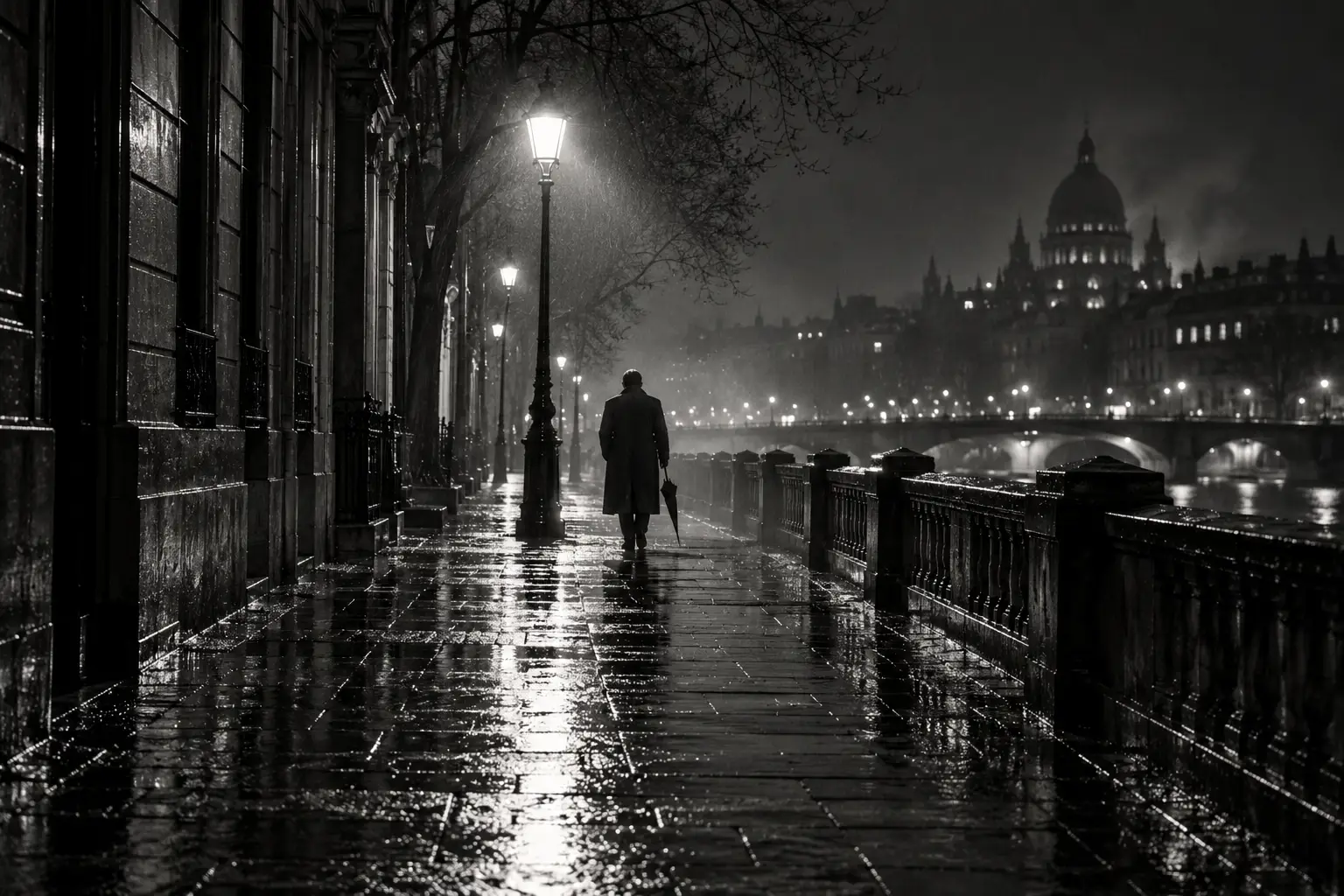
Exact prompt used for this sample
/noir /night /filmstill Create a landscape 3:2 black-and-white cinematic still from an imaginary film. Show a lone anonymous adult wearing a long coat and carrying a closed umbrella, walking away along a rain-soaked city street at night. Frame the person small in the middle distance beneath a single bright streetlamp, with deep shadows, wet pavement reflections, a faint mist and restrained fine film grain. Use an eye-level wide composition with strong leading lines and enough shadow detail to distinguish the figure from the background. Make the scene quiet and mysterious, with no violence or weapons. The person is fictional and has no identifiable real likeness; this is newly generated artwork, not a frame from an existing movie. No readable signs, text, subtitles, logos, watermarks or slash-label lettering.
What the sample shows
Reflected light separates the figure from the background, while wet paving and receding lamps create depth. The generator expanded the setting into a riverside streetscape with additional lamps and architecture. The mood matches the brief, but the scene was not followed literally in every detail.
When composition must be precise, request a correction while naming what to retain. For a single isolated lamp, preserve the figure's size, wet paving and monochrome treatment while removing the extra lights. For /quote, supply exact wording and check every letter. Describe the height and viewing direction for /drone, and label the result as generated.
Make your next prompt more precise
Start with the closest sample and change the subject first. Then change one visual decision at a time: background, viewpoint, palette or light. OpenAI's image-generation guidance recommends targeted revisions and clear instructions about what should remain fixed.
After the coffee sample, try: “Keep the three objects, sunrise symbol, lighting and camera angle. Change only the green packaging to deep blue.” After the headphones, try: “Keep the headphones and pedestal unchanged. Remove the water effect and preserve the cool rim lighting.” These are suggested follow-ups, not edits demonstrated here.
Check the image against its job: text for a poster, a consistent mark for branding, product geometry for a mockup, or subject visibility in a dark scene. Check downloaded dimensions and file suitability before printing or publishing. A label describes an intention; the image shows what was delivered.
Source and generation notes
The 24-label selection was inspired by aio.talent's Persian Instagram carousel, supplied by a reader. The English explanations, practical examples and generated scenes were developed for this guide. We have not reproduced the carousel artwork or its branded layout.
The four worked examples were generated from the full prompts printed above with the built-in image-generation tool on 28 October 2026. The short catalogue prompts and suggested follow-ups have not each been tested. Results vary; this article does not isolate the effect of slash syntax or claim that one-word presets are reliable.
Editorial disclosure: AI tools assisted with research, writing and image generation. The article received a separate AI-assisted editorial revision. All five illustrations, including the cover, are generated concepts. No sponsorship, affiliate links or supplied products are involved.
Cover image prompt
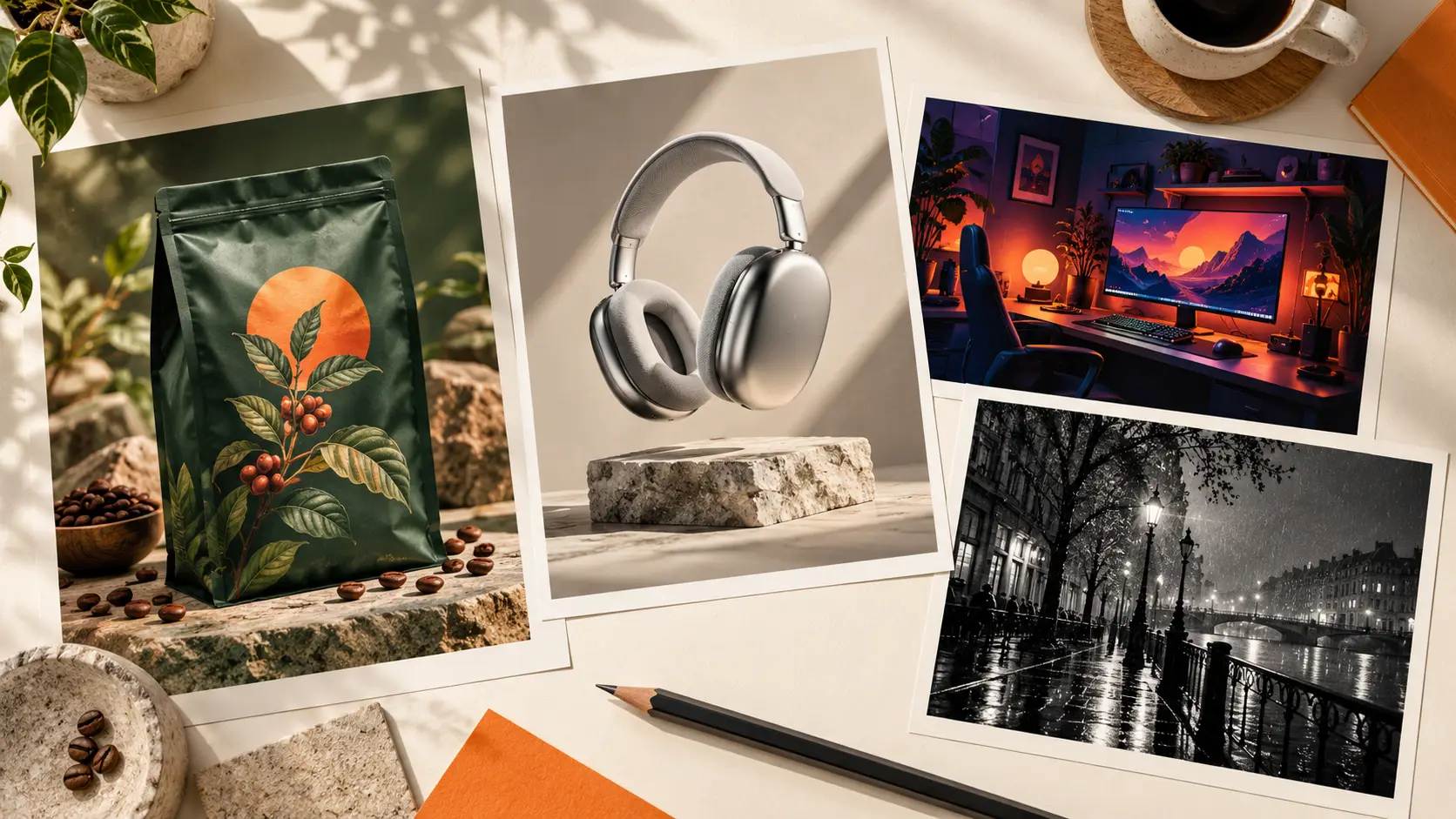
The cover is a separate conceptual arrangement of creative samples, not a screenshot of ChatGPT or a composite of the four sample files.
Sources
- Image prompting — OpenAI
- Image generation — ChatGPT Learn
- Slash commands — ChatGPT Learn
- Image-prompt keyword carousel — aio.talent on Instagram