A short label such as /floatingexplosion can describe a visual idea, but the useful instruction is what you want the image editor to change and what it must preserve. In ChatGPT Images, you can upload an existing picture and describe the edit in ordinary language; you can also select an area, although OpenAI notes that selections may be imprecise and edits can extend beyond them.
That distinction matters for product photos. A generated scene can make a bottle appear to float in a splash, but it may also redraw its cap, proportions, finish or label. Treat the result as a visual concept until you have checked it against the source.
Describe one change and the details to keep
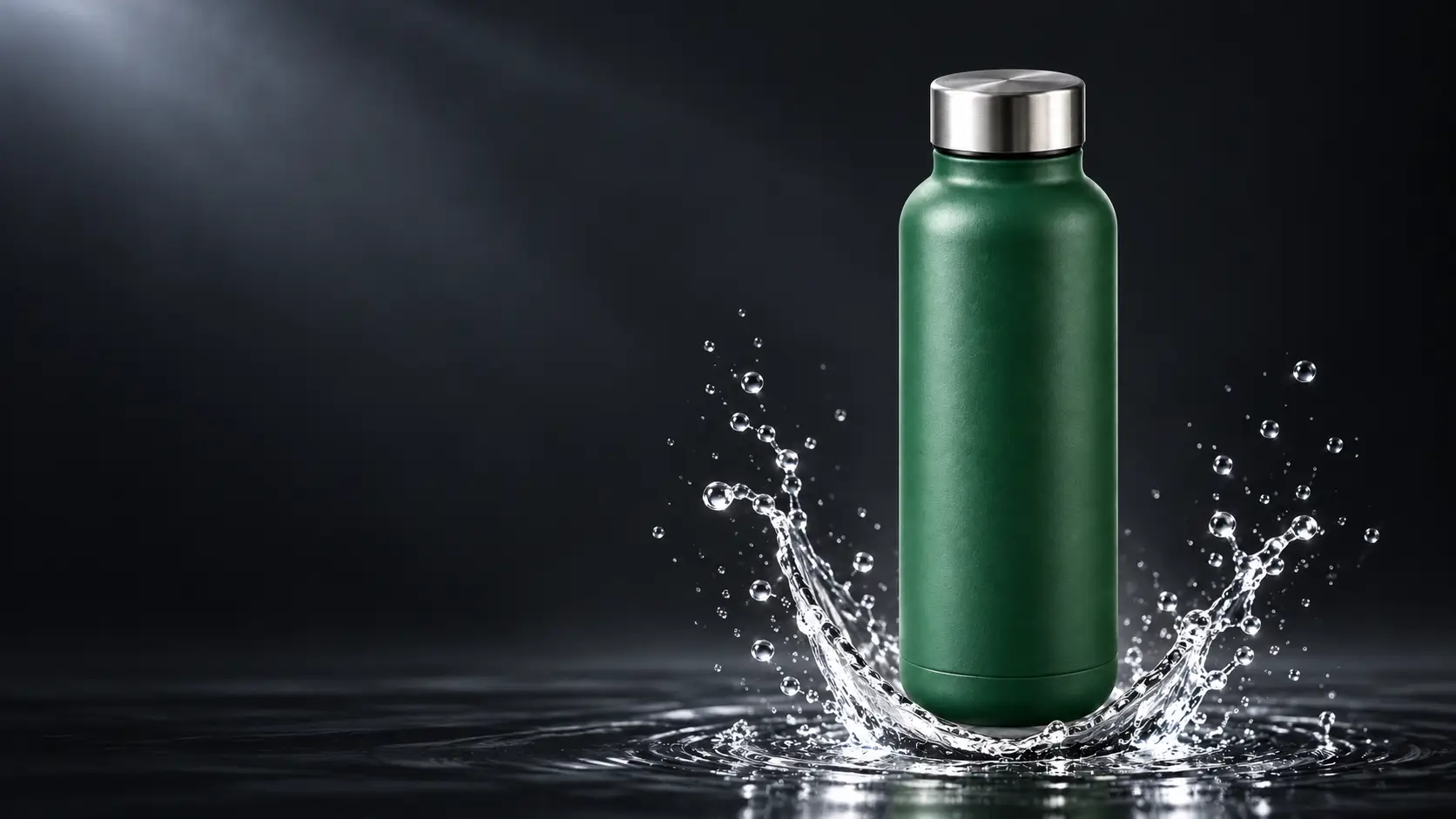
Start with an image you own or have permission to edit. Name the product without asking the model to invent a brand, then specify a single scene change. For example: “Edit this fictional forest-green bottle photo as a campaign concept. Keep its cylindrical body, brushed-steel lid, colour, proportions and camera angle. Change only the scene: place it above a small arc of clear water against a charcoal studio background. Keep the whole bottle visible. Add no label, logo or text.”
The instruction separates the subject from the treatment. “Make it premium” leaves the scene, materials and framing open to interpretation. “Keep the bottle unchanged; add a water arc and dark studio background” gives the editor a narrower job. If you need a different effect, replace the scene change rather than stacking several unrelated requests at once.
OpenAI’s current Images guide describes both direct text instructions and area selection. If a splash should sit behind the item, say so explicitly. Selection tools can help focus an edit, but they do not guarantee that only the highlighted pixels will change.
Original generated reference
An AI-generated study of a fictional, unbranded bottle on a plain studio background. It is not a photograph of a product for sale.
Edited campaign concept
One tested image-generation run adds a water-splash scene. The imagery is illustrative; it does not verify a real product's construction or appearance.
Check the result against the original
Compare the generated image with the upload at the same size. Look at the outer silhouette first, then the lid, seams, controls, material, colour and any logo or label. Check that the camera angle and product scale still make sense. A convincing splash does not make a changed cap or invented button accurate.
If an important detail moved, disappeared or changed shape, try again with a more specific preservation instruction or select the area you want edited. You can also ask for a smaller change, such as changing only the background. Review each new result from scratch: a previous instruction does not guarantee the next image preserved the same details.
OpenAI says image selections may be imperfect and edits can reach beyond the selected area. That is a reason to inspect the entire product, not just the background. For high-stakes product information, use an authentic product photo and do not rely on a generated image to establish specifications.
Use effects as concepts, not product evidence
Slash-prefixed labels in social posts are often shorthand for a desired look. The Reel that inspired this guide shows labels including /explodedview, /floatingexplosion and /xray, but does not provide the full prompt wording or verify the product structures implied by those effects. The labels are not evidence that ChatGPT has a built-in command for each one.
An exploded view or X-ray-style image can invent internal components. A floating effect can imply a scene that never happened. Use these treatments for clearly labelled concepts, mood boards or creative explorations. For a real listing or advertisement, check that the image accurately represents the item and does not imply unsupported features. Keep the original photo and the generated concept distinguishable.
For a reusable starting point, see Techotick’s product-photo editing prompt. It asks for one visual effect while listing the details to preserve and the additions to avoid.
This guide was researched and edited with AI assistance. The example images are AI-generated illustrations of a fictional bottle; no real product was tested or photographed. No sponsorship or affiliate relationship applies.
Sources
Images in ChatGPT — OpenAI Help Center