Apple TV 4K is worth considering if it solves a recurring problem with your television and you will use its Apple-device features. If your current TV already runs your favourite apps well, keep your money. Owning an iPhone makes the box more appealing; it does not make it necessary.
The buying decision has changed. As checked on 26 October 2026, Apple's US store and Australian store list the fourth-generation Apple TV 4K for preorder, with availability starting 13 November. It costs US$299 or A$449. This is a buying guide based on published specifications and compatibility information; we have not tested the new hardware.
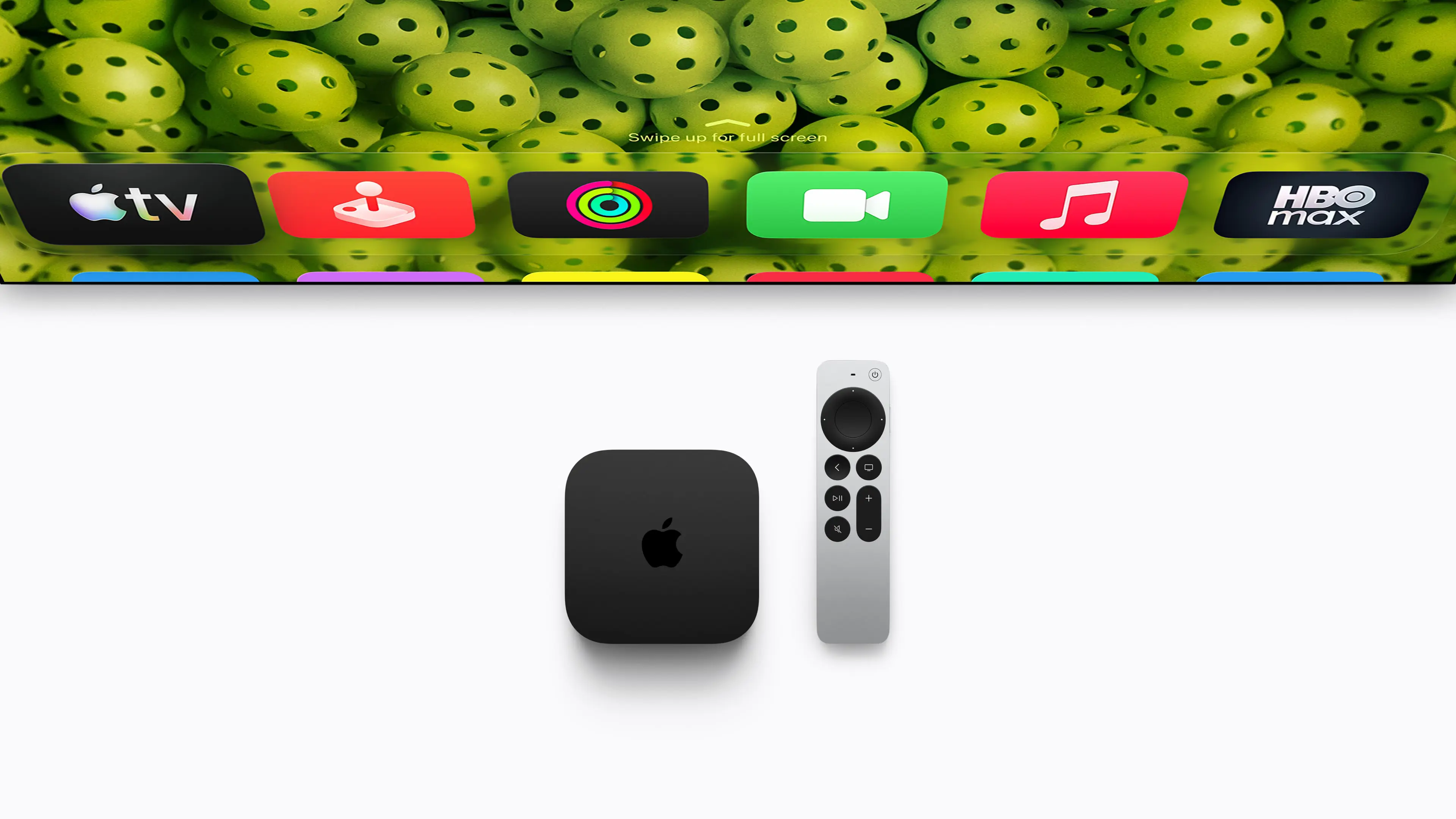
Image source: Apple Newsroom.
First, do you need the device at all?
Apple TV 4K is the physical streaming box that connects to a television through HDMI. The Apple TV app is software, and the Apple TV subscription is a paid content service. Buying one does not mean you have bought unlimited access to everything shown in the app.
Before ordering hardware, search your television's app store for Apple TV. Apple's installation guide covers compatible smart TVs and streaming devices. If the app is available and works properly, you can use that route to watch your subscription. Apple also warns that its subscription excludes third-party subscriptions and separately rented or purchased content.
That is the cheapest useful test: try the apps you actually watch on the equipment you already own. A box earns its place when it fixes something you notice, rather than simply adding another way to open the same shows.
Who should buy, wait or skip?
| Your situation | Our recommendation |
|---|---|
| Your TV has the apps you need and responds well | Skip it. Identify a specific missing feature before spending. |
| Your screen is fine, but its apps are frustrating or missing | Consider an external streamer. Confirm your essential apps support Apple TV before choosing this one. |
| You regularly use AirPods, an iPhone and Apple Home | Apple TV deserves a closer look because several useful functions can share one box. |
| You own a working third-generation Apple TV 4K | Keep it unless you can name a fourth-generation feature you will use. |
| You want the new model mainly for Siri AI | Wait for the relevant software and independent testing; check older-model eligibility first. |
What the new model actually adds
Apple's specifications list an A19 chip, 128GB of storage, Gigabit Ethernet, Wi-Fi 7 and Thread networking. Thread connects compatible smart-home devices. The box supports Dolby Vision, HDR10+ and Dolby Atmos, with video output up to 4K at 60 frames per second. An HDMI cable is required and sold separately.
Those specifications tell you what it can support, not whether your living room will look or sound better. A 1080p television cannot display a native 4K picture; an HDR format needs a compatible screen and content. If your existing setup already delivers the formats you watch, do not count them again as an upgrade benefit.
The more distinctive additions are built-in microphones for hands-free control and support for a four-speaker HomePod arrangement. Apple's announcement specifies four HomePod mini 2 or second-generation HomePod speakers in matching front and rear pairs. That is a separate speaker purchase, not surround sound included in the box.
Our recommendation is to price the complete setup you want. If hands-free control is the attraction, consider whether you want microphones in that room. If surround sound is the attraction, compare the full speaker bill with your other audio options before committing.
The Apple ecosystem is the strongest reason to consider it
Apple describes iPhone remote controls, AirPods listening and Apple Home hub functions. These can matter more than a processor specification: using headphones for late-night viewing or controlling compatible home accessories may be part of your daily routine. Feature availability and accessory compatibility still need checking.
Give each feature a real use case. “I would use headphones while my partner sleeps” is a stronger buying reason than “it works with my other Apple products.” Likewise, an Apple Home hub has little extra value if your home already has the hub functions you need. Avoid paying twice for capabilities you already have.
Do not upgrade just for Siri AI
Apple describes Siri AI as a beta feature in tvOS 27.2 for second-generation and later Apple TV 4K models. Its stated launch markets include the US and Australia in English. Setup requires the Home owner to have an Apple Intelligence-capable iPhone or iPad with the latest software and Siri AI enabled. Some server-based features have daily limits, with paid expanded access planned.
This makes Siri AI a poor standalone reason to replace a compatible box. Treat Apple's announcement as a software roadmap with conditions, rather than proof of how reliably it will handle your requests. If that feature determines whether you buy, wait until you can evaluate it with your own language, accounts and devices.
Is an older Apple TV 4K a better buy?
A discounted third-generation model can be sensible for ordinary streaming. Apple's 2022-model specifications already include an A15 Bionic chip, 4K output up to 60 fps, Dolby Vision, HDR10+ and Dolby Atmos. The 64GB version has Wi-Fi; the 128GB version adds Gigabit Ethernet and Thread. Do not assume every older Apple TV 4K listing has the same connections.
Compare the actual delivered price, generation, included remote, condition and return terms. We have not verified a particular clearance offer. A small discount would not compensate everyone for buying older hardware; a substantial saving could be worthwhile if the older model meets every requirement on your list. Check that saving against the features you would give up, rather than comparing storage alone.
If you already own one and it does what you need, keeping it avoids the entire replacement cost. More processing power is not, by itself, evidence that the shows you watch will improve.
A five-minute check before spending
- Name the problem. Is it a missing app, unreliable playback, awkward controls or a particular Apple feature you want?
- Test the current setup. Open your three most-used apps, start a programme and try the controls. If playback stalls across multiple devices, investigate the network before assuming a new streamer will fix it.
- Verify your essentials. Check each service's current Apple TV support in your country, including your subscription tier and any required picture or sound formats.
- Count the whole cost. Include the box, any HDMI cable or accessories you need, and continuing subscriptions. Do not count a temporary trial as permanent savings.
- Choose for the problem you found. Keep a satisfactory TV, compare suitable external streamers for a missing app, or pay Apple's premium when its specific features justify it to you.
Our verdict: Apple TV 4K can be a worthwhile addition to an Apple household with a clear need for it. At US$299 / A$449 for the new model, it is difficult to justify as an automatic purchase for everyone who streams. Existing owners should be particularly selective, and buyers interested in the new features should wait for evidence beyond the preorder specifications.
Editorial method: AI-assisted research and writing, checked against the linked Apple sources. No hands-on testing was performed. This guide contains no affiliate links. Cover and product image: Apple Newsroom. Prices and preorder status checked 26 October 2026.
Sources
- Apple TV 4K — US store — Apple
- Apple TV 4K — Australian store — Apple
- Apple TV 4K — technical specifications — Apple
- Apple announces the fourth-generation Apple TV 4K — Apple
- Apple TV 4K — features and compatibility — Apple
- Apple TV 4K third-generation specifications — Apple
- Get the Apple TV app on a smart TV or streaming device — Apple