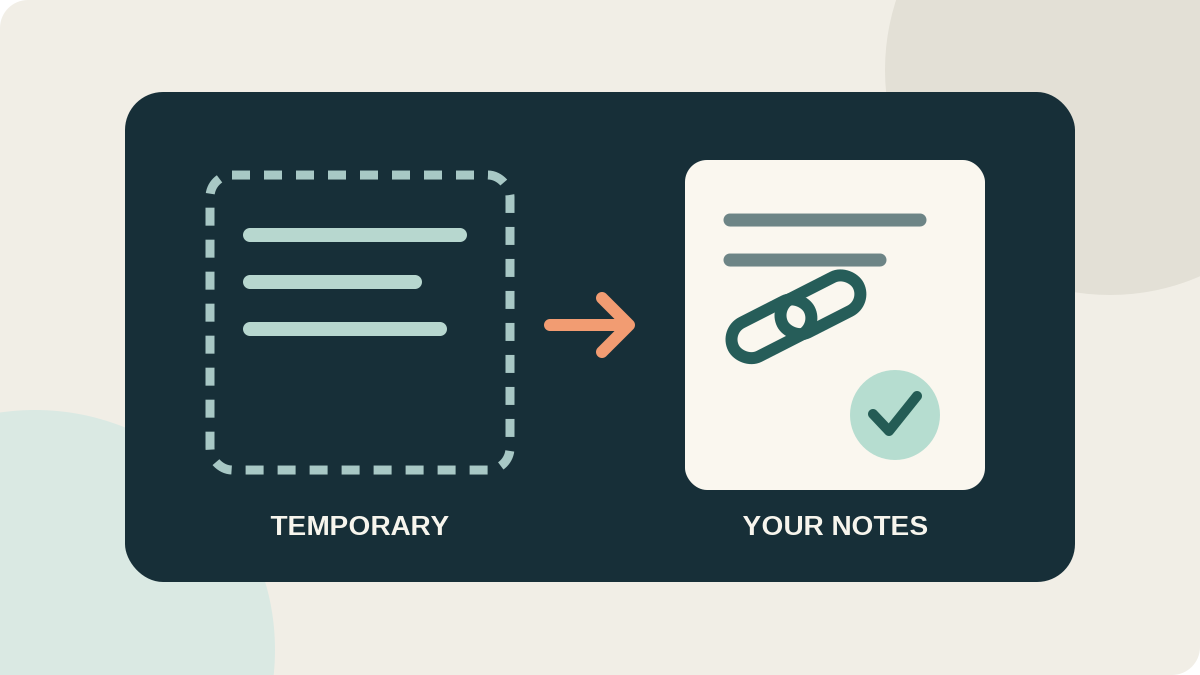
If a temporary thread in Google Search AI Mode produces a useful answer, save the parts you need before leaving it. Keep four things together: your question, the useful finding, its important qualifications and the source links. A copied answer without its evidence is harder to check later.
Google introduced temporary threads on 17 November 2026 for questions people do not want in account history or future personalization. Google announced a global rollout on desktop and mobile browsers, in AI Mode's supported languages. Look for the temporary-thread icon at the top right; availability on an individual account can still vary.
The 24-hour wording is not a recovery window
Google's temporary-thread help page says access ends immediately when you leave, and the conversation cannot be recovered from AI Mode history. Its separate statement that threads disappear after 24 hours does not offer you a day to reopen one. Plan around the immediate loss of access.
Temporary mode has no built-in thread or response sharing and cannot use Connected Apps. Choose it when you want a separate, one-off search. If the task depends on connected account information or returning to the conversation, check ordinary AI Mode and its history settings before starting instead.
Make a short record before you leave
This is an editorial note-taking method, not a Google export feature. While the answer is visible, copy the text you need into a note you control. Check the pasted result, particularly links, units and words such as only or except. If you cannot copy a link reliably on your device, record the source's title and address separately.
| Keep | Why it matters later |
|---|---|
| Your question and constraints | Record the model, version or situation you asked about. A general answer may not fit a different device. |
| The finding and its qualification | Keep the condition attached to the conclusion, including anything the answer could not establish. |
| Source links and check date | Give yourself a route back to the evidence. Mark unvisited sources as unchecked. |
A screenshot may help preserve the appearance of a short passage, but it can cut off the rest of the answer and makes links harder to revisit. Treat it as an optional supplement to a readable note, not proof that the claim is correct.
Check the source, not just the saved answer
Google's general AI Mode guidance warns that answers can misread web content or miss context. It recommends checking important information in more than one place, including the linked sources and other search results. Saving the answer does not remove that need.
For a hypothetical example, imagine researching whether a USB-C dock will work with a particular laptop. A note saying “compatible” loses the distinction between charging, data and external-display support. A more useful record names the laptop and dock, states which function the answer discussed, links to the relevant specifications and marks any unresolved requirement. This example is a way to organize research, not a compatibility finding about a real product.
Save the minimum useful record before navigating away to verify those pages. After opening a source, compare its exact model, publication date and conditions with your note. Correct the note if the source says less than the AI answer did. Keep uncertain items labelled as uncertain rather than filling gaps from memory.
Your saved copy has its own privacy implications
A separate note is a record you have chosen to create. Put it somewhere appropriate for its contents; check whether that app syncs to an account or shared device. Avoid copying unnecessary personal details simply because they appeared in the conversation.
Temporary threads are not a promise of zero data collection. Google says it still collects some data unconnected to your account, and external websites and browser history can record subsequent browsing. Its training exclusion also has feedback and safety exceptions. Those limits matter even if you choose not to save a note.
If you already left, do not treat the 24-hour wording as a restoration route. You may be able to research the question again from information you remember, but a fresh answer is not a recovered copy of the old one. A saved note should tell you what you found, where it came from and what still needs checking.
Editorial disclosure: AI assisted research and drafting, followed by a separate editorial revision against Google documentation checked on 25 November 2026. Techotick did not test an account, copy operation, recovery or privacy behavior. The note-taking method and hypothetical example are editorial suggestions. No sponsorship or affiliate links. The cover is an original conceptual diagram, not a Google interface screenshot.
Sources
- Temporary threads now in AI Mode in Search — Google
- Use Temporary threads in AI Mode — Google Search Help
- AI Mode availability and checking responses — Google Search Help