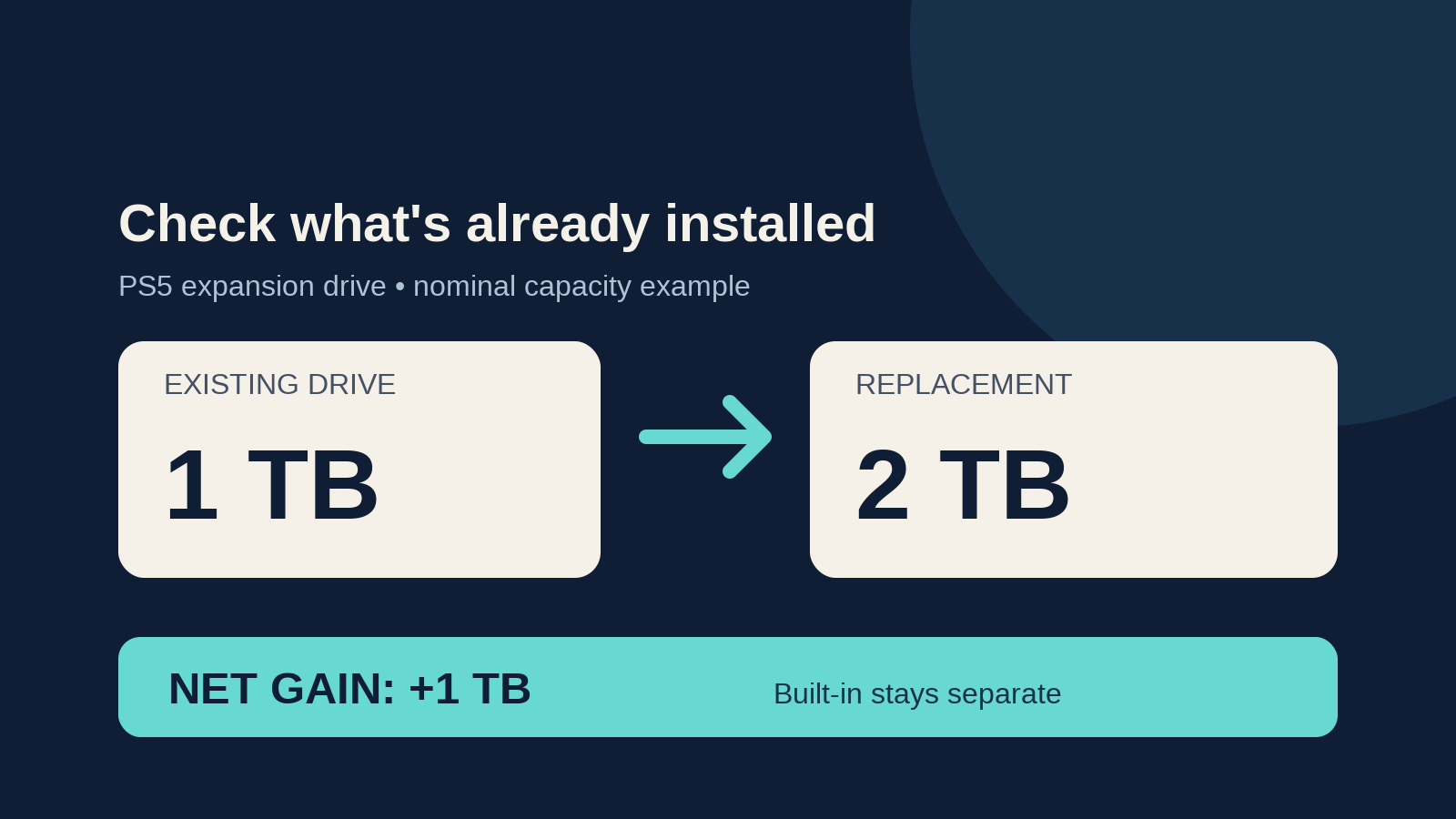
Before buying a PS5 SSD as a gift, find out whether the recipient already has an expansion drive. If their M.2 expansion slot contains a 1 TB SSD, replacing it with a 2 TB model adds 1 TB of nominal capacity. The new drive does not sit alongside the old one.
Start with three questions: what is installed now, which games need to stay ready to play, and who will fit the upgrade? Those answers are more useful than a sale badge or a large number on the box.
Ask for the storage screen, not an account password
PlayStation documents Settings → Storage as the place to check storage use. Ask the owner to look there and tell you whether they use M.2 SSD Storage, USB Extended Storage, or just Console Storage. If they already have an M.2 drive, ask for its advertised capacity and model from the purchase record too. Free space remaining is not the same as the drive's total capacity.
You do not need their sign-in details, and there is no reason to open somebody else's console to preserve a surprise. If they cannot confirm what is installed, make the drive choice together. A previous owner may have added an expansion drive to a second-hand console, so the console model alone will not answer this question.
Work out what the gift actually adds
A compatible M.2 SSD installs in the PS5 expansion slot and can run PS5 games. The console's built-in storage remains separate. Compare the new expansion drive with the expansion drive it would replace:
| Existing expansion | What a 2 TB M.2 gift changes |
|---|---|
| No M.2 installed | Adds 2 TB nominal expansion capacity. |
| 1 TB M.2 installed | Replaces 1 TB: net gain of 1 TB. |
| 2 TB M.2 installed | No nominal capacity gain. |
| USB drive only | Adds playable PS5 storage; the USB drive serves a different role. |
These are capacity examples, not measured usable space or game counts. Formatting and the titles installed affect what the owner can actually fit. Replacing a 2 TB drive with another 2 TB drive may solve a separate hardware problem, but it adds no nominal space.
Check whether they want storage or instant access
USB extended storage can hold PS5 game installations, but those games must be copied back to console or compatible M.2 storage before play. PS4 games can run directly from USB extended storage. A faster portable SSD does not remove that PS5 playback restriction.
For someone who rotates between a few PS5 games and is happy to copy older installations back, an archive drive may suit the job. Someone who wants a larger selection ready to launch needs playable storage. Ask which inconvenience they want to remove before comparing capacities.
For example, imagine Jo already has a full 2 TB M.2 and wants to keep more PS5 games immediately available. Another 2 TB M.2 changes neither the nominal expansion capacity nor that problem. A USB drive adds archive space, with a copy-back step. Jo should decide whether that trade-off is acceptable before anyone buys it. This is a hypothetical example, not a hardware test.
Confirm the exact drive and the installation plan
Sony specifies PCIe Gen4 x4 M.2 NVMe storage, 250 GB to 8 TB, and effective cooling. It recommends sequential reads of at least 5,500 MB/s. M.2 SATA drives are unsupported. Check the complete dimensions and heatsink requirements for the exact model: a listing's capacity and headline speed are not enough.
Agree who will install it, and use Sony's instructions for that console model. For an occupied slot, plan where the old drive's installed games will go before removing it. Games can be moved between supported storage locations, but transferring a large library takes time. Do not promise a transfer duration based on the drive's advertised speed.
If buying USB extended storage instead, Sony specifies SuperSpeed USB at 5 Gbps or faster, 250 GB to 8 TB, and a direct connection without a hub. Compatibility is not guaranteed for every drive. Formatting erases existing contents, so leave setup to the owner rather than repurposing a family backup drive as a surprise.
Keep saved progress separate
Game installations and saved progress are different data. An M.2 upgrade or USB game archive is not a PS5 save backup. PlayStation Plus members can check saved-data sync status; Sony also documents a separate USB console-backup procedure. An extended-storage drive cannot hold that backup in its existing format, and restoring a console backup erases the data currently on the console. Do not use restore as a routine drive-installation step.
Before checkout, keep a short record: console model, existing expansion drive and capacity, desired extra playable space, exact new drive and heatsink, installer, and seller's return terms. Compare local listings for the exact capacity and heatsink version. If you cannot confirm the existing drive or agree on installation, wait to buy rather than guess.
Method: AI-assisted research and drafting, followed by a separate editorial revision against primary documentation on 20 November 2026. No console, installation, transfer, backup or purchase testing was performed. No sponsorship or affiliate links. The cover is an original conceptual capacity diagram, not a product photograph or PlayStation interface.
Sources
- PS5 M.2 installation and requirements — PlayStation
- Manage PS5 storage — PlayStation
- PS5 USB extended storage — US — PlayStation
- Back up and restore PS5 console data — PlayStation
- PS5 PlayStation Plus cloud storage — PlayStation