Before buying a Steam Deck, list the games you want to bring with you. A large compatible backlog can still be a poor match if the one game you play with friends needs a different setup.
Our suggested buying check is to start with five games, mark any essential ones, and record how each would run: installed on the Deck, streamed from a cloud service, or still unverified. Then compare that result with where you actually intend to play.
This guide covers SteamOS and compares local installation with cloud streaming. It does not evaluate Windows installations or streaming from your own PC.
Read the details behind the badge
Valve’s Deck Verified guide separates games into Verified, Playable, Unsupported and Unknown. Verified means the game meets Valve’s checks; Playable can involve manual work such as handling a launcher or keyboard. Unsupported identifies a current incompatibility, while Unknown means the review has not been completed.
Open the compatibility details for the exact game. Decide whether its listed compromises are acceptable to the person receiving the device. A touchscreen step that is fine for you may frustrate someone expecting every action to work with the sticks and buttons.
Also check which device a badge describes. Valve now reports separate ratings for Steam Deck, Steam Machine and other compatible SteamOS devices. A result for another machine is not the result you need for a Deck purchase. Valve says the Deck ratings apply to both LCD and OLED models.
Make a short list of essential games
Use the following record for each title. Five is a manageable starting point, not a technical threshold; include more if they materially change your purchase.
| Record | Question to answer |
|---|---|
| Exact game and store | Which edition do you own, and where? Keep the account or store attached to the title. |
| Required way to play | Solo while travelling, online with friends, or at home with reliable internet? |
| Verified route | Local installation on SteamOS, cloud streaming, or unresolved? Link the current official evidence. |
| Compromise | Manual controls, a connection requirement, another purchase, or a service condition? |
| Purchase decision | Essential and suitable, acceptable with a compromise, or a reason to wait? |
Do not turn this into a percentage score. Four suitable games do not outweigh one unsuitable game if that fifth title is the whole reason for buying. Equally, an unsupported game you rarely play need not rule out a Deck that suits the rest of your routine.
Fortnite shows why the route matters
Epic says Fortnite cannot be played directly on Steam Deck and points owners to Xbox Cloud Gaming. Record that option as streaming, then check whether it suits where you will play.
Epic’s cloud guide says Fortnite does not require a paid Game Pass subscription for this route. It does require a Microsoft account, a compatible device and a suitable internet connection. Avoid buying a subscription merely because an older tutorial assumes one is necessary.
For a hypothetical buyer who wants Fortnite with friends at home, streaming may be an acceptable compromise after checking the supported setup and connection. For someone choosing a handheld for flights without internet, it cannot satisfy that use. The game name is the same; the buying answer changes with the required setting.
Check the current regional service page before relying on cloud play. The US and Australian Xbox pages say availability can vary by region, device, plan and playtime method. A regional marketing page does not confirm your account’s catalogue or conditions. Check local hardware prices and service terms separately; a US offer is not evidence of an Australian price or entitlement.
Keep offline play as its own question
Valve’s FAQ says installed games can be played offline unless the game requires an internet connection. So a compatibility badge is only part of a travel decision. Read the particular game’s connection requirements, and treat a cloud option as a different way to play rather than an offline fallback.
If you already own a Deck, try the intended game and mode without the connection you will lack on the trip, after completing normal setup. Record what actually worked. This is our suggested check, not a claim that we tested your game or that one successful launch guarantees a whole journey.
Buy when your essential games have a documented way to play that suits you. If the answer depends on a workaround you have not verified or a service you cannot access, keep that requirement unresolved while comparing alternatives. That uncertainty matters more than the size of the advertised library.
Editorial disclosure: AI assisted research and drafting, followed by a separate editorial revision against sources checked on 29 November 2026. No device, game, account, cloud-play or offline-play testing was performed. The worksheet and hypothetical example are editorial suggestions. No sponsorship or affiliate links.
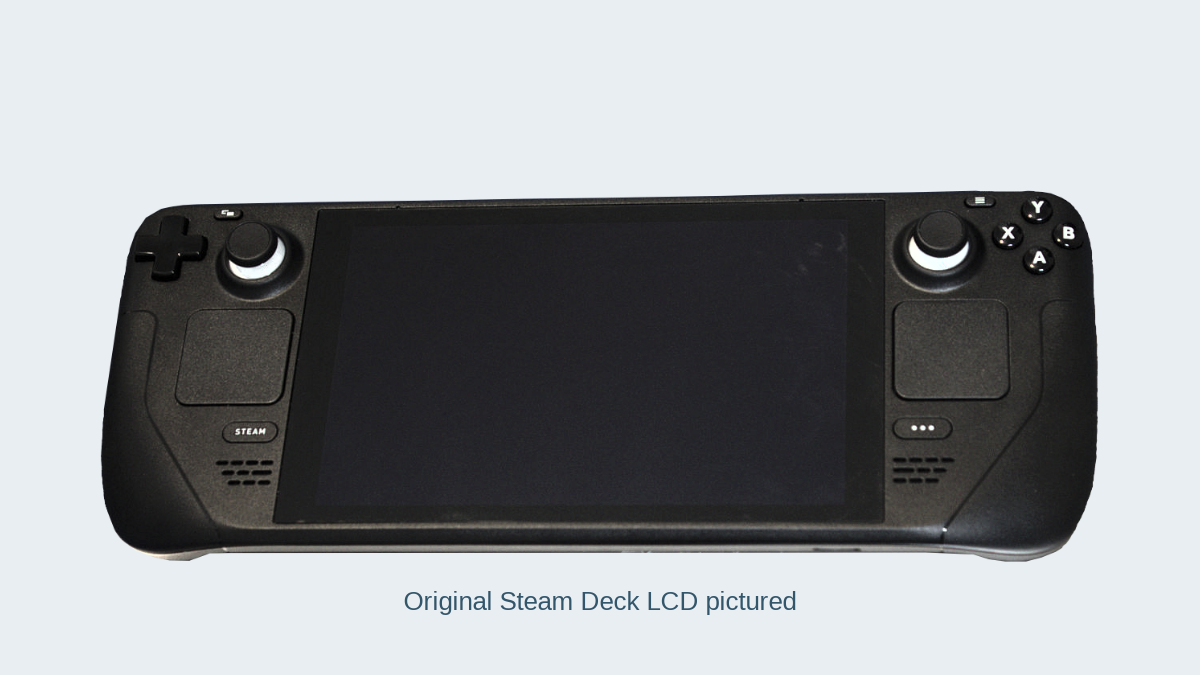
Cover: original Steam Deck LCD, photographed in 2022 by Liam Dawe/GamingOnLinux; PNG extraction and contrast adjustment by VulcanSphere, via Wikimedia Commons. Photo and this framed composition: CC BY-SA 4.0. Techotick added the background and labels; the embedded photo is unchanged. LCD model pictured; Valve applies the same compatibility ratings to LCD and OLED. No endorsement implied.
Sources
- Deck Verified — Valve
- Steam hardware compatibility review — Valve
- Steam Deck FAQ — Valve
- Can I play Fortnite on Steam Deck? — Epic Games
- Fortnite on Xbox Cloud Gaming — Epic Games
- Xbox Cloud Gaming — US — Microsoft
- Xbox Cloud Gaming — Australia — Microsoft