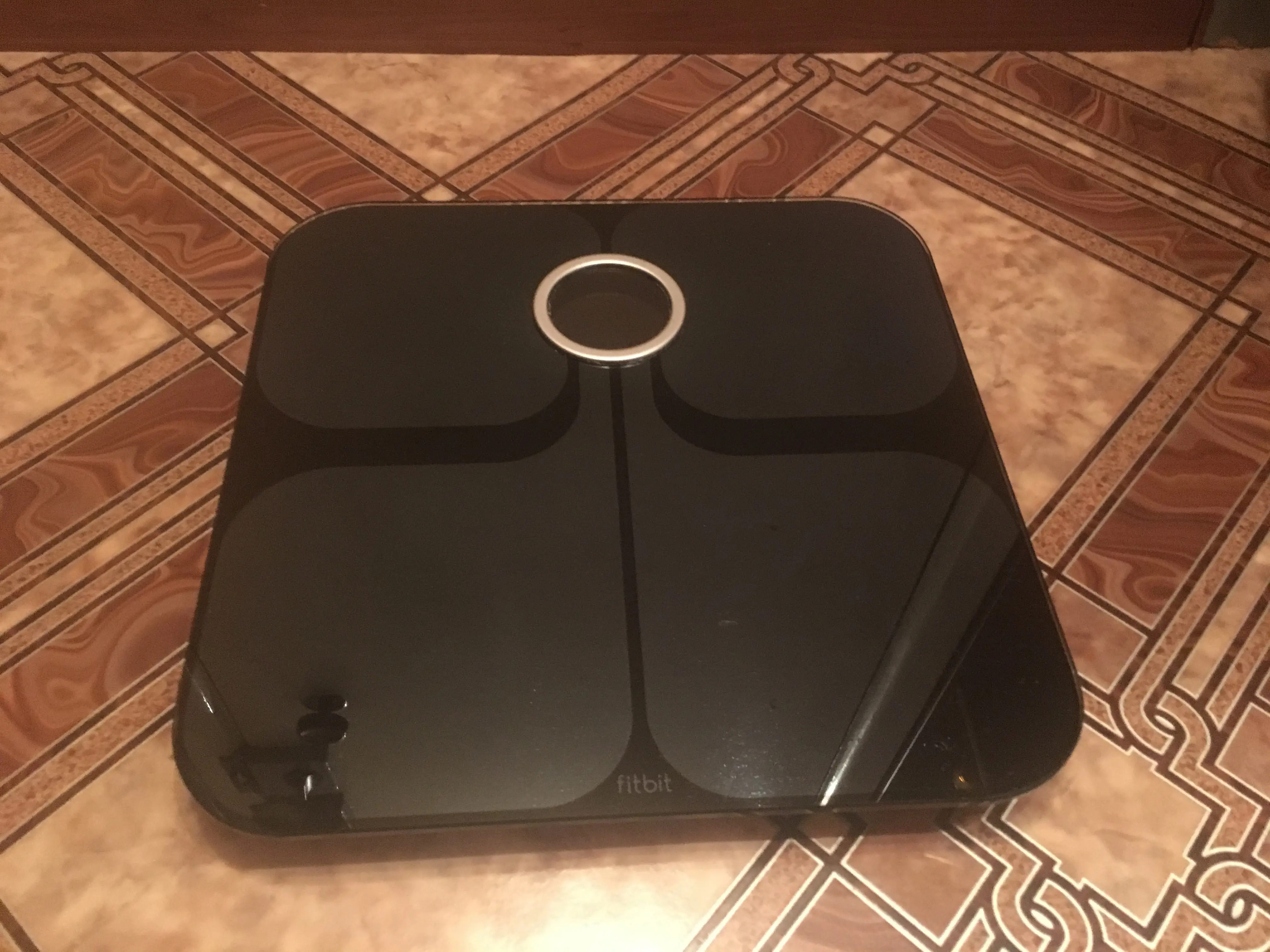
Photo: original Fitbit Aria, photographed in 2016 by Alexei Zverev / Wikimedia Commons, CC BY-SA 4.0. Original image unchanged; the listing card displays a crop. This is not the Aria 2 or Aria Air.
A missing weight entry is a reason to check where the reading went before removing your Fitbit Aria from your account. Google's current guidance says Aria and Aria 2 can no longer be paired or re-paired. Avoid removing a connection that may still be working while you investigate.
The date now shown in Google's setup and scale-use pages is 9 November 2026, alongside app version 5.12. Some recent coverage and search snippets still say 28 November. As checked on 28 November, the current Google notice says scales paired before the cutoff and left paired continue to sync, and previously synced data is unaffected. It specifically excludes Aria Air.
That separates three things often bundled together as a broken scale: measuring a weight, sending a new reading to an account, and viewing readings already stored there. The end of pairing does not mean every existing scale has stopped measuring or every saved record has disappeared.
Identify the scale and the missing record
Check the model before following an old troubleshooting guide. Google identifies the original Aria by four AA batteries; Aria 2 has three AA batteries and its name on the back; Aria Air has three AAA batteries. The similar names do not mean the same connection method: Aria and Aria 2 use Wi-Fi directly through your router, while Aria Air uses Bluetooth.
For an Aria or Aria 2 still on your account, look for the progress bar and completion check mark after a weigh-in. Google describes that check mark as a successful sync. Then inspect the actual weight entry, rather than relying only on the dashboard's headline value.
| What you find | Useful next check |
|---|---|
| The scale shows a sync check mark, but your record is missing | Look in the scale's recent weigh-ins for an entry assigned to the wrong person. |
| The scale displays a weight, but no new entry reaches the app | Record the displayed weight and units; check the scale's error message without removing its account connection. |
| The scale is already unpaired | Do not expect another setup attempt to restore Aria or Aria 2 pairing. Use manual logging if you still have a usable weight reading. |
Check assignment before adding another entry
Google's data-management instructions give a route for reassigning a weigh-in: open Connections, choose the scale, open Recent Weigh-Ins and select the relevant record. Assign it to the correct person. Use this only when you can identify whose measurement it is.
Before changing a record, compare its time, value and units with the reading you expected. If that entry already exists, correcting its assignment is more useful than adding a second copy. If no matching entry exists, keep a note of what the scale actually displayed.
Keep logging without rebuilding the connection
Google documents manual weight entry in the app. On Android, open Today, choose Weight, then use Add / Log / Weight at the bottom. On iPhone, open Today, choose Weight and tap Add at the top. Enter the weight and save it.
Before saving, compare the app's unit with the scale's unit. Afterwards, reopen the log and check the saved value and date. If an automatic entry later arrives for the same measurement, review both before deleting anything. A manual entry records the number you supply; it does not prove that the scale's connection has recovered.
For example, imagine a household scale shows a reading on Saturday but the intended person's log still ends on Friday. First look for Saturday's reading under Recent Weigh-Ins. If it is missing and you enter it manually, note that you did so. That small distinction helps you tell a new automatic reading from your own workaround when checking again later.
This is a way to continue a weight record, not a replacement for every smart-scale feature. Google's model comparison lists body-fat measurements for Aria and Aria 2, but not Aria Air. Typing a weight does not recreate a missing body-fat measurement.
Save history separately from fixing sync
If you want an independent copy, Google's privacy FAQ points to Google Health Data and Privacy settings in your Google Account for exporting data, including body data. Request the export, open it and check that the records you need are present before treating it as a useful archive. An export is not a promise that another app can import it.
If the missing entry remains unexplained, give support the exact model, app version, last successful sync, displayed error and whether the scale is still paired. Ask for guidance consistent with the current pairing restriction before attempting removal or setup again. Google also says security updates ended in 2020 for the original Aria and in 2022 for Aria 2. Continued syncing is not ongoing security support. Do not postpone necessary network security changes just to preserve a scale connection.
Editorial disclosure: AI assisted research and drafting, followed by a separate editorial revision against Google documentation checked on 28 November 2026. Techotick did not test a scale, account, sync, manual entry or export. The comparison, verification suggestions and household example are editorial analysis. No sponsorship or affiliate links.
Sources
- Set up your Fitbit device — Google
- Use your Fitbit scale — Google
- Fix syncing issues with Google Health — Google
- Add, edit or delete Google Health data — Google
- Google Health privacy and export controls — Google