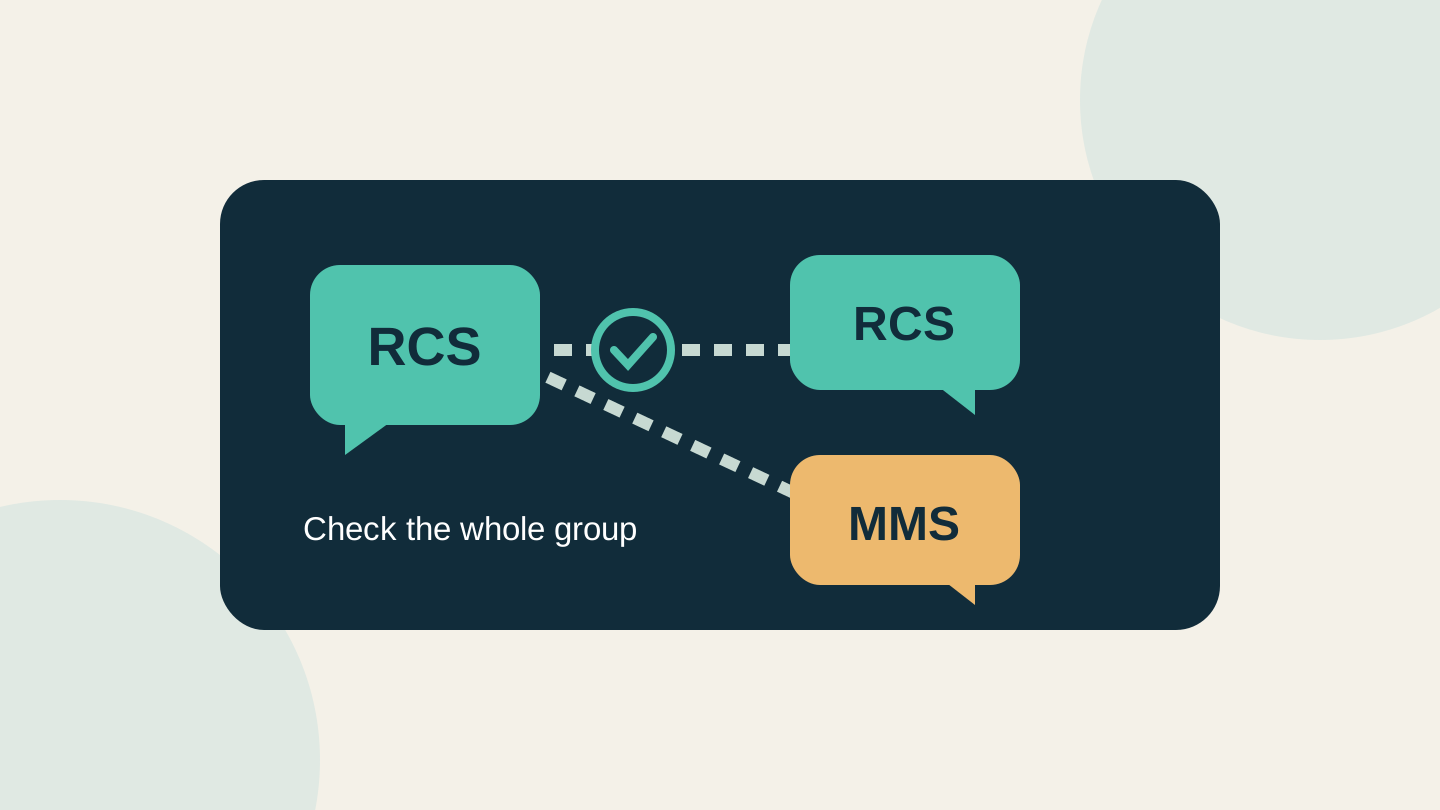
A photo arrives clearly in a one-to-one chat, but the family group still sends blurry pictures or loses read receipts. The difference can come from the people in the conversation, even when your own phone works. RCS availability belongs to the conversation: a working connection with one person does not establish that every member of a group can use it.
Before changing settings, compare the message type in the affected group with a working individual chat. Then check each participant's device, messaging app and carrier support. Check encryption separately from whether a message uses RCS. This guide draws on current carrier and platform documentation; we have not tested these combinations on phones.
Why one conversation works and another does not
RCS, short for Rich Communication Services, adds features such as higher-quality media and typing indicators to compatible messaging apps. Google says RCS chats require all participants to have RCS. An enabled RCS setting on your phone does not tell you whether the other participants are ready.
US Mobile's support guide describes a group falling back to MMS when a participant lacks RCS through their network, device or app. It also lists different minimum iPhone software versions for its networks. Check your actual service rather than assuming that support on one network proves support on another.
Consider a fictional three-person group: Alex and Bea exchange RCS messages successfully, while Chris's service does not support RCS on their phone. Alex's successful chat with Bea does not establish that the three-person group can use RCS. Buying Alex a newer phone would not resolve Chris's eligibility. If everyone appears eligible but the group still fails, the symptom needs further troubleshooting; this example is not a diagnosis of every failure.
Read the message type, not the bubble colour
On iPhone, both RCS and SMS/MMS appear green. Verizon advises checking the text-entry area and conversation banner for the message type. In Google Messages, the send indicator identifies whether the message will use data, SMS or MMS. Labels can vary with software, so inspect the actual conversation before drawing a conclusion.
| What you observe | What to check next |
|---|---|
| One contact uses RCS; the group uses MMS | Check every group member's app, device and service eligibility. Do not assume the working pair represents the group. |
| RCS is enabled, but a message is waiting | Check connectivity, the displayed RCS status and resend settings. An enabled switch is not evidence of delivery. |
| Messages arrive, but replies appear in another thread | Ask whether anyone changed RCS settings. Confirm which thread everyone can currently receive. |
| The group says RCS without an encryption indicator | Do not infer end-to-end encryption from the protocol label or green bubbles. |
This table is a starting point for collecting evidence, not a promise that one setting will fix the group. Note the phone model, OS version, messaging app, carrier and exact status for the person affected. Keep private message contents out of screenshots shared with support.
Do not start by switching RCS off and on
Google warns that toggling RCS can remove you from group chats. Its settings page distinguishes a connected service from number verification or a connection problem. Read that status first.
Verizon documents additional complications for mixed iPhone/Android groups: an iPhone user disabling RCS can cause new threads on Android, while an Android user disabling it can stop receiving that group's messages until RCS is restored. Those are documented Verizon scenarios, not a guarantee of identical behaviour on every network.
Agree on a simple non-sensitive test message and ask each participant to reply in the affected group. Record who receives it and where replies appear. If a conversation is unreliable, confirm urgent plans through another agreed contact method while support investigates. Avoid deleting the old conversation as an improvised repair.
Google Messages offers SMS/MMS resend options when RCS is unavailable. Review the selected option before relying on it: fallback changes the delivery method and may change the protections and charges that apply. Ask for replies rather than assuming a send status proves that everyone received the message.
RCS and encrypted RCS are separate checks
Apple's current guidance says encrypted RCS depends on all participants having carriers that support it. On supported iPhones, an encrypted RCS conversation shows an Encrypted label and lock icon. RCS support alone does not establish that protection; SMS/MMS is not end-to-end encrypted.
Apple and Google announced the beta rollout of cross-platform encrypted RCS in May 2026. That announcement does not mean every device, carrier or existing group has it. Before sending sensitive material, inspect the conversation's security indication. If the protection you need is absent, agree on another suitable way to share it.
What Telstra's rollout means for this check
Checked on 2 November 2026: Telstra's support page says its carrier RCS rollout begins on compatible devices from 16 November. It currently gives Android setup instructions and says more information will follow as compatibility expands. That is a rollout start, not evidence that every phone is ready today.
WhistleOut's October reporting attributes December iPhone availability to Telstra, but the current support page does not specify that iPhone date. Confirm the timing with your provider before changing plans or expecting a particular iOS update to enable it. Android users may already have Google-provided RCS; this carrier rollout is not the first possible RCS connection for every Android phone.
Telstra says eligible services include RCS without an extra messaging charge, but mobile data and overseas roaming charges can apply. Check your own plan's data and roaming terms. Eligibility for every reseller or overseas contact has not been verified.
Before relying on the group, identify its message type, confirm that everyone receives replies, and verify the security indication separately. A rollout announcement or a successful individual chat answers only part of that question.
Editorial note: AI assisted the research and writing, followed by a separate editing and source-checking pass. The example is fictional; no handset, carrier or message-delivery testing was performed. The cover is an original conceptual diagram, not a messaging-app screenshot. No affiliate links, paid placement or supplied products are involved.
Sources
- RCS chats by Google FAQ — Google
- RCS messaging and network compatibility — US Mobile
- Verizon RCS messaging service FAQs — Verizon
- Turn on RCS chats in Google Messages — Google
- Differences between iMessage, RCS and SMS/MMS — Apple
- Encrypted RCS beta rollout announcement — Apple
- Rich Communication Services — Telstra
- Telstra RCS rollout reporting — WhistleOut