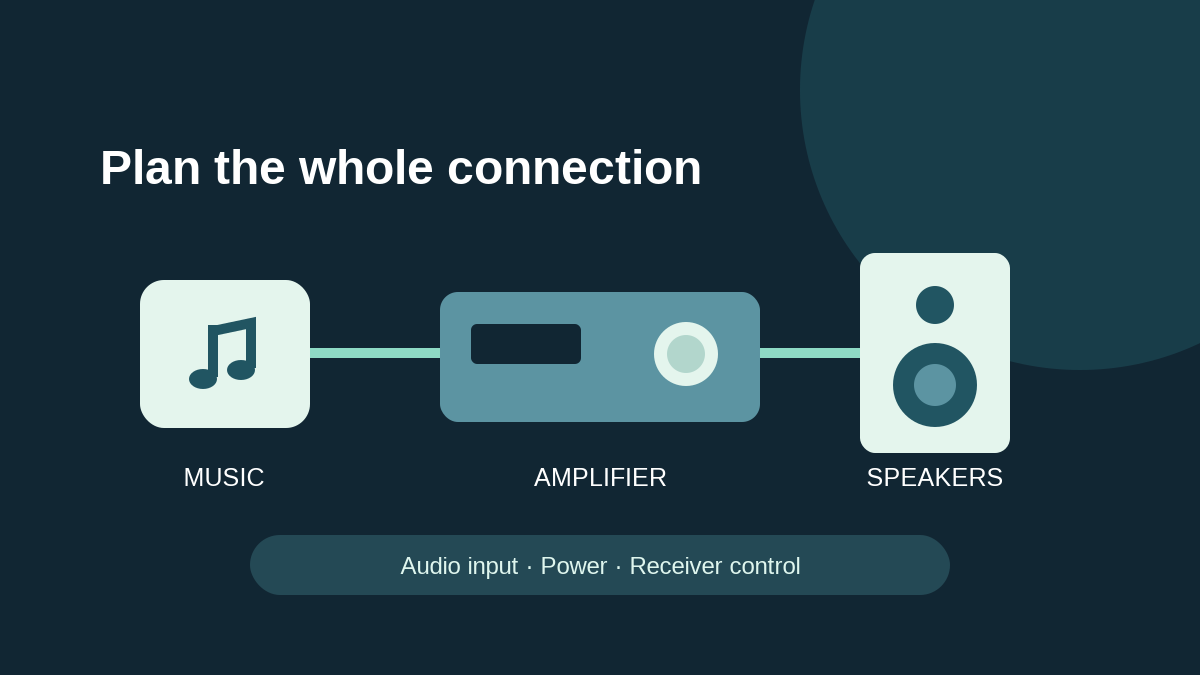
Home Assistant Connect AUX-2 can add network music playback to a stereo you already like, provided you have a suitable audio input, amplification and a running Home Assistant system. Before ordering, check three separate jobs: carrying the music, powering the equipment and controlling the receiver. Check each job against the equipment you own.
Nabu Casa launched AUX-2 on 11 November 2026. Its appeal is reusing existing equipment. The useful buying question is whether your particular setup needs only this box and cables, or a larger project.
Start at the stereo, before the shopping cart
Photograph the back of your amplifier or powered speakers and find its manual. Identify an input for the music, then follow Nabu Casa’s audio connection guidance. The combined AUX-2 audio socket supports either analogue or optical output, using the matching cable.
| Your equipment | What to check |
|---|---|
| Red/white AUDIO IN | 3.5 mm stereo-to-RCA cable. |
| 3.5 mm AUX input | 3.5 mm stereo audio cable. |
| Optical input | Mini-TOSLINK-to-TOSLINK cable. |
| Passive speakers alone | An amplifier is still needed. |
Check the socket’s function in your equipment manual before connecting it. Use the AUX-2 audio output for sound. Its two RS-232 sockets also use 3.5 mm connectors, but Nabu Casa warns that their electrical signals can damage audio equipment.
Check the software and power you already have
The product FAQ requires Home Assistant 2026.9 or later. AUX-2 joins that system through the ESPHome integration; it does not replace the computer running Home Assistant. If you are starting from nothing, include that host and its setup in your decision.
For music, the official setup guide uses Music Assistant, which discovers AUX-2 as a Sendspin player. Check your intended service or local-file source against Music Assistant’s provider documentation before buying. Check the provider’s account and setup requirements too.
Next, choose a power and network arrangement. With suitable Power over Ethernet, one network cable supplies both. Otherwise, USB-C power can accompany ordinary Ethernet or Wi-Fi. Use one power source at a time. The product specification calls for 5 V USB-C power rated at least 2 A; Wi-Fi is 2.4 GHz.
Check whether your network switch or injector supplies PoE; ordinary Ethernet still needs separate USB-C power. Add the missing power equipment and cables to your list before comparing totals. Audio and serial cables are sold separately.
Decide how you will turn the stereo on
Sending music to an amplifier is different from selecting its input or waking it from standby. AUX-2 offers serial control, but that requires a suitable receiver connection, cable and Home Assistant integration supporting serial proxies. Confirm the exact model; a brand name alone is insufficient.
If that control path is absent, plan on using the receiver’s existing controls or remote. That can be perfectly adequate for a listening room. It matters more if your aim is unattended announcements or an automation that starts music while you are elsewhere.
A fictional example: Mia already has Home Assistant, an amplifier with a spare RCA audio input, passive speakers and a nearby ordinary Ethernet port. Her playback list includes AUX-2, an audio cable, USB-C power and Ethernet. Her receiver lacks a verified serial-control route, so she keeps its remote for power and input selection. Buying a serial adapter without confirming support would not complete that missing task.
Compare the complete setup price
The official launch price is USD $69 before tax. On 13 November 2026, Oz Smart Things listed AUD $99 including tax, with shipping calculated separately. Its page displayed both sold-out and cart controls; confirm current stock and delivery with the seller. These are dated reference prices, not a promise of delivered cost or stock.
Write down the box price, missing audio cable, power/network equipment, any required amplifier and any Home Assistant host you still need. Keep each quote in its local currency. An inexpensive accessory can be a good addition to an existing system while making much less sense as the first purchase in an entirely new one.
AUX-2 is a sensible candidate when you can name the input, amplification, music source and control method you will use. If the goal is Bluetooth audio or sending a turntable’s sound into the network, stop: the product FAQ says AUX-2 neither sends nor receives Bluetooth audio and has no audio input.
Method: documentation and retailer pages checked on 13 November 2026. We have not tested AUX-2, playback, receiver compatibility or checkout. Mia is a hypothetical planning example. AI assisted the draft, followed by a separate editorial review. No sponsorship or affiliate links. The cover is an original conceptual illustration, not a product photograph or wiring diagram.
Sources
- AUX-2 product requirements and regional sellers — Home Assistant
- Launch announcement, 11 November 2026 — Home Assistant
- Audio output and cable guidance — Nabu Casa
- Power and network options — Nabu Casa
- Serial control and compatibility — Nabu Casa
- Music sources — Music Assistant
- Australian product listing — Oz Smart Things
- Audio setup guide — Nabu Casa