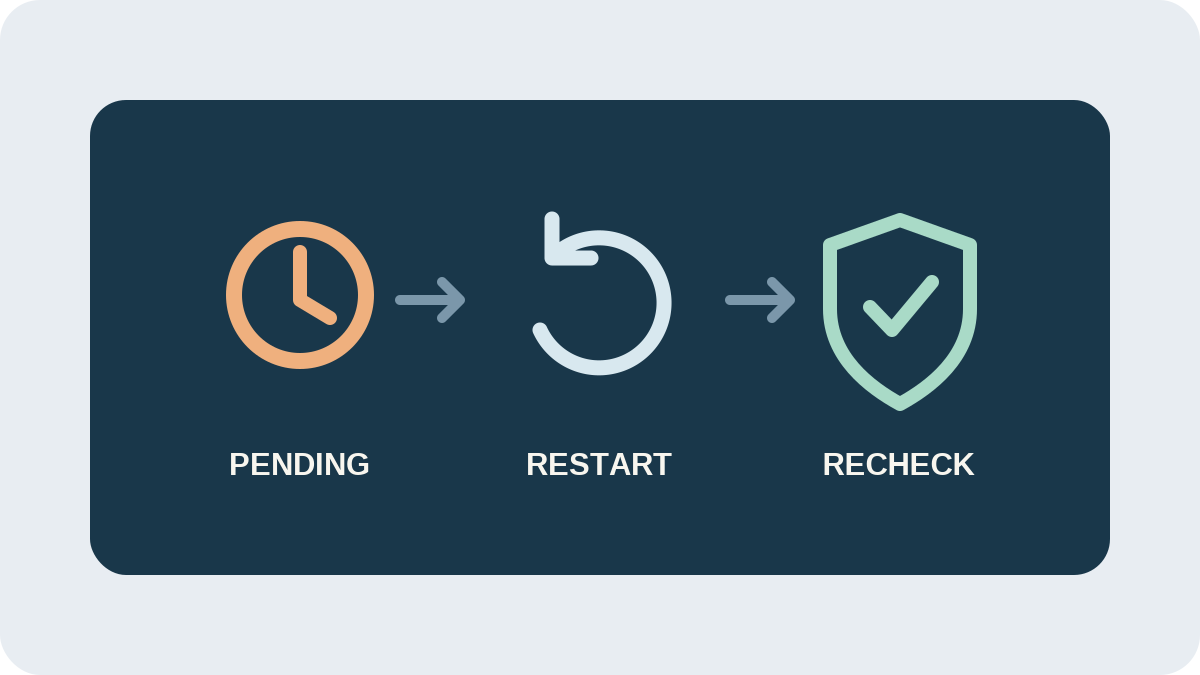
If Windows Baseline protection says a restart is pending, save your work and restart before judging whether the change worked. If it still needs attention afterward, read the named protection. Those are different situations, and repeatedly changing settings can make the original problem harder to describe.
This feature is still a Windows Insider preview as of 28 November 2026. Microsoft's release notes place its gradual rollout in Experimental build 26340.10013, announced in an update on 17 November. Installing that build does not guarantee the page appears immediately. A missing menu is not, by itself, a failed security check.
Match the message to the next step
Where available, open Settings → Security → Baseline protection. Microsoft's support guide explains the protection status and the actions Windows can offer. Use this reading guide before trying a fix:
| What you see | What to do next |
|---|---|
| The preview page is missing | Check your build and rollout status. Absence of the page does not tell you which protections are active. |
| Pending restart | Save your work, restart, then return to the page and read the result. |
| Needs attention after restarting | Follow the guidance beside the specific protection. A firmware or configuration step may still be needed. |
| The device meets Baseline protection | The required protections are active. Keep this result separate from any malware alert or app-specific error. |
For a work or school PC, an unavailable control may be managed by IT. Send the named requirement and message to your administrator instead of trying to override the policy.
Why a changed setting can still need a restart
Microsoft's technical documentation distinguishes the security state of the current boot from the configuration expected at the next boot. A setting can be configured correctly without that protection being active in the running session. The next-boot state is a projection, not a guarantee.
The reverse can happen too: an active protection may be configured to turn off after restarting. The baseline is versioned, so its requirements can also change.
Consider a hypothetical family support call. You help someone apply the offered change, but they close Settings and keep working. Your note should say “change selected; restart outstanding,” not “fixed.” After the restart, ask them to reopen the page. If another requirement remains, record that requirement as the next task.
Investigate the specific protection
A driver warning deserves a driver check. Microsoft's Memory integrity troubleshooting guidance recommends looking for a compatible update through Windows Update or the driver manufacturer. Keep the driver and company names from the notification. If no update exists, ask the manufacturer about support. Turning protection off trades away protection; it does not establish that the driver problem has been resolved.
Development settings need different handling. Microsoft's signed-driver and kernel-debug guidance explains that test or debugging configurations may be intentional, and Windows cannot always decide whether you still need them. On an ordinary consumer PC, Microsoft recommends restoring the normal Secure Boot configuration, following the device manufacturer's instructions. A development PC needs its owner to assess the workflow first.
Our suggested support note has five parts: Windows build, exact message, named protection, action taken and result after restarting. For a driver problem, add its name and publisher. This turns “Windows says my PC is insecure” into a specific question that a manufacturer or administrator can investigate.
Keep app warnings in context
The preview API is intended for local auditing and guidance. Microsoft says an audit-mode app response should be informational, not block access; cloud-verified enforcement is planned for a later release. An unknown API result means Windows could not determine the state, not proof of a device fault. These are developer-facing distinctions, not promises about every application's behavior.
As an editorial interpretation of this configuration check, neither a baseline warning nor a pass settles an unrelated malware concern. Treat the named protection, any security alert and an application's own requirements as separate evidence. Record the actual result after restarting and what remains unresolved.
Editorial disclosure: AI assisted research and drafting, followed by a separate editorial revision against Microsoft documentation checked on 28 November 2026. Techotick did not install the preview or test security enforcement, firmware changes or driver compatibility. The family example and support-note format are editorial suggestions. No sponsorship or affiliate links. Cover: an original conceptual diagram, not a Windows screenshot.
Sources
- Check Baseline protection — Microsoft
- Windows baseline protection: preview and boot states — Microsoft
- Insider Experimental build 26340.10013 — Microsoft
- Signed drivers and kernel debug protection — Microsoft
- A driver cannot load on this device — Microsoft