Add a surreal effect to an uploaded photo
Use an image-editing tool to add one surreal visual effect while preserving the main subject, pose and framing.
Tools: An image editor that accepts an uploaded image and natural-language edit instructions. The recorded example uses Codex built-in image generation.
What to provide
- Attach a photo you own or have permission to edit.
- Name one visual effect, its location and scale, and the subject and framing details to preserve.
Example Recorded test output
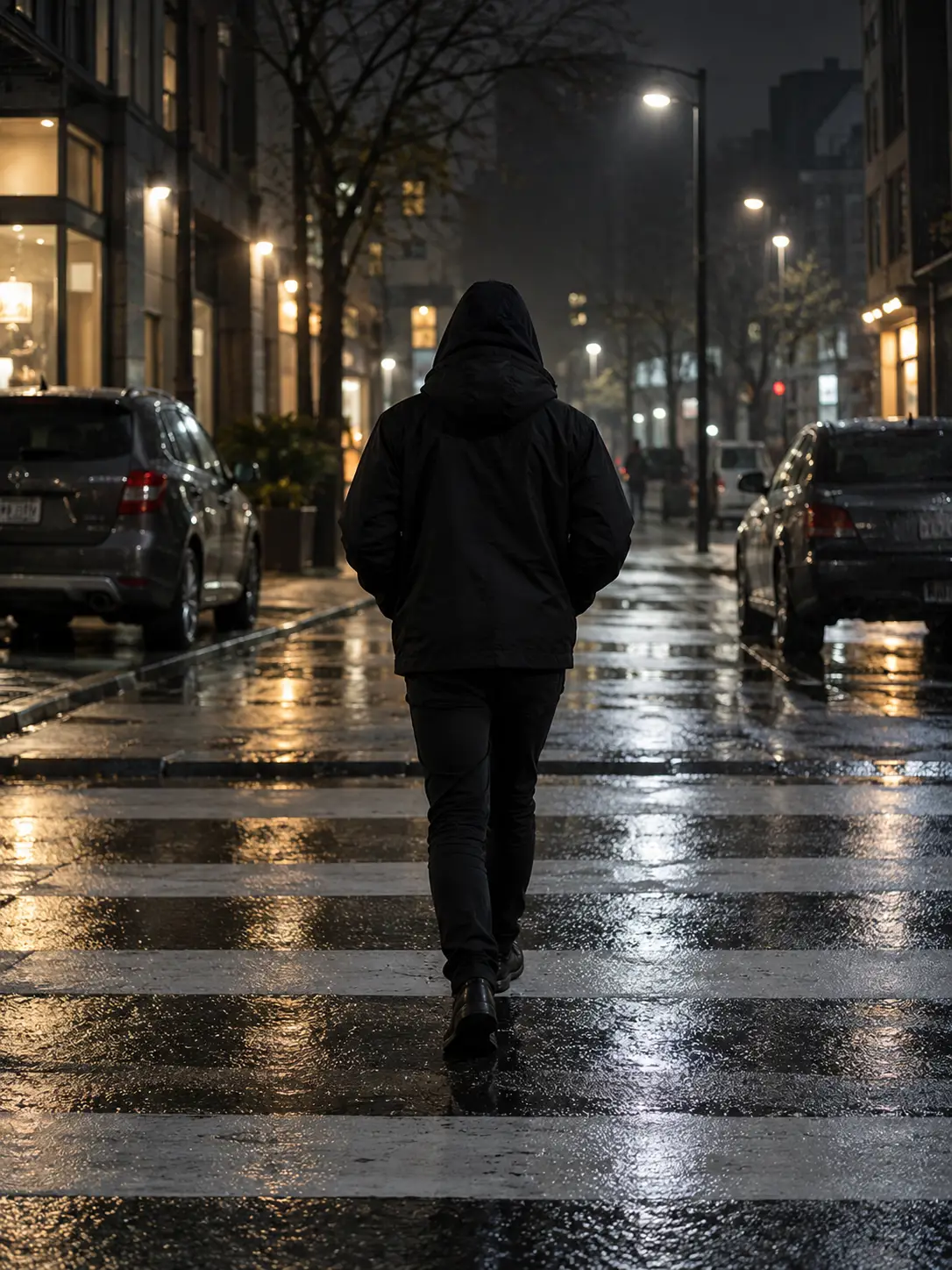
Input
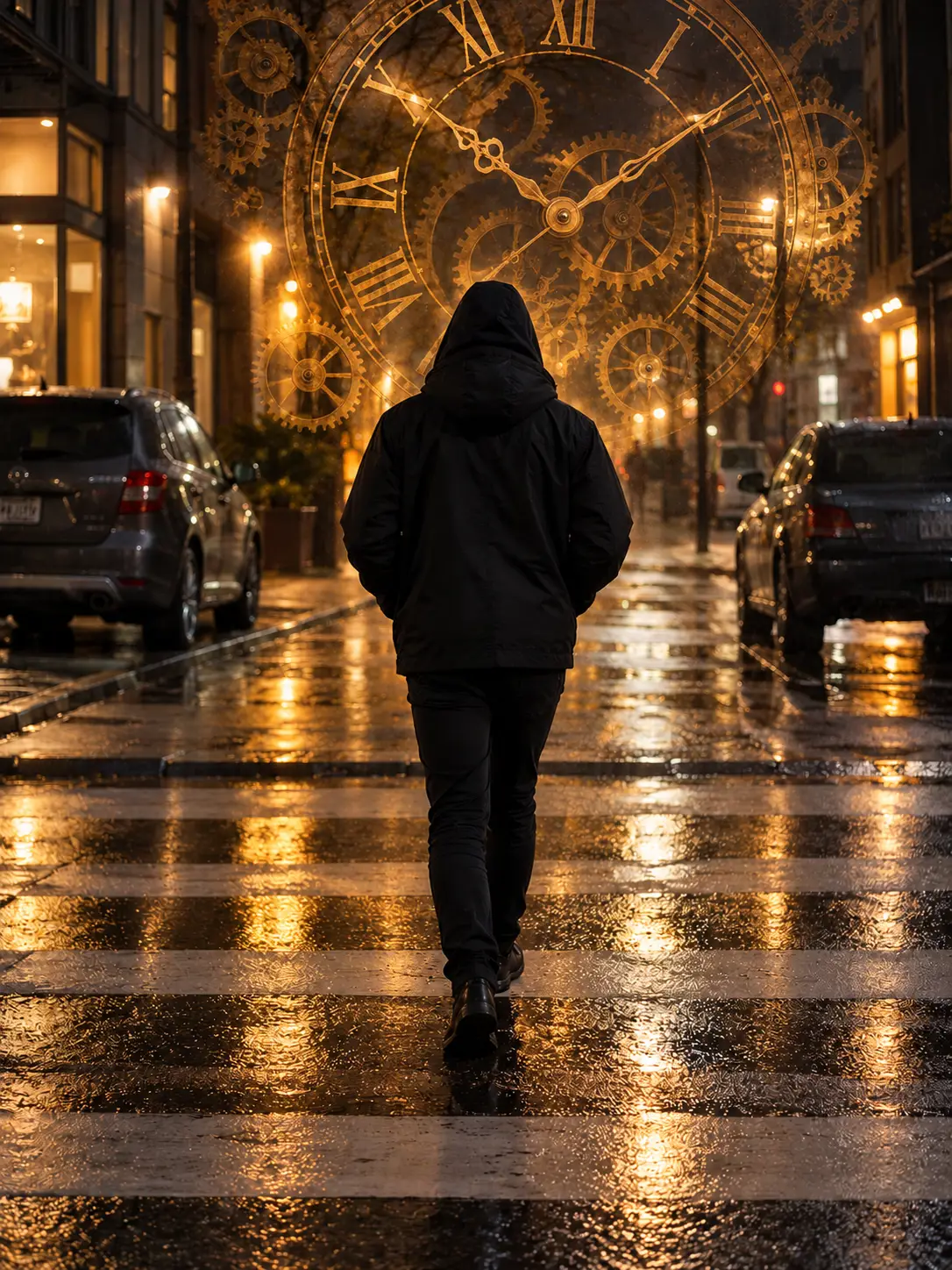
Edit the attached photo as the source image; do not create a different scene. Add a large translucent antique brass clock face with several fine clockwork gears. Place it behind the hooded person in the upper part of the scene, large but not covering them. Use aged brass, warm amber highlights and matching reflections on the wet pavement. Preserve the anonymous hooded adult seen from behind, their pose and clothing, the street, parked cars, buildings, viewpoint and portrait crop. Change only the requested effect and its natural reflections. Do not add text, logos or watermarks. Return one edited image.
Output
Illustrative edit of a fictional AI-generated street image. A translucent brass clock face and gears appear around and behind the anonymous figure, with warm pavement reflections. The person, street and portrait framing remain recognizable. This is one generated result, not a ChatGPT output or a reproducibility guarantee.
Tool settings
One portrait image edit using the attached synthetic source image. The built-in generator did not expose a model name or exact output dimensions.
Improve the result
- From the original upload, make one specific correction to the effect's size or position while preserving the rest of the image. This variation has not been tested.