Refine image sharpness, clarity and texture
Describe one detail change and the features to preserve. Use ten worked examples to compare sharpening, clarity, fine detail, faces, fabrics and material texture.
Tools: An image editor accepting an uploaded reference and natural-language instructions. Recorded tests used Codex built-in image generation; ChatGPT website results were not tested.
What to provide
- Attach the actual image you own or have permission to edit.
- Describe one refinement and list important details to preserve.
Example Recorded test output
Input
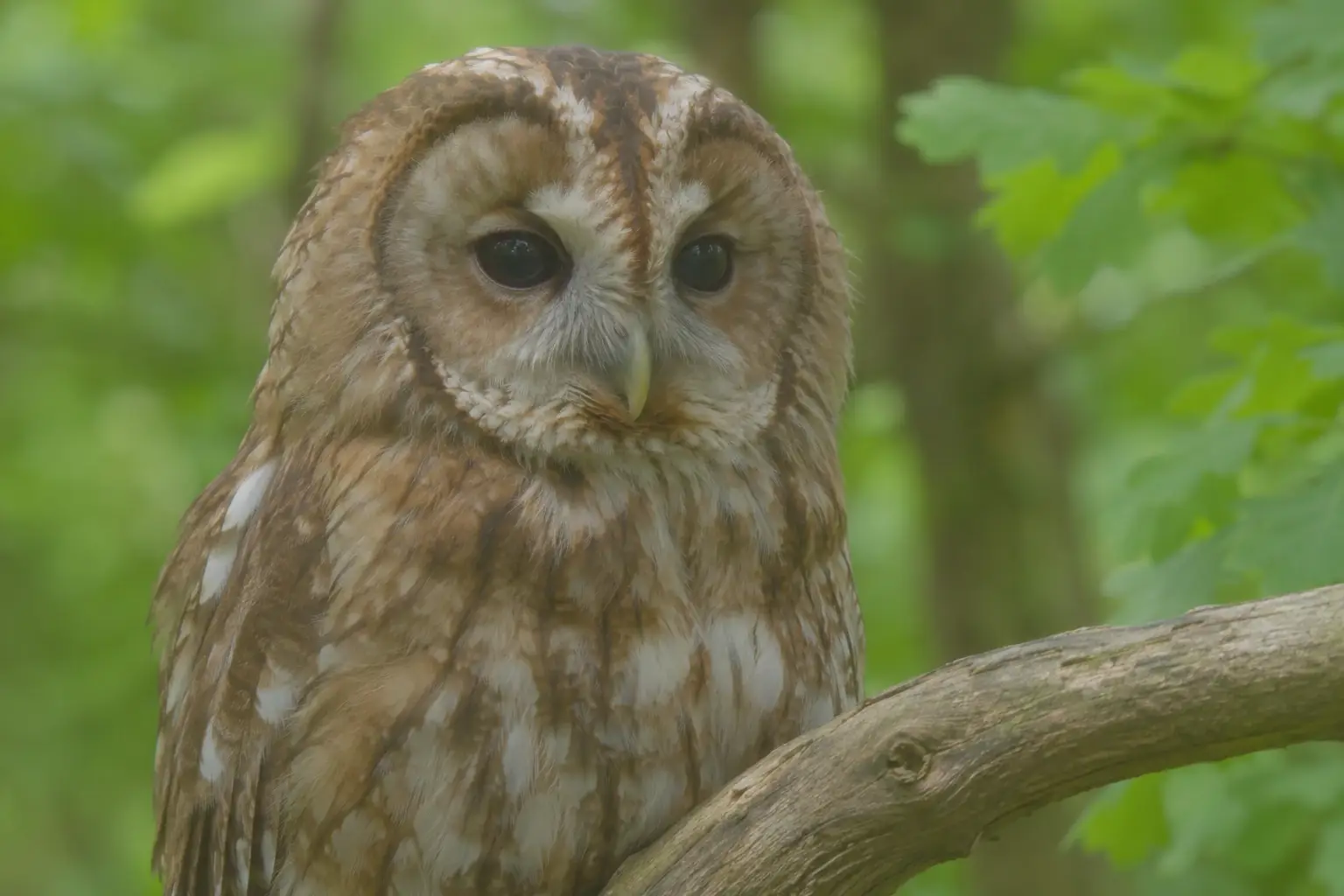
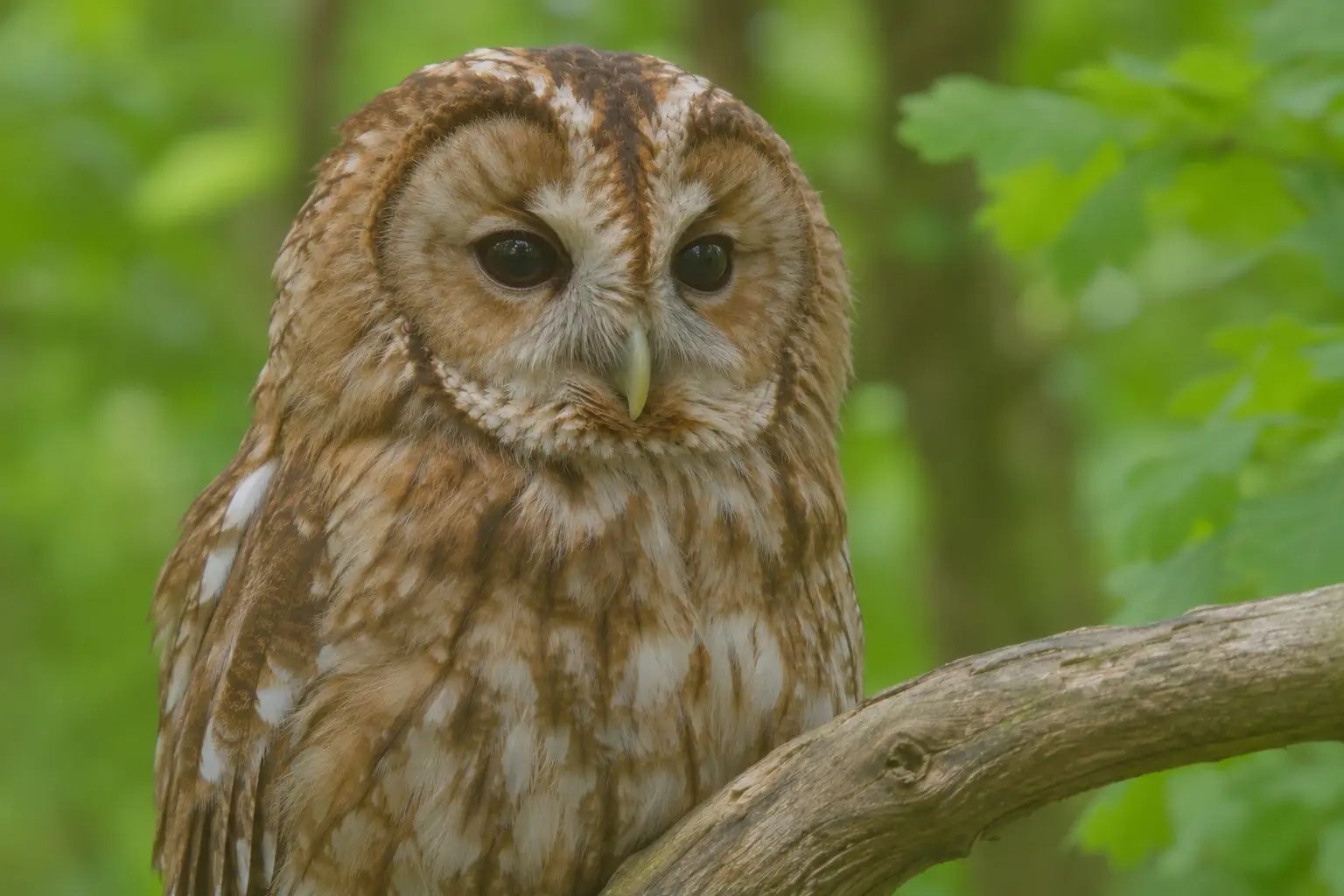
Edit the supplied image. Focus: Improve moderate edge sharpness around the owl's eyes, beak and feather boundaries. Keep the feather pattern natural; avoid white halos, exaggerated eye contrast and invented feather markings.. Preserve the owl's eye colour, beak shape, head outline, feather markings, perch and background. Keep the same subject, camera angle, crop, composition, colours and lighting except for the requested local definition change. Make a restrained, natural-looking refinement; do not redesign the scene or add objects. Treat uncertain fine detail conservatively rather than claiming to recover it. Return one image in the same landscape 3:2 composition, with no text, labels, border or watermark.
Output
The eyes, beak and feather boundaries look more distinct, and the owl and perch stay recognizable. Fine feather edges have been reinterpreted; this is a generated refinement rather than recovered wildlife detail.
Tool settings
One image edit using one attached synthetic input. All recorded inputs and outputs are 1536×1024, landscape 3:2. Tool model and sampler controls were not exposed. Original PNGs retained; delivery WebP quality 92 without resizing or cropping.
Improve the result
- /sharpen (informal label). Focus: Improve moderate edge sharpness around the owl's eyes, beak and feather boundaries. Keep the feather pattern natural; avoid white halos, exaggerated eye contrast and invented feather markings. Preserve the owl's eye colour, beak shape, head outline, feather markings, perch and background. Apply this inside the full template with the matching actual input; changing the image or instructions creates an untested variation.
- /enhance-detail (informal label). Focus: Increase the visibility of broad rock, snow and tree detail with restrained local definition. Preserve the existing mountain outline and snow boundaries; do not add peaks, trails or trees. Preserve the mountain silhouette, snow boundaries, tree positions, valley layout and sky colour. Apply this inside the full template with the matching actual input; changing the image or instructions creates an untested variation.
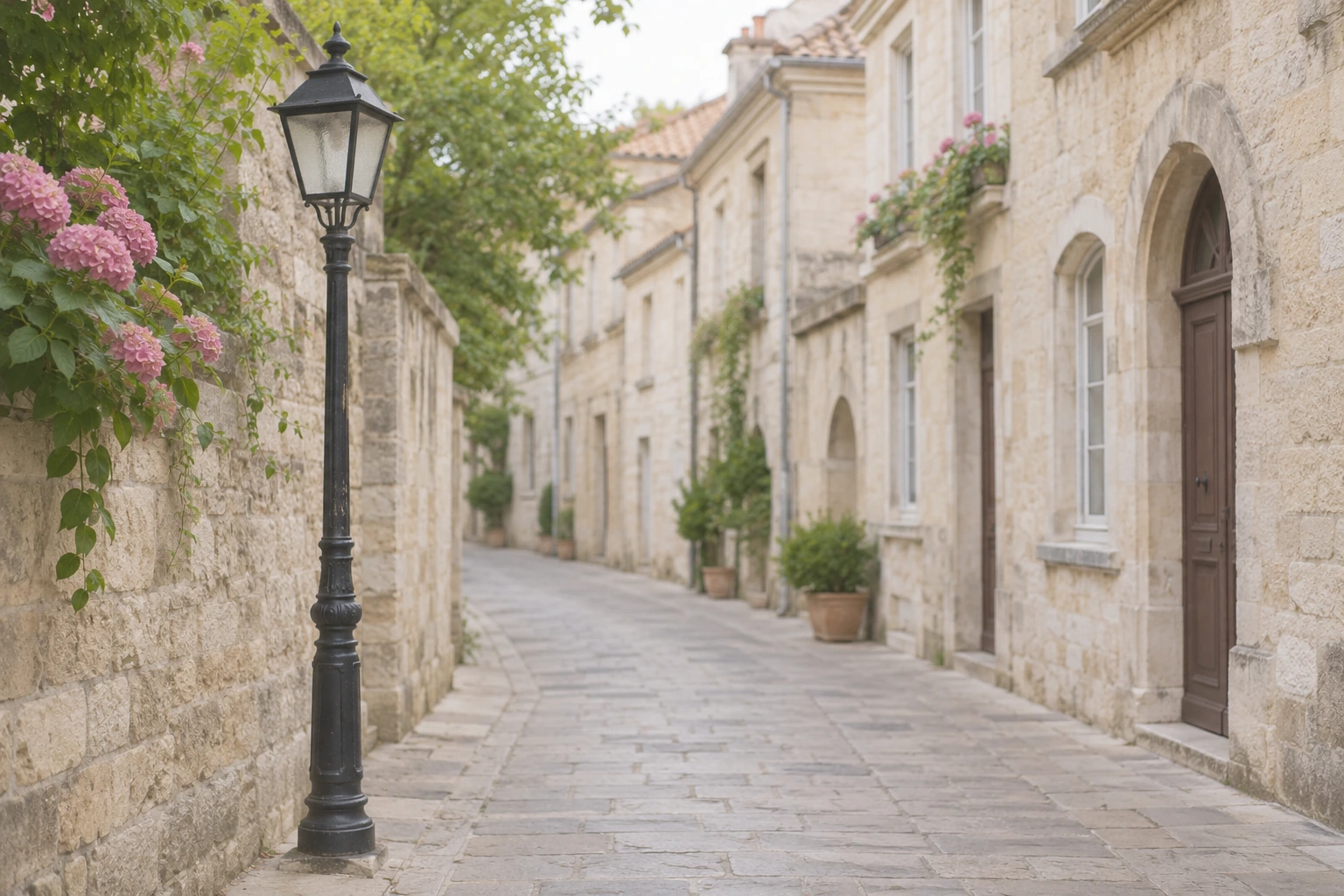
- /clarity (informal label). Focus: Improve midtone separation and restrained local contrast in the stone facades and street lamp. Keep highlight and shadow detail readable. Avoid an HDR look, dark halos and dramatic colour changes. Preserve the street perspective, lamp geometry, window positions, facade colours and lighting direction. Apply this inside the full template with the matching actual input; changing the image or instructions creates an untested variation.
- /texture (informal label). Focus: Make the already visible wood grain and growth rings easier to distinguish. Preserve the ring arrangement and existing cracks. Avoid carving new grooves or adding a rough artificial overlay. Preserve the log outline, ring arrangement, cracks, wood colour and lighting direction. Apply this inside the full template with the matching actual input; changing the image or instructions creates an untested variation.
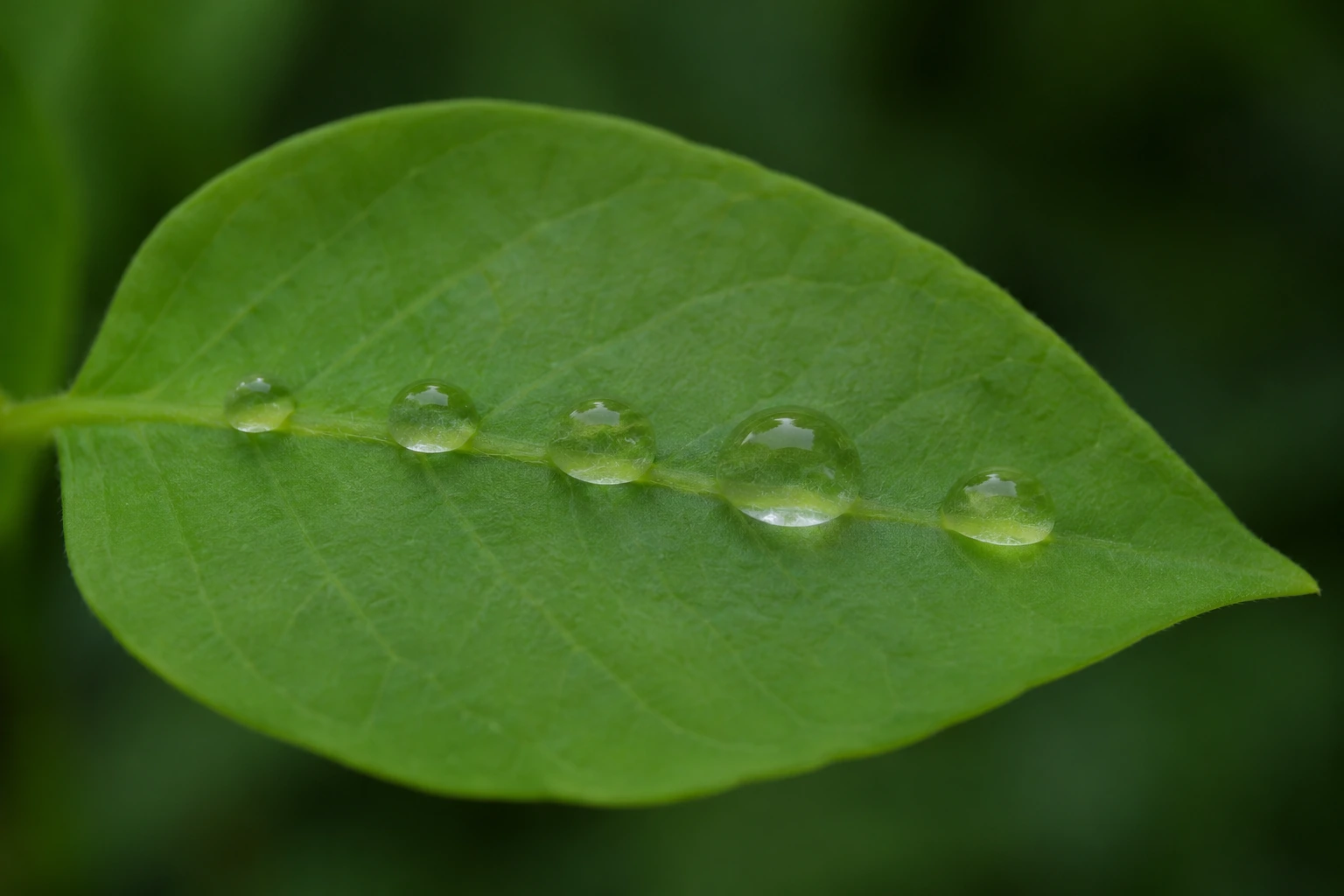
- /micro-detail (informal label). Focus: Refine the visible leaf veins and edges of the five existing water droplets with subtle definition. Do not add droplets, change their positions or invent a new vein network. Preserve the leaf shape, central vein, five droplet positions and sizes, green colour and background. Apply this inside the full template with the matching actual input; changing the image or instructions creates an untested variation.
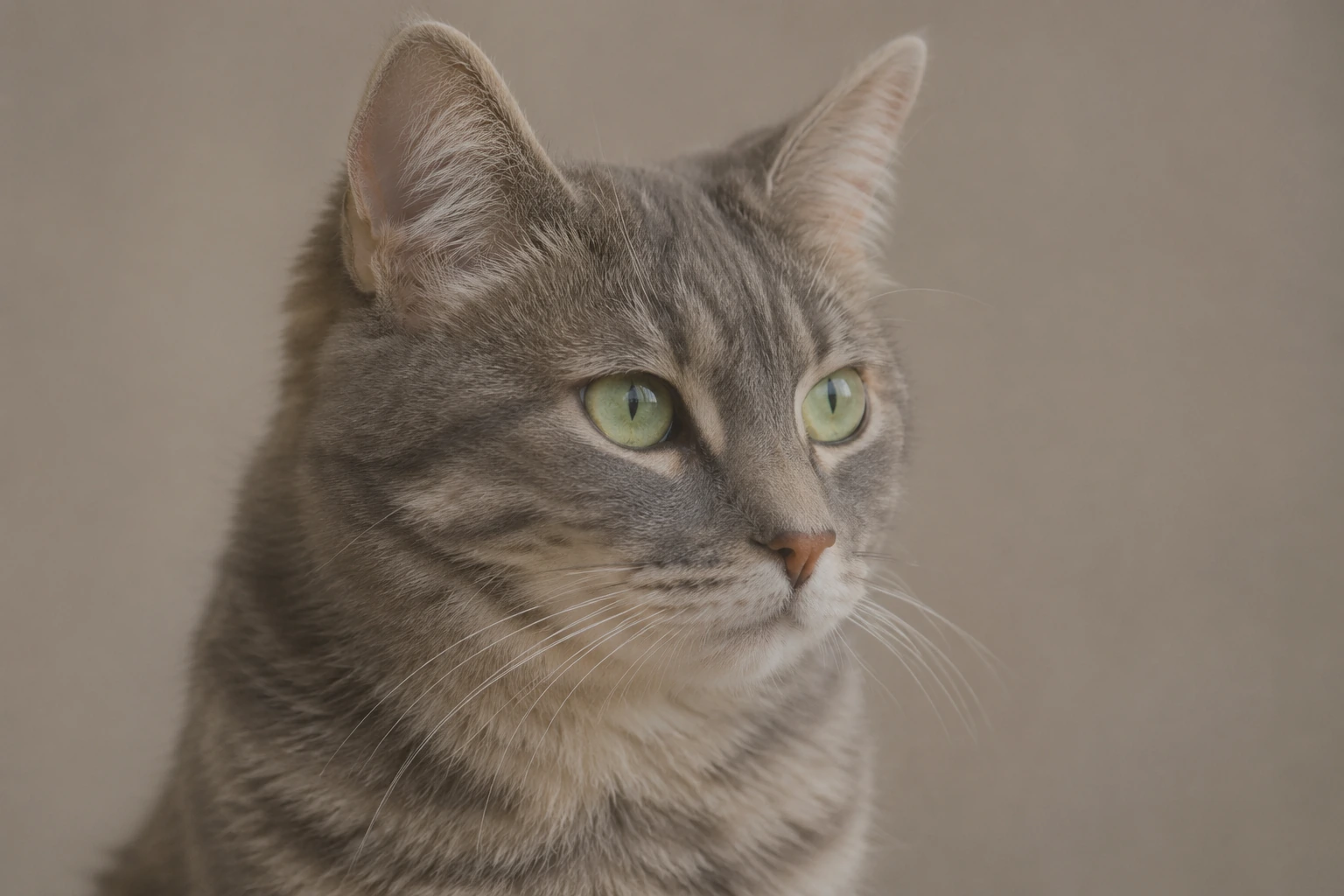
- /edge-detail (informal label). Focus: Improve the visible boundary definition of the cat's fur, ears and whiskers against the background. Keep the fur soft and natural. Avoid double outlines, halos, extra whiskers and sharpening the background. Preserve the cat's face proportions, green eyes, stripe pattern, ear shape, pose and background. Apply this inside the full template with the matching actual input; changing the image or instructions creates an untested variation.
- /face-detail (informal label). Focus: Gently improve the visibility of existing eyes, eyebrows, freckles and skin texture. Preserve the person's facial proportions, apparent age and expression. Do not beautify, smooth the skin, enlarge eyes or invent freckles. Preserve the fictional person's identity, face proportions, apparent age, expression, freckles, hairstyle, clothing and background. Apply this inside the full template with the matching actual input; changing the image or instructions creates an untested variation.
- /fabric-detail (informal label). Focus: Improve the visibility of the existing diagonal denim twill and seam stitching. Keep the fabric flexible and matte. Do not add stitches, change the weave direction or make the cloth look metallic. Preserve the fold shapes, seam path, stitch arrangement, button geometry, indigo colour and lighting. Apply this inside the full template with the matching actual input; changing the image or instructions creates an untested variation.
- /material-detail (informal label). Focus: Make the visible brushed steel, clear glass and stone surface easier to distinguish through restrained texture and reflection definition. Keep glass transparent and metal reflections plausible. Do not add scratches, logos or new components. Preserve the carafe geometry, glass transparency, metal finish, reflection direction, counter and background. Apply this inside the full template with the matching actual input; changing the image or instructions creates an untested variation.
- /crisp-photo (informal label). Focus: Apply a restrained overall crisp finish: slightly clearer lighthouse edges, readable rock texture and balanced midtone definition. Keep the sky and water smooth. Avoid oversaturation, crunchy detail, halos and extra scenery. Preserve the lighthouse shape and position, red cap, rock arrangement, horizon, sunset colours and composition. Apply this inside the full template with the matching actual input; changing the image or instructions creates an untested variation.
How to use this prompt
Attach your image, edit the two inputs and copy the expanded instruction. The slash labels below are descriptive reminders, not installed commands. See the full ten-example guide for comparisons, generation prompts and limitations.
The default workbench pair above shows the generated owl input and actual sharpening edit. All examples were run on 8 November 2026 with Codex built-in image generation, model name not exposed. Fine-detail changes are acknowledged in each note.
/sharpen: Sharpen soft edges
Choose this when an otherwise usable subject looks a little soft. Name the important boundaries and leave a deliberately blurred background alone.
Exact edit prompt
Edit the supplied image. Focus: Improve moderate edge sharpness around the owl's eyes, beak and feather boundaries. Keep the feather pattern natural; avoid white halos, exaggerated eye contrast and invented feather markings.. Preserve the owl's eye colour, beak shape, head outline, feather markings, perch and background. Keep the same subject, camera angle, crop, composition, colours and lighting except for the requested local definition change. Make a restrained, natural-looking refinement; do not redesign the scene or add objects. Treat uncertain fine detail conservatively rather than claiming to recover it. Return one image in the same landscape 3:2 composition, with no text, labels, border or watermark.
The eyes, beak and feather boundaries look more distinct, and the owl and perch stay recognizable. Fine feather edges have been reinterpreted; this is a generated refinement rather than recovered wildlife detail.
Create a practice input
Use case: photorealistic-natural. Asset type: original generated input for an image-editing tutorial. Create one landscape 3:2 photographic-style image of a tawny owl perched on an unpainted wooden branch, close head-and-shoulders wildlife composition against soft green woodland. Use natural colour and soft daylight. Make the main subject moderately soft in focus with gentle low microcontrast, but still clearly recognizable; avoid extreme blur. Keep a simple coherent composition. No text, logos, labels, watermark, border or before/after layout. This is a fictional generated example, not a real wildlife photograph.
/enhance-detail: Enhance broad scene detail
Use this for a broad scene whose larger surfaces need more definition. Give the model landmarks to preserve rather than asking for unlimited detail.
Exact edit prompt
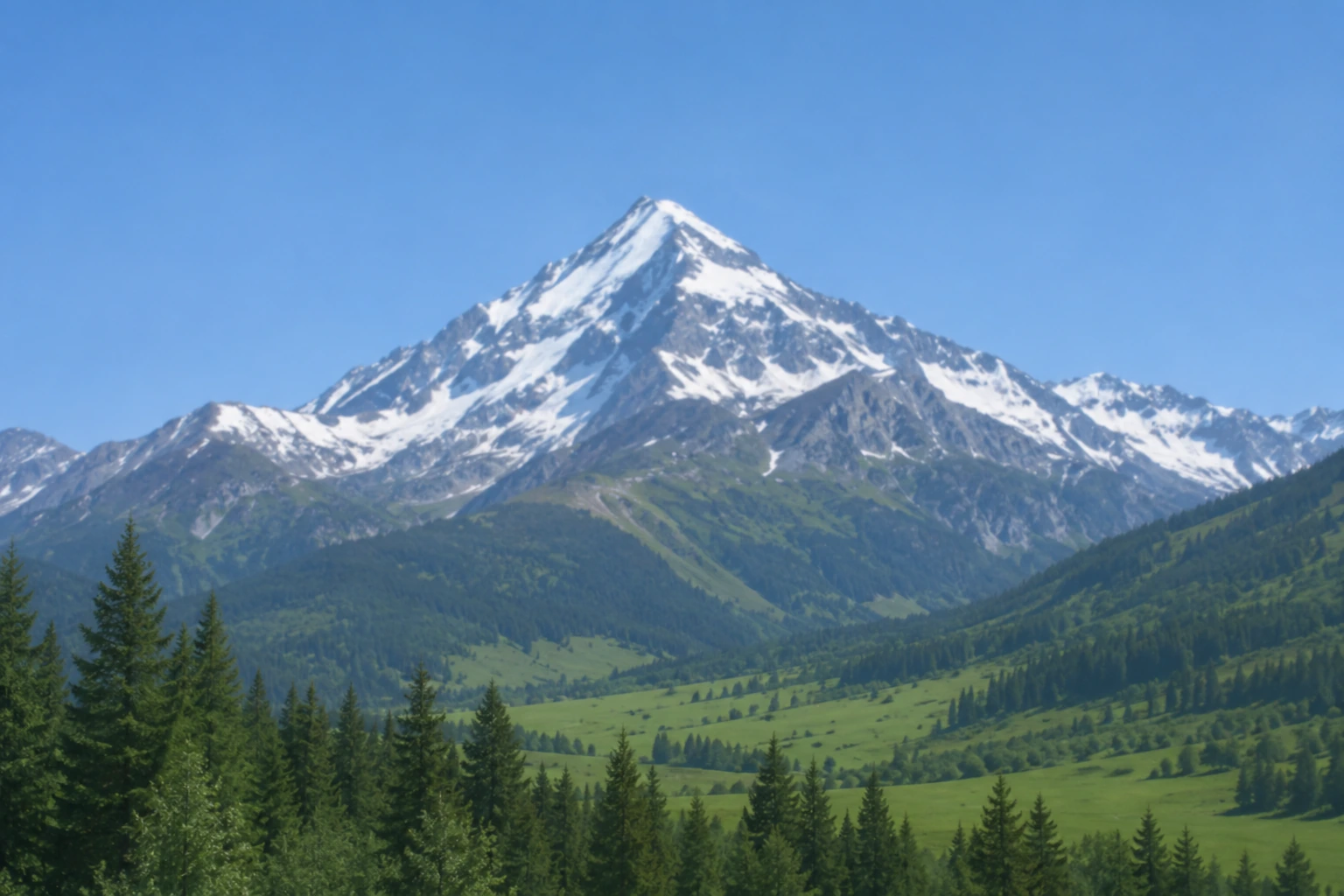
Edit the supplied image. Focus: Increase the visibility of broad rock, snow and tree detail with restrained local definition. Preserve the existing mountain outline and snow boundaries; do not add peaks, trails or trees.. Preserve the mountain silhouette, snow boundaries, tree positions, valley layout and sky colour. Keep the same subject, camera angle, crop, composition, colours and lighting except for the requested local definition change. Make a restrained, natural-looking refinement; do not redesign the scene or add objects. Treat uncertain fine detail conservatively rather than claiming to recover it. Return one image in the same landscape 3:2 composition, with no text, labels, border or watermark.
Generated input
Refined result
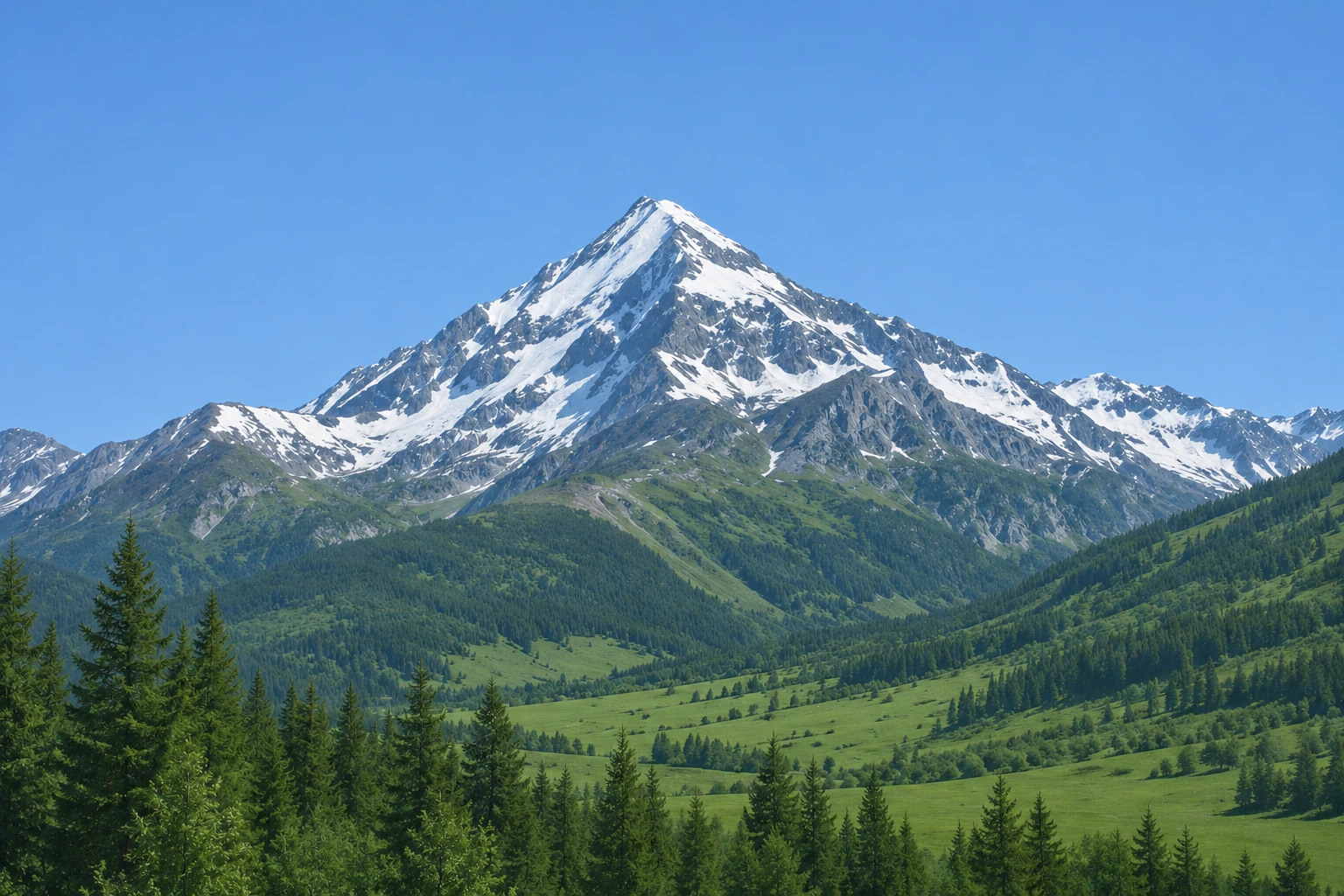
Rock and snow divisions are clearer, with much more definition in the foreground conifers. The broad mountain silhouette stays similar, but fine snow and tree patterns change. Use this for a creative landscape, not a factual record of terrain.
Create a practice input
Use case: photorealistic-natural. Asset type: original generated input for an image-editing tutorial. Create one landscape 3:2 photographic-style image of a triangular snow-capped alpine mountain above a green valley and dark conifer trees, with a clear blue sky. Use natural colour and soft daylight. Make the main subject moderately soft in focus with gentle low microcontrast, but still clearly recognizable; avoid extreme blur. Keep a simple coherent composition. No text, logos, labels, watermark, border or before/after layout. This is a fictional generated example, not a real photograph.
/clarity: Improve midtone clarity
Choose clarity when the image feels flat rather than simply out of focus. Ask for moderate separation in the midtones, then check bright walls and dark edges.
Exact edit prompt
Edit the supplied image. Focus: Improve midtone separation and restrained local contrast in the stone facades and street lamp. Keep highlight and shadow detail readable. Avoid an HDR look, dark halos and dramatic colour changes.. Preserve the street perspective, lamp geometry, window positions, facade colours and lighting direction. Keep the same subject, camera angle, crop, composition, colours and lighting except for the requested local definition change. Make a restrained, natural-looking refinement; do not redesign the scene or add objects. Treat uncertain fine detail conservatively rather than claiming to recover it. Return one image in the same landscape 3:2 composition, with no text, labels, border or watermark.
Generated input
Refined result

The lamp and pale stonework have stronger separation while the street keeps its gentle light. The result also defines some paving and wall texture. Check distant doors and windows when you need architectural accuracy.
Create a practice input
Use case: photorealistic-natural. Asset type: original generated input for an image-editing tutorial. Create one landscape 3:2 photographic-style image of a quiet old stone pedestrian street with one black metal street lamp in the foreground and cream stone facades receding into the distance, no people or readable signs. Use natural colour and soft daylight. Make the main subject moderately soft in focus with gentle low microcontrast, but still clearly recognizable; avoid extreme blur. Keep a simple coherent composition. No text, logos, labels, watermark, border or before/after layout. This is a fictional generated example, not a real photograph.
/texture: Bring out surface texture
Use a texture instruction when the surface is already visible. Describe the material and protect its existing pattern instead of asking the model to invent a richer one.
Exact edit prompt
Edit the supplied image. Focus: Make the already visible wood grain and growth rings easier to distinguish. Preserve the ring arrangement and existing cracks. Avoid carving new grooves or adding a rough artificial overlay.. Preserve the log outline, ring arrangement, cracks, wood colour and lighting direction. Keep the same subject, camera angle, crop, composition, colours and lighting except for the requested local definition change. Make a restrained, natural-looking refinement; do not redesign the scene or add objects. Treat uncertain fine detail conservatively rather than claiming to recover it. Return one image in the same landscape 3:2 composition, with no text, labels, border or watermark.
Generated input

Refined result

The growth rings stand out more strongly and the main cracks remain recognizable. Some fine ring lines are redrawn and the wood looks warmer. Those changes show why added texture should not be used to count real growth rings.
Create a practice input
Use case: photorealistic-natural. Asset type: original generated input for an image-editing tutorial. Create one landscape 3:2 photographic-style image of a close view of the circular cut end of an oak log with visible concentric growth rings and a few small radial cracks on a neutral tabletop. Use natural colour and soft daylight. Make the main subject moderately soft in focus with gentle low microcontrast, but still clearly recognizable; avoid extreme blur. Keep a simple coherent composition. No text, logos, labels, watermark, border or before/after layout. This is a fictional generated example, not a real photograph.
/micro-detail: Refine small visible features
Use this for small features that are present in the input, such as droplets or leaf veins. Count repeatable objects before and after the edit.
Exact edit prompt
Edit the supplied image. Focus: Refine the visible leaf veins and edges of the five existing water droplets with subtle definition. Do not add droplets, change their positions or invent a new vein network.. Preserve the leaf shape, central vein, five droplet positions and sizes, green colour and background. Keep the same subject, camera angle, crop, composition, colours and lighting except for the requested local definition change. Make a restrained, natural-looking refinement; do not redesign the scene or add objects. Treat uncertain fine detail conservatively rather than claiming to recover it. Return one image in the same landscape 3:2 composition, with no text, labels, border or watermark.
Generated input
Refined result
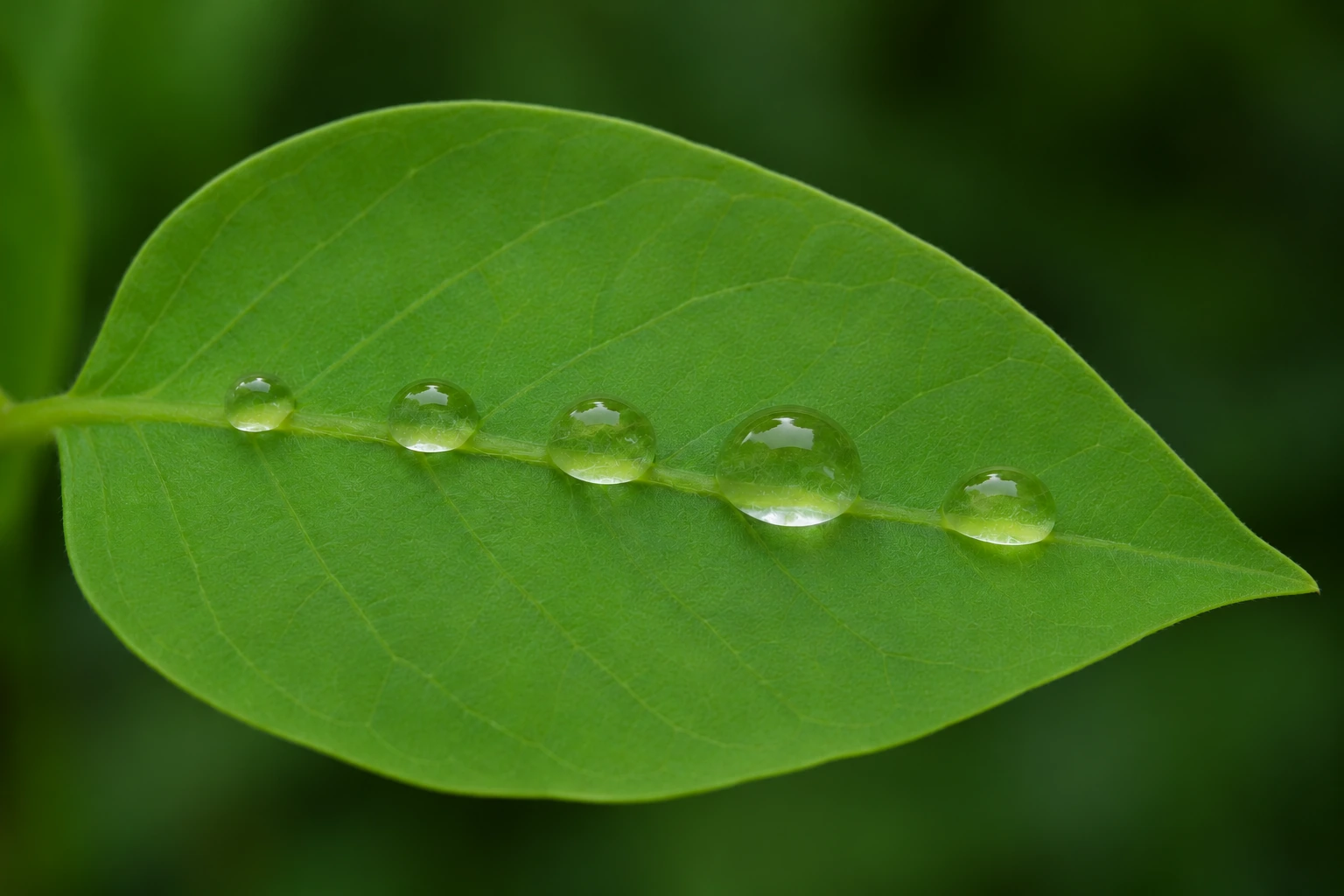
All five droplets remain visible in the same broad arrangement, and the leaf veins and droplet rims are clearer. The finer vein network and highlight shapes change, so the edit is not a microscope-style recovery of the original surface.
Create a practice input
Use case: photorealistic-natural. Asset type: original generated input for an image-editing tutorial. Create one landscape 3:2 photographic-style image of one fresh green leaf on a dark green background with five distinct round water droplets along its central vein, close macro composition. Use natural colour and soft daylight. Make the main subject moderately soft in focus with gentle low microcontrast, but still clearly recognizable; avoid extreme blur. Keep a simple coherent composition. No text, logos, labels, watermark, border or before/after layout. This is a fictional generated example, not a real photograph.
/edge-detail: Define a subject boundary
Choose edge detail when the subject blends into its background. Specify the boundary that needs attention and preserve softness elsewhere.
Exact edit prompt
Edit the supplied image. Focus: Improve the visible boundary definition of the cat's fur, ears and whiskers against the background. Keep the fur soft and natural. Avoid double outlines, halos, extra whiskers and sharpening the background.. Preserve the cat's face proportions, green eyes, stripe pattern, ear shape, pose and background. Keep the same subject, camera angle, crop, composition, colours and lighting except for the requested local definition change. Make a restrained, natural-looking refinement; do not redesign the scene or add objects. Treat uncertain fine detail conservatively rather than claiming to recover it. Return one image in the same landscape 3:2 composition, with no text, labels, border or watermark.
Generated input
Refined result
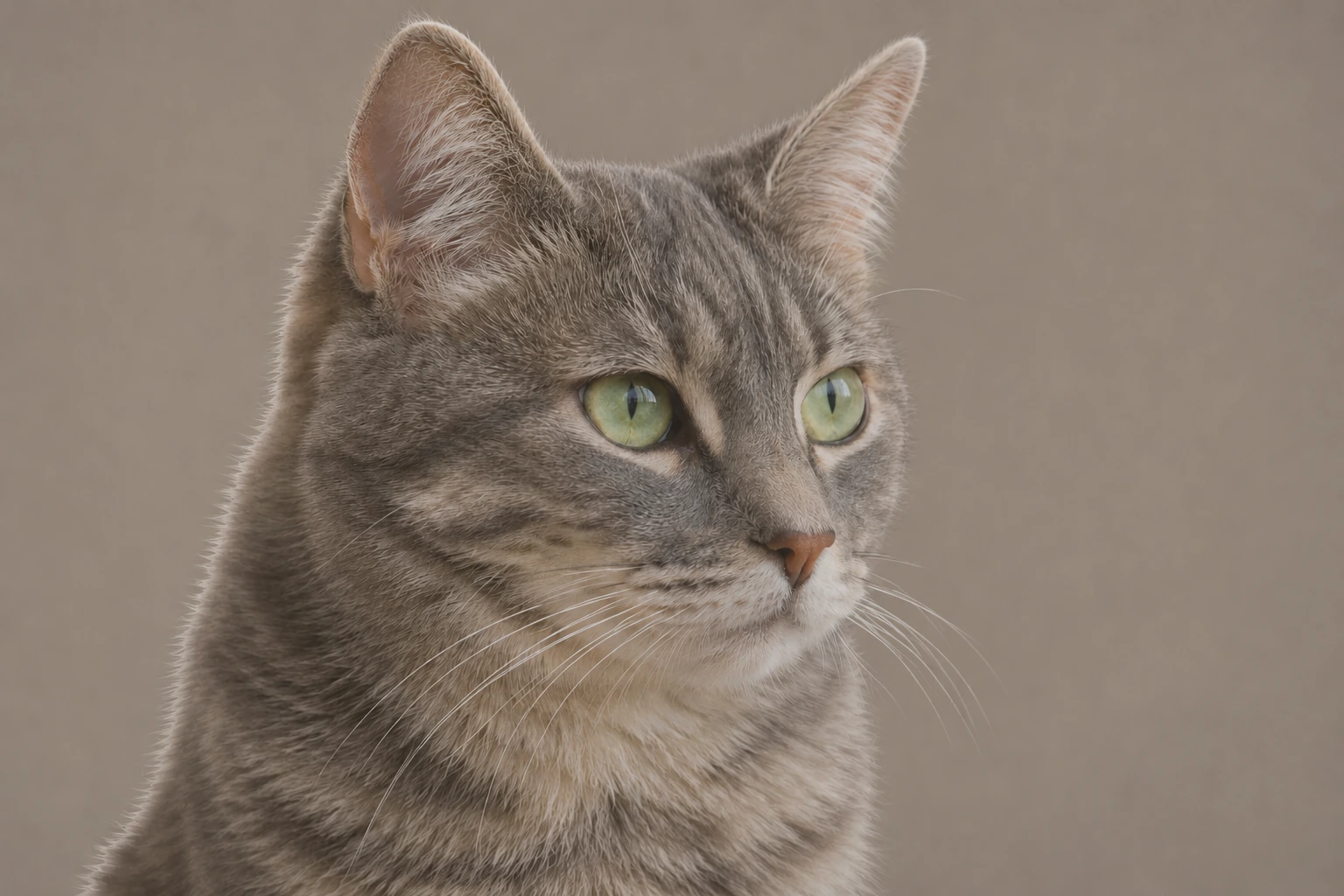
The ear outline, fur boundary and whiskers are more distinct against the grey background. The tabby pattern and pose remain recognizable, but individual hairs and whisker paths differ. Judge the silhouette without assuming pixel-level preservation.
Create a practice input
Use case: photorealistic-natural. Asset type: original generated input for an image-editing tutorial. Create one landscape 3:2 photographic-style image of a close portrait of a grey tabby cat with green eyes, head turned slightly right, against a smooth warm grey background. Use natural colour and soft daylight. Make the main subject moderately soft in focus with gentle low microcontrast, but still clearly recognizable; avoid extreme blur. Keep a simple coherent composition. No text, logos, labels, watermark, border or before/after layout. This is a fictional generated example, not a real photograph.
/face-detail: Refine a face gently
Use a gentle face instruction when identity matters. Preserve proportions and expression explicitly, and compare the face with the original at a useful viewing size.
Exact edit prompt
Edit the supplied image. Focus: Gently improve the visibility of existing eyes, eyebrows, freckles and skin texture. Preserve the person's facial proportions, apparent age and expression. Do not beautify, smooth the skin, enlarge eyes or invent freckles.. Preserve the fictional person's identity, face proportions, apparent age, expression, freckles, hairstyle, clothing and background. Keep the same subject, camera angle, crop, composition, colours and lighting except for the requested local definition change. Make a restrained, natural-looking refinement; do not redesign the scene or add objects. Treat uncertain fine detail conservatively rather than claiming to recover it. Return one image in the same landscape 3:2 composition, with no text, labels, border or watermark.
Generated input
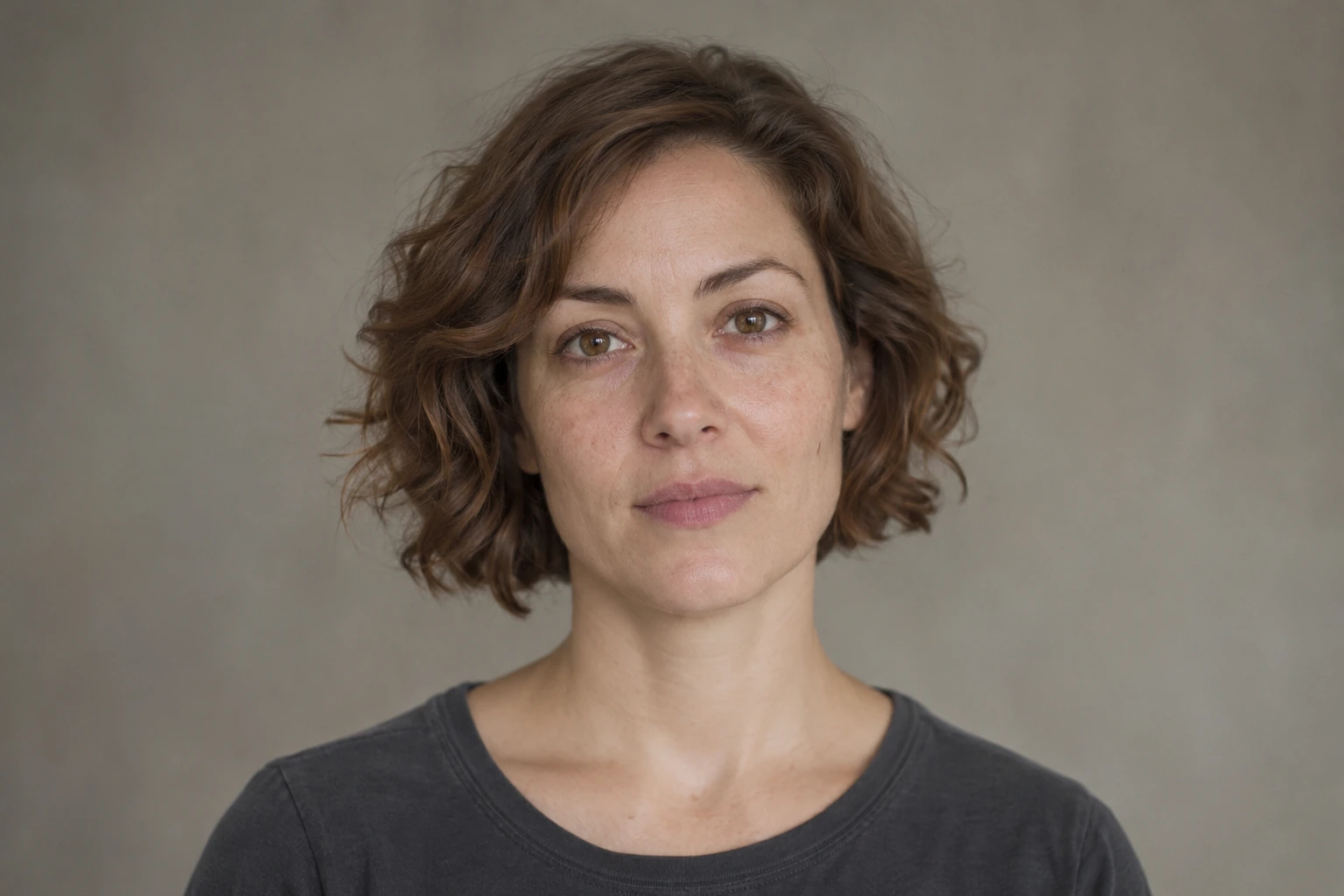
Refined result
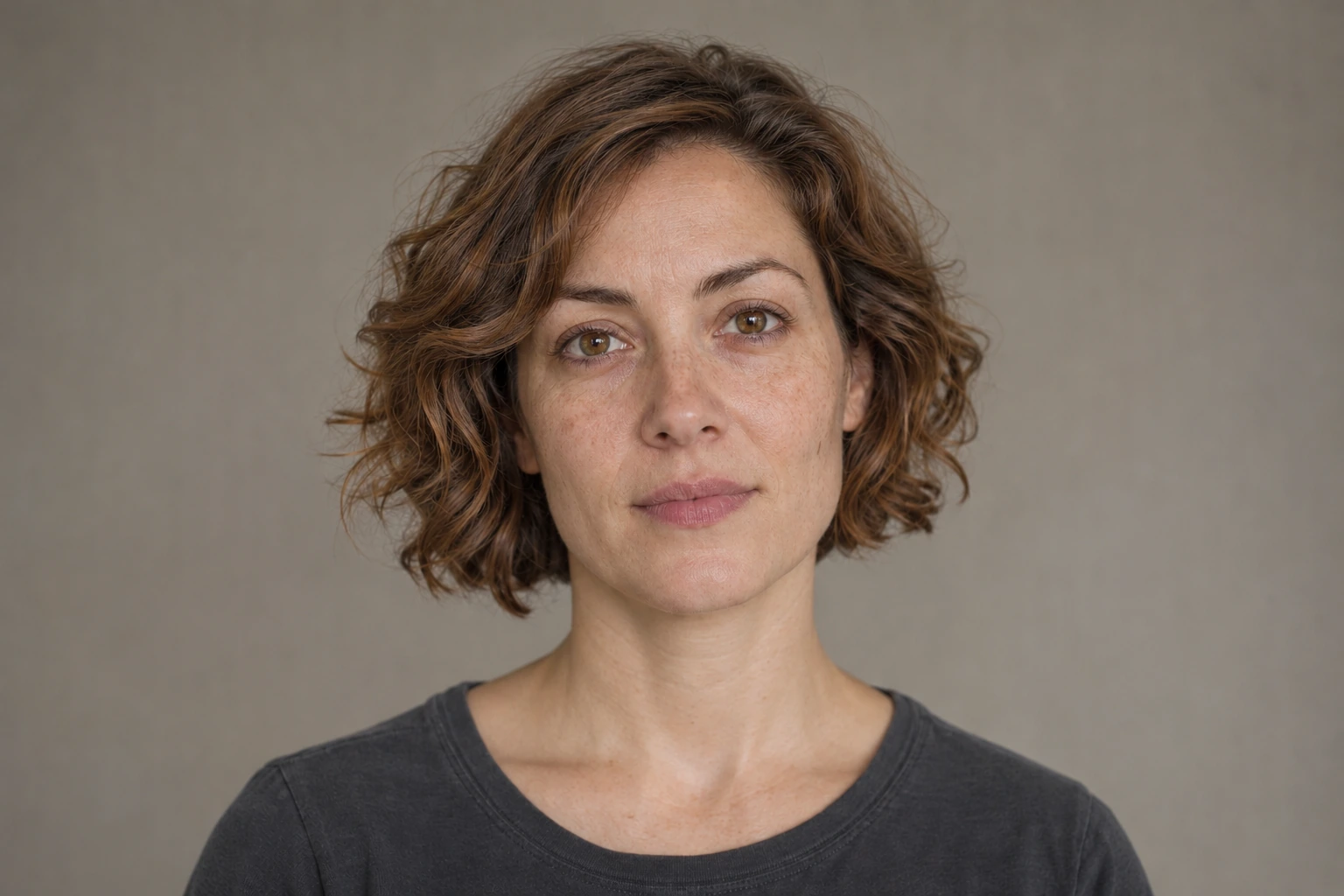
The eyes, brows and skin texture read more clearly while the face, expression and hairstyle remain recognizable. Fine freckles, pores and hair strands shift. This fictional portrait demonstrates the risk of treating a sharper face as a verified likeness.
Create a practice input
Use case: photorealistic-natural. Asset type: original generated input for an image-editing tutorial. Create one landscape 3:2 photographic-style image of a head-and-shoulders portrait of one fictional adult woman around 35 with short brown wavy hair, brown eyes, a few light freckles and a plain charcoal shirt, neutral expression against a muted studio background. Use natural colour and soft daylight. Make the main subject moderately soft in focus with gentle low microcontrast, but still clearly recognizable; avoid extreme blur. Keep a simple coherent composition. No text, logos, labels, watermark, border or before/after layout. This is a fictional generated example, not a real photograph.
/fabric-detail: Clarify fabric weave
Name the weave, seam or folds you need to see. A fabric-specific instruction helps distinguish useful textile detail from a generic sharpening effect.
Exact edit prompt
Edit the supplied image. Focus: Improve the visibility of the existing diagonal denim twill and seam stitching. Keep the fabric flexible and matte. Do not add stitches, change the weave direction or make the cloth look metallic.. Preserve the fold shapes, seam path, stitch arrangement, button geometry, indigo colour and lighting. Keep the same subject, camera angle, crop, composition, colours and lighting except for the requested local definition change. Make a restrained, natural-looking refinement; do not redesign the scene or add objects. Treat uncertain fine detail conservatively rather than claiming to recover it. Return one image in the same landscape 3:2 composition, with no text, labels, border or watermark.
Generated input

Refined result

The denim twill and stitching are easier to see, and the fold and button arrangement stay broadly consistent. Fine thread placement and button marks change. Inspect the seam closely before using a generated edit to represent an actual garment.
Create a practice input
Use case: photorealistic-natural. Asset type: original generated input for an image-editing tutorial. Create one landscape 3:2 photographic-style image of a close-up of folded indigo denim with one diagonal stitched seam and a brass button, soft neutral light, no labels or lettering. Use natural colour and soft daylight. Make the main subject moderately soft in focus with gentle low microcontrast, but still clearly recognizable; avoid extreme blur. Keep a simple coherent composition. No text, logos, labels, watermark, border or before/after layout. This is a fictional generated example, not a real photograph.
/material-detail: Keep different materials distinct
Use this when several materials share a frame. Describe how each should read, such as transparent glass and brushed metal, rather than sharpening every surface equally.
Exact edit prompt
Edit the supplied image. Focus: Make the visible brushed steel, clear glass and stone surface easier to distinguish through restrained texture and reflection definition. Keep glass transparent and metal reflections plausible. Do not add scratches, logos or new components.. Preserve the carafe geometry, glass transparency, metal finish, reflection direction, counter and background. Keep the same subject, camera angle, crop, composition, colours and lighting except for the requested local definition change. Make a restrained, natural-looking refinement; do not redesign the scene or add objects. Treat uncertain fine detail conservatively rather than claiming to recover it. Return one image in the same landscape 3:2 composition, with no text, labels, border or watermark.
Generated input

Refined result

The steel filter, glass carafe and stone counter look more distinct. Transparency and the main reflections remain readable, but the filter surface and tiny glass details change. A material prompt can also reinterpret the finish of a real product.
Create a practice input
Use case: photorealistic-natural. Asset type: original generated input for an image-editing tutorial. Create one landscape 3:2 photographic-style image of an unbranded stainless-steel and clear glass pour-over coffee carafe on a grey stone counter, three-quarter close product composition, no lettering. Use natural colour and soft daylight. Make the main subject moderately soft in focus with gentle low microcontrast, but still clearly recognizable; avoid extreme blur. Keep a simple coherent composition. No text, logos, labels, watermark, border or before/after layout. This is a fictional generated example, not a real photograph.
/crisp-photo: Give a whole scene a restrained finish
Use this as a restrained whole-image finishing request. It overlaps with sharpening and detail enhancement; the label itself does not select a separate tool.
Exact edit prompt
Edit the supplied image. Focus: Apply a restrained overall crisp finish: slightly clearer lighthouse edges, readable rock texture and balanced midtone definition. Keep the sky and water smooth. Avoid oversaturation, crunchy detail, halos and extra scenery.. Preserve the lighthouse shape and position, red cap, rock arrangement, horizon, sunset colours and composition. Keep the same subject, camera angle, crop, composition, colours and lighting except for the requested local definition change. Make a restrained, natural-looking refinement; do not redesign the scene or add objects. Treat uncertain fine detail conservatively rather than claiming to recover it. Return one image in the same landscape 3:2 composition, with no text, labels, border or watermark.
Generated input
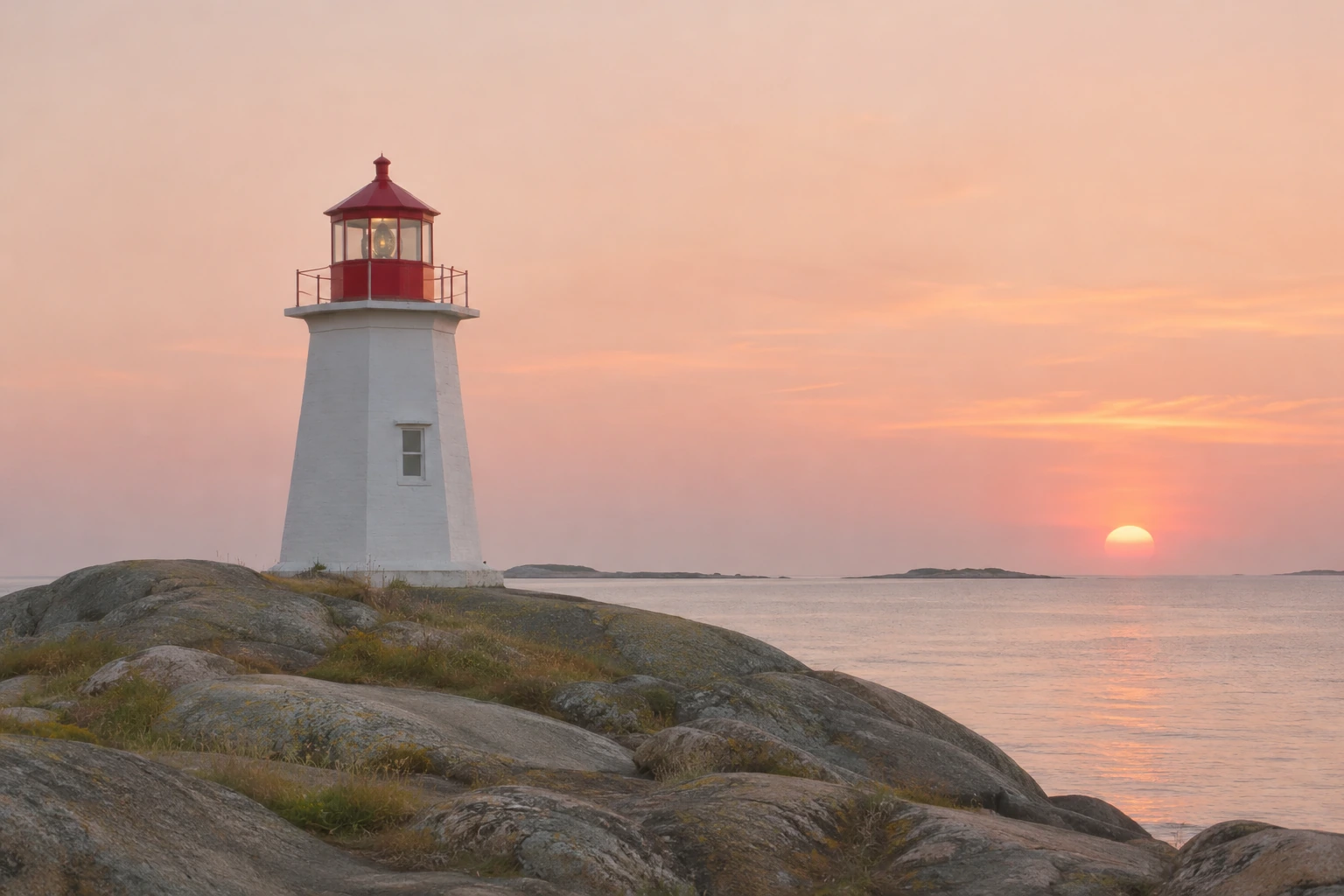
Refined result
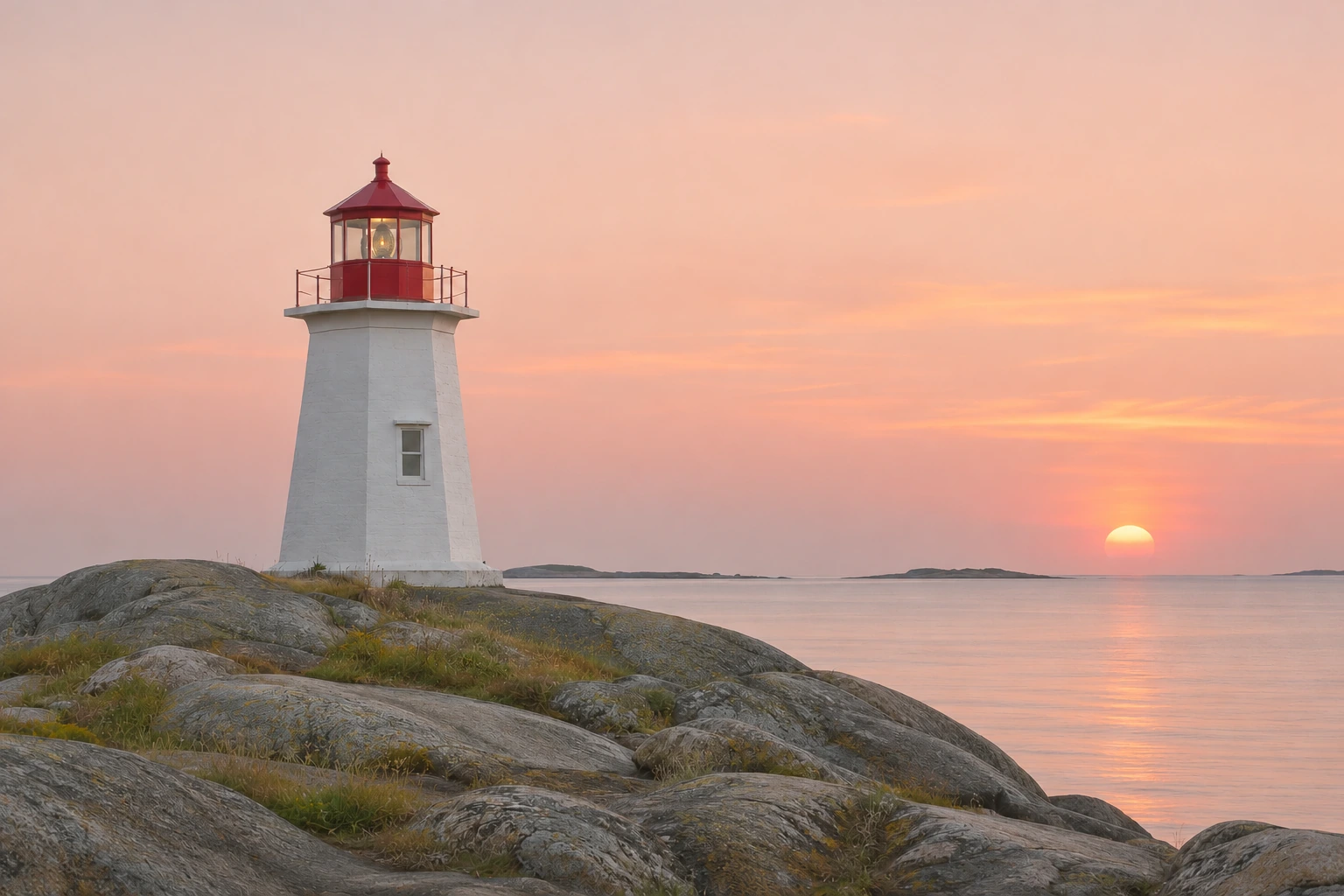
The lighthouse edges and foreground rocks are clearer while the sky stays comparatively smooth. The tower, red cap and sunset remain recognizable. Fine rock texture, grass and masonry change, so the result is a creative finishing example.
Create a practice input
Use case: photorealistic-natural. Asset type: original generated input for an image-editing tutorial. Create one landscape 3:2 photographic-style image of one small white lighthouse with a red cap on rounded coastal rocks at sunset, calm sea and a pale peach sky, no people or readable signs. Use natural colour and soft daylight. Make the main subject moderately soft in focus with gentle low microcontrast, but still clearly recognizable; avoid extreme blur. Keep a simple coherent composition. No text, logos, labels, watermark, border or before/after layout. This is a fictional generated example, not a real photograph.