A full 2TB family iCloud plan can make the 6TB upgrade look inevitable. There may be another workable arrangement. When one person uses most of the space, compare a personal plan for them with a larger shared plan. The catch is that spare capacity in one plan cannot rescue a full account on the other.
Compare where the data belongs before comparing the price. This guide uses Apple's current support rules and a fictional household; we haven't tested a subscription change on a real family account.
Check which storage is full first
On an iPhone, Settings → General → iPhone Storage measures the storage inside the phone. Settings → your name → iCloud shows cloud usage. Buying a larger cloud plan doesn't enlarge the phone. Apple explains the distinction in its device and iCloud storage guide.
If photos fill the phone while iCloud still has room, review photo optimisation first. Apple's photo-storage instructions place it under your iCloud Photos settings; on iOS 27 or later, open the additional iPhone Storage screen there. With optimisation enabled, originals stay in iCloud and smaller copies can be kept on the phone when space is needed. It isn't an instant promise of free space, and it doesn't solve a full cloud allowance.
One shared pool or separate limits?
Apple's family-sharing rules allow a member to keep a personal iCloud+ plan while remaining in the family. That person cannot use their personal allowance and the shared family allowance at the same time. Each person keeps their own Apple Account; sharing storage alone doesn't expose their private photos and documents.
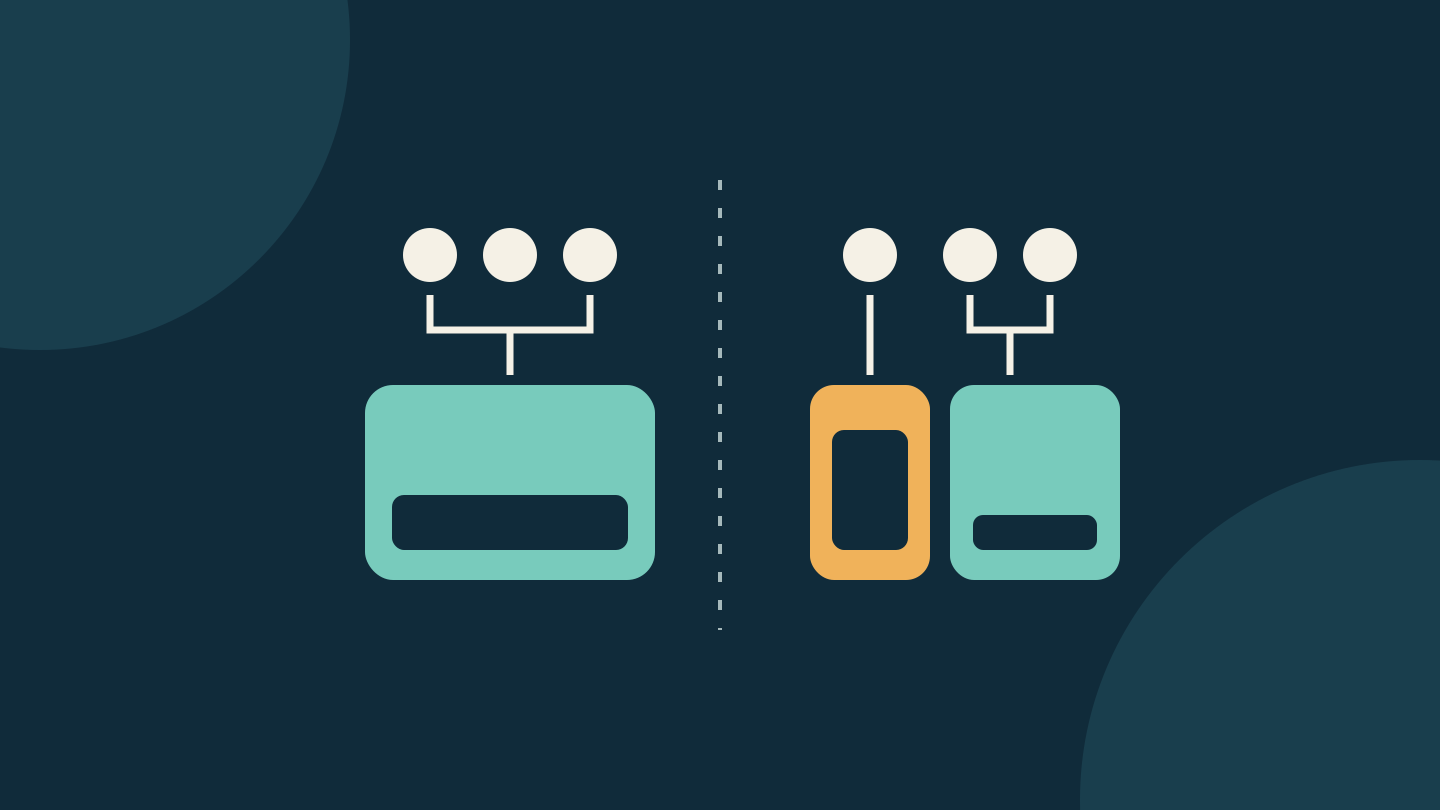
A shared 6TB plan gives the participating family one pool. A personal 2TB plan alongside a shared 2TB plan gives two separate limits. Calling the second arrangement “4TB for everyone” hides the restriction that matters.
Try the numbers with your household
Imagine Sam uses 1.55TB and the rest of the family uses 0.30TB. They expect Sam to add another 0.25TB of new data, taking the combined total from 1.85TB to 2.10TB. These rounded figures are an example, not measured usage.
If another family member provides the shared plan, Sam could evaluate a personal 2TB plan for the expected 1.80TB while the others remain on their shared 2TB plan with 0.30TB used. Both limits would fit the projected usage, although Sam would have only about 0.20TB left. Continued growth could soon make this the wrong choice.
Now change the example: Sam alone needs 2.10TB. Two separate 2TB plans cannot accommodate that account, even if the other plan is nearly empty. A larger shared pool lets usage shift between participating members without hitting a separate 2TB limit.
| Arrangement | Monthly price and tradeoff |
|---|---|
| One shared 6TB plan | USD $29.99 / AUD $44.99. One pool, with room for a member above 2TB. |
| One personal 2TB plus one shared 2TB | USD $19.98 / AUD $29.98 total. Two limits; the personal account cannot borrow unused shared capacity. |
Prices checked on 1 November 2026 against Apple's country pricing table. Australian prices include tax; some US states add tax. The second total is twice the listed 2TB price. Its listed-price difference is USD $10.01 or AUD $15.01 a month, not a guaranteed saving for every household. These figures exclude Apple One, promotions and switching adjustments. Check the amount offered in your account before changing anything.
Apple One changes the comparison
If you already pay for Apple One, don't apply the standalone table without checking your bundle. Apple says the family member who purchased Apple One can buy additional iCloud+ storage, and its Apple One storage guide explains how the included and additional allowances combine.
Compare the additional cost of storage with the total you would actually pay after changing the bundle. Treat included entertainment services as valuable only if you use them. A cheaper storage-only bill is not necessarily a cheaper household bill if you replace those services separately.
Make a plan before changing the subscription
Record each person's current usage, who supplies the shared plan, and which account will use which allowance afterwards. Include expected new uploads and backups rather than counting the same synced library twice. Check that every account has space and room for the next expected uploads.
If the heavy user currently supplies the family plan, the simple example above is not a ready-made switching procedure. Coordinate who will provide replacement shared storage first and follow Apple's documented provider-change steps. Don't cancel or stop sharing as an experiment.
Apple's storage-management guidance warns that a full iCloud allowance can stop backups and new photo uploads. Deleting a photo through iCloud Photos also deletes it on other devices using that synced library. Make independent copies of anything you intend to retain before cleanup; removing a device backup also turns off iCloud Backup for that device.
After any planned change, check the allowance on each affected account and then verify the original task: a completed backup or finished photo upload. Choose an arrangement that fits each account, leaves enough room for upcoming data and is practical for the family to maintain.
Editorial disclosure: AI assisted research and drafting, followed by a separate source and editorial review. The household figures are hypothetical; no account changes or device tests were performed. The cover is an original conceptual diagram, not an Apple interface. No affiliate links, paid placement or supplied products are included.
Sources
- Share iCloud+ with your Family Sharing group — Apple
- iCloud storage and device storage — Apple
- Manage your photo and video storage — Apple
- Manage your iCloud storage — Apple
- iCloud+ plans and pricing — Apple
- Apple One and iCloud storage — Apple