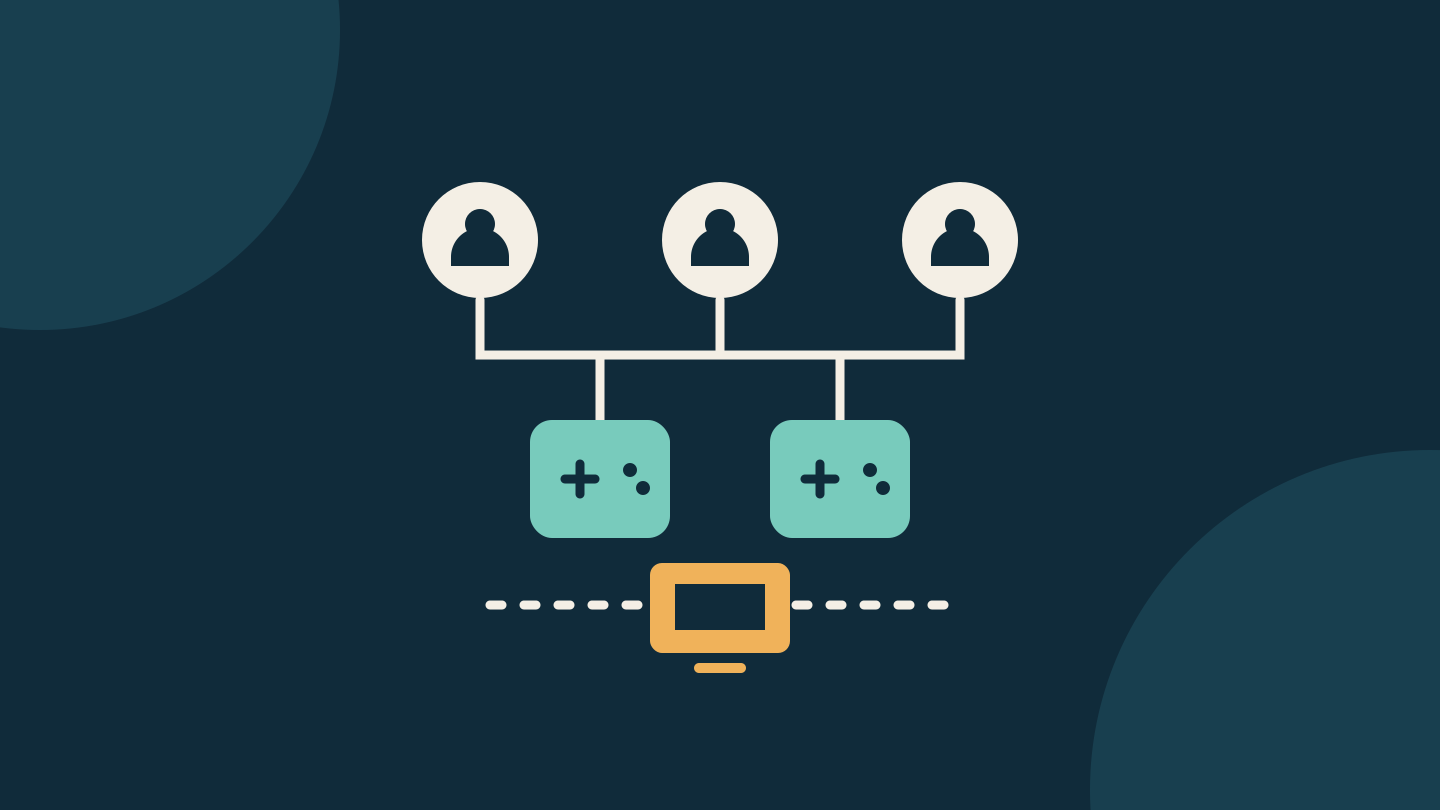
Before buying another copy of a Steam game for family night, decide how everyone will play. For an eligible shared game, three people launching it independently need enough available copies. Three people joining one supported local multiplayer session through Remote Play Together are using a different arrangement.
Count the copies available for the planned session; installing the game on another computer does not add a licence. Write down the players, the mode and the expansion they need before paying.
Choose the session before counting copies
Valve's Steam Families FAQ describes sharing for a household of up to six close family members. Different eligible games can run at once, but each independent simultaneous player of the same title needs an available copy. Sharing eligibility and account restrictions still apply.
Remote Play Together instead lets an owner run a supported local multiplayer game and invite others into that session over the internet. Guests receive the stream and send their controls back. Guests do not each need to own or launch the game.
Check the exact game's supported modes and player limit. A two-player local game does not become a three-player game because a third person has a computer. Likewise, a Family Sharing label does not create local co-op or Remote Play Together support.
Make a three-player plan
Here is a fictional planning example, not a tested game. Alex, Bea and Cam belong to one eligible household. Alex owns Harbour Quest with its Island expansion. Bea owns the base game. Cam owns neither. Assume the game and expansion are shareable, the chosen mode supports three players, and the relevant copies are not already in use.
| Tonight's plan | What to check |
|---|---|
| All three launch the base game separately | There are two copies for three launches: one copy short. |
| All three separately launch content that requires Island | Only Alex's copy includes Island. Two base copies do not establish three expansion-capable sessions. |
| Alex hosts a local session through Remote Play Together | If this exact game, mode and content support it, Bea and Cam join Alex's stream instead of launching separate copies. |
The first plan points to a missing base-game copy. The second needs a more careful purchase decision: confirm which players must have the expansion and which existing copy should receive an expansion purchase. A third player may also need base-game access. The third calls for a connection and controller rehearsal before anyone assumes it will be comfortable to play.
A different plan may cost nothing: two people play now and the third plays later, or everyone chooses different eligible games. That only helps if it matches the evening you actually wanted. Taking turns is not a substitute for a three-person co-op session.
Check the content attached to each copy
Valve says shared downloadable content (DLC) follows the selected owner's copy when the publisher allows it. If that copy is busy, Steam looks for one with identical DLC, then offers other available copies. Changing DLC sets can make saves incompatible. Before accepting a different copy, compare its content with the save you intend to load.
For the fictional household, write one line per usable copy: owner, required expansion, who needs it and when. This exposes a scheduling collision that a single total such as “we own two copies” hides.
Check consumable purchases separately from expansions. Valve's developer guidance identifies consumable DLC as a case that can need special handling. Use the publisher's rules for the actual content you want.
Rehearse the hosted option
For a supported title, Valve's Remote Play instructions say the host launches the game, opens the Steam overlay with Shift+Tab, then right-clicks a friend and selects Remote Play Together. The guest accepts the invitation. Check support on the game's store page first.
Start with the people and controllers you plan to use. Confirm that everyone can join the intended mode, control a different player and read the shared view. Notice whether delayed inputs make the game frustrating. Valve recommends a wired network for streaming; that is guidance, not a promise about your connection.
If the rehearsal fails, record whether the problem is the invitation, an unavailable copy, missing content, controls or streaming quality. Those symptoms call for different fixes. A controller that is unrecognised inside a hosted session needs troubleshooting before a purchase decision.
Only then decide what to buy
Use this final note before checkout: “We want [players] in [mode], using [content], with [available copies or named host]. The missing requirement is [specific item].” Leave the cart alone if that last field is still a guess.
Check the local listing for each account. Regional restrictions can affect sharing, and an advertised US dollar discount is not an Australian dollar quote. No current game prices or universal regional eligibility are assumed here.
Steam's event calendar lists Scream V for 26 October–2 November 2026, so sale shopping is a useful reason to do this check now. Use the countdown on your local store listing for the exact end time. After the sale, the same note still helps you decide whether to buy a missing copy, change the plan or investigate a setup problem.
Editorial disclosure: AI assisted research and drafting, followed by a separate source and editorial review. This is a documentation-based planning guide; no games, accounts, controllers or streaming sessions were tested. The cover is an original conceptual diagram, not a Steam screenshot. No affiliate links, paid placement or supplied products are included.
Sources
- Steam Families User Guide & FAQ — Valve
- Steam Remote Play — Valve
- Steam Remote Play support — Valve
- Steam Families developer guidance — Valve
- Upcoming Steam Events — Valve