Update a character sheet for a new story state
Attach the approved character sheet and change its temporary story condition while preserving the identity and reference layout.
Tools: An image generator with image-reference editing; the recorded examples use Codex built-in image generation.
What to provide
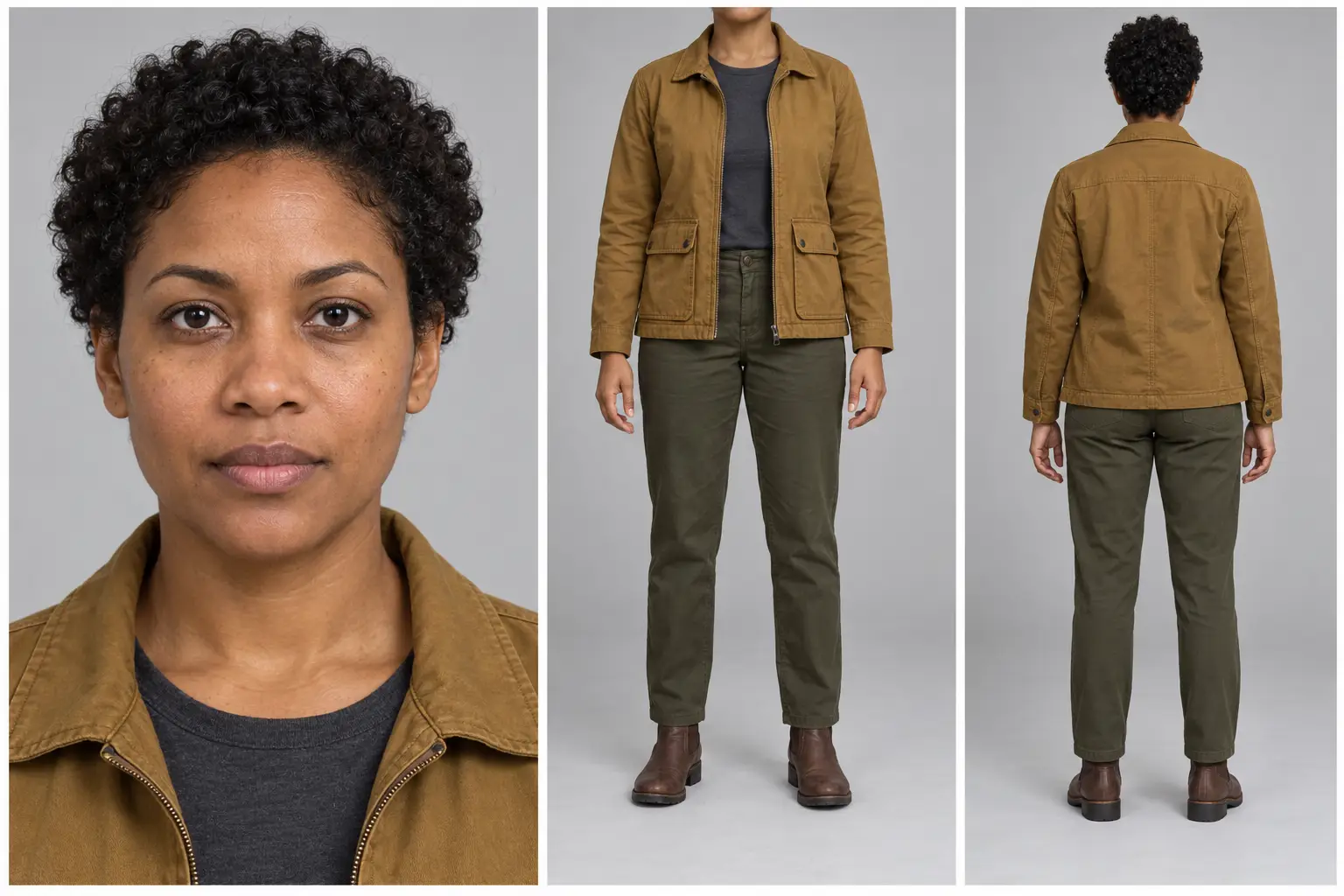
- Attach the approved character reference sheet. The recorded test uses the CHAR001 default output.
- Describe the temporary visible state change; retain the original master separately.
Example Recorded test output
Input
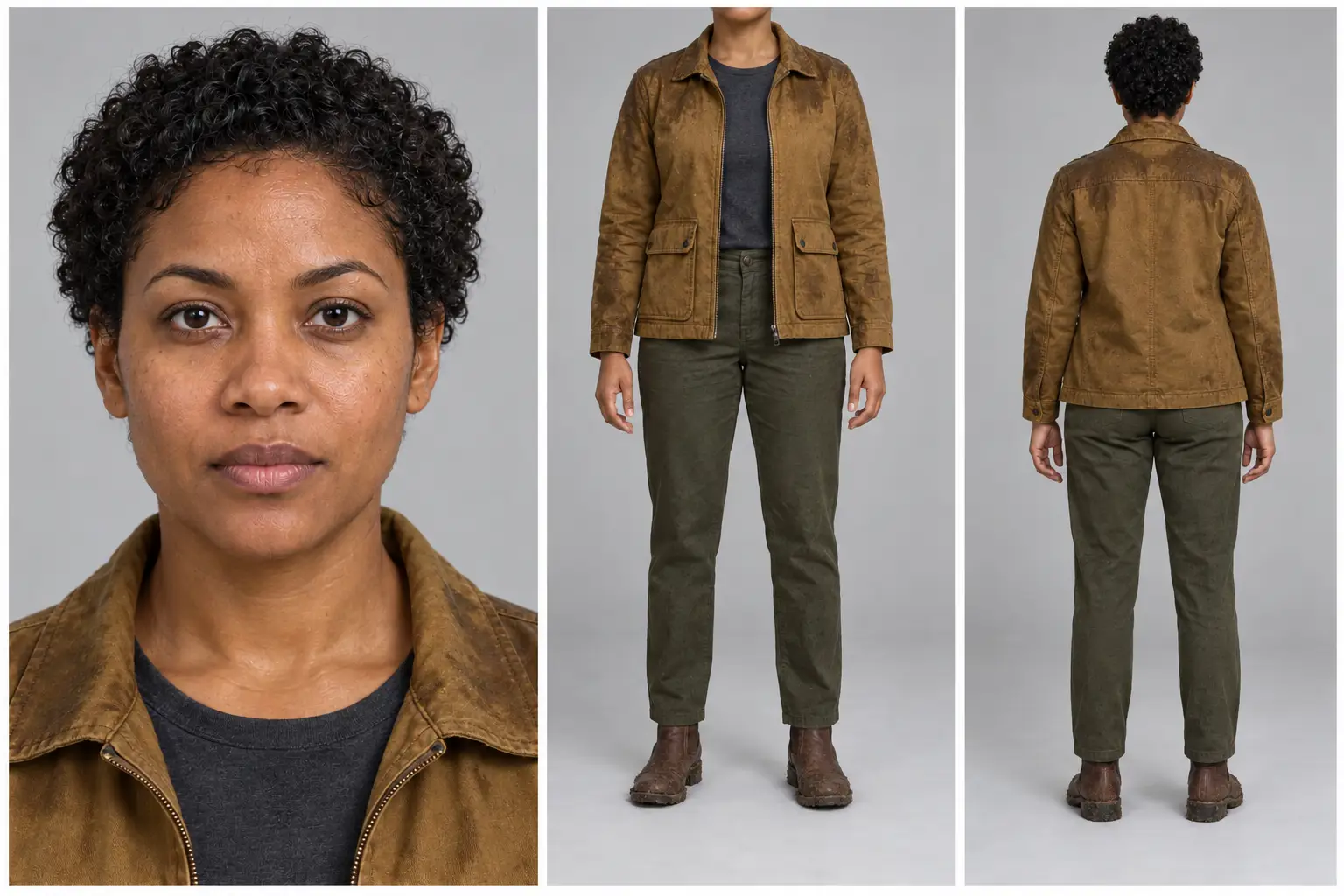
Exact default-input expansion recorded on 30 October 2026: Use the attached approved character reference sheet as the edit target and sole visual identity reference. Update the character to this story state: after light rain, add visible water beads to the face, damp flattened curls without changing their length, darker wet patches on the jacket shoulders and sleeves, and a small amount of fresh mud on the boot soles; the shirt and trousers keep their original design. Preserve the same person, facial structure, skin tone, eye color, apparent age, short hairstyle silhouette, body proportions, garment design, garment colors, pockets and boots. Apply only the requested temporary condition consistently wherever visible in all three panels. Keep the same panel order, face close-up, front neck-to-boots costume view, full rear view, poses, light-gray studio background, soft neutral lighting, visual style, margins and framing. Do not introduce a new outfit, accessories, location, injuries, blood, text, logos or watermark. Return the complete updated reference sheet as one landscape image. Avoid redesigning the character to make the new condition more dramatic. Attached reference: CHAR001 default output, character-clean.png.
Output
A real reference-image edit using the CHAR001 default output. The face, ochre jacket, pockets, boots and panel arrangement broadly align. Wet patches and muddy boots are visible. The trousers also darken and acquire surface marks, mud extends beyond the soles, and the curls remain fairly full. Preservation was assessed visually, not by identity measurement.
Tool settings
Recorded run: 30 October 2026. Built-in image_gen tool; no model name, seed or quality control exposed. Opaque background. Saved PNG 1536 x 1024, landscape 3:2. Composition instructions are in the template, not guaranteed settings.
Improve the result
- From the approved updated sheet, create a separate still for one shot; check face, costume and current state before animation. This follow-up has not been tested.
Use the right reference
Attach the approved sheet as an image input. Compare the edit against both the original identity master and the last approved state; reject changes you did not request.
What this test covers
A real reference-image edit using the CHAR001 default output. The face, ochre jacket, pockets, boots and panel arrangement broadly align. Wet patches and muddy boots are visible. The trousers also darken and acquire surface marks, mud extends beyond the soles, and the curls remain fairly full. Preservation was assessed visually, not by identity measurement.
Only the displayed default inputs were run. Changed inputs, suggested follow-ups and video generation have not been tested.
Read the character continuity workflow for state naming, shot planning and checks before animation.