Create a workspace campaign quote card
Combine a short original campaign line with a warm desk scene in a square graphic. Customize the wording and background color.
Tools: ChatGPT built-in image generation
What to provide
- Supply your own short line, including punctuation; do not invent an attribution or customer testimonial.
- Choose a light background with strong contrast against navy lettering.
Example Recorded test output
Input
Recorded inputs (2026-10-29): Original campaign copy: Make room for ideas. Background color: warm ivory These defaults expand to the exact prompt used for the saved output. No reference image was supplied.
Output
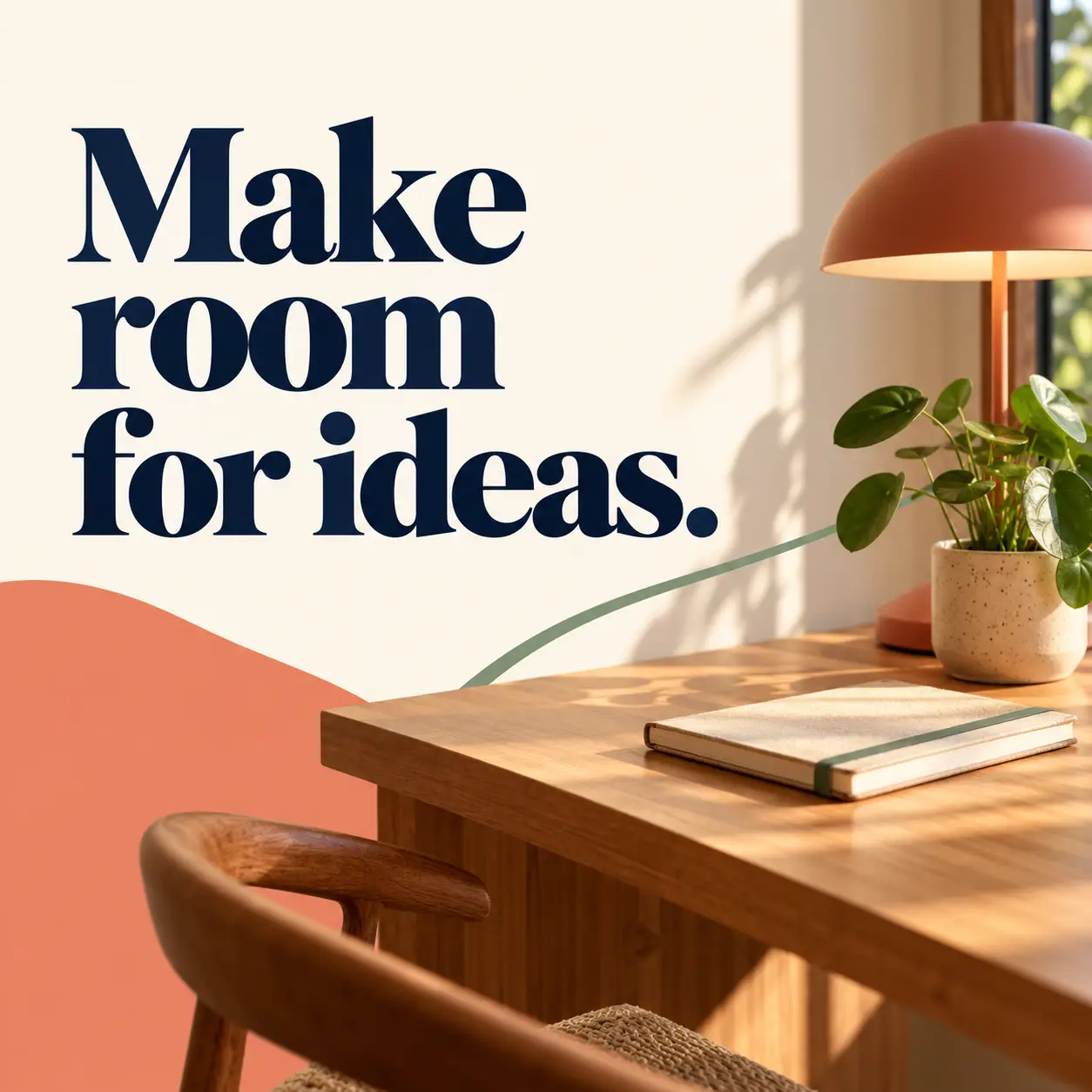
Recorded AI-generated output from the exact default inputs. The supplied sentence and period appear correctly in three lines. The square design gives the type priority alongside a quiet desk corner.
Tool settings
Actual recorded run: 2026-10-29. Built-in image_gen tool; model name, seed and quality setting were not exposed. Opaque background. Saved PNG: 1254 × 1254. No reference image. Layout directions in the template describe the requested composition, not guaranteed output settings.
Improve the result
- Keep the wording, colors and desk scene. Move the headline slightly inward to increase the left margin.
- Inspect the result at full size and at its intended display size. Recheck text, object structure and any changed details.
Use this prompt
Keep the default inputs to copy the exact recorded generation prompt, or customize the fields for a new variation. Copy the completed text into an image-capable tool. New inputs and follow-ups are untested variations.
About the example
The supplied sentence and period appear correctly in three lines. The square design gives the type priority alongside a quiet desk corner.
This is fictional campaign copy rather than an attributed quotation, testimonial or paid result. Verify wording and permissions for any real quotation. Finish production typography in your design tool.
The slash labels are informal creative shorthand. This example was produced by built-in image generation; no model name was exposed.
Related guide
Read Image Prompts Set 2 for the full worked example and inspection notes.