Create a three-step desk-reset infographic
Illustrate a supplied Clear, Sort, Set Up checklist. Customize its title and accent colors while retaining the three desk-organizing steps.
Tools: ChatGPT built-in image generation
What to provide
- Use a short title that accurately describes the fixed desk-reset checklist.
- Name two coordinated colors with enough contrast for navy labels.
Example Recorded test output
Input
Recorded inputs (2026-10-29): Graphic title: RESET YOUR DESK Illustration accent colors: sage and coral These defaults expand to the exact prompt used for the saved output. No reference image was supplied.
Output
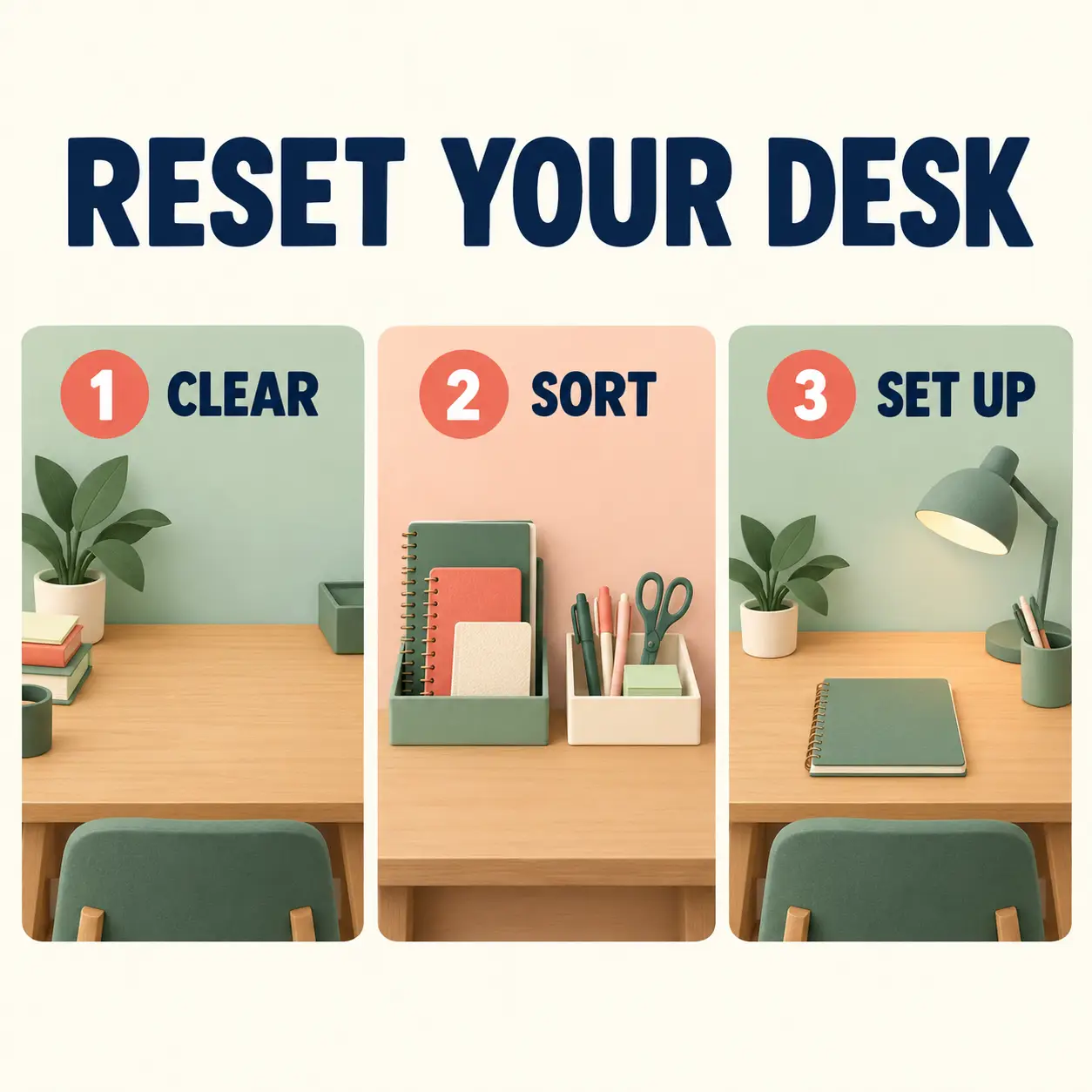
Recorded AI-generated output from the exact default inputs. The title and three numbered labels appear in left-to-right order. Grouped stationery occupies the middle panel, and the final panel leaves the notebook accessible.
Tool settings
Actual recorded run: 2026-10-29. Built-in image_gen tool; model name, seed and quality setting were not exposed. Opaque background. Saved PNG: 1254 × 1254. No reference image. Layout directions in the template describe the requested composition, not guaranteed output settings.
Improve the result
- Keep all wording and the three-panel reading order. Simplify incidental objects without changing the supplied steps.
- Inspect the result at full size and at its intended display size. Recheck text, object structure and any changed details.
Use this prompt
Keep the default inputs to copy the exact recorded generation prompt, or customize the fields for a new variation. Copy the completed text into an image-capable tool. New inputs and follow-ups are untested variations.
About the example
The title and three numbered labels appear in left-to-right order. Grouped stationery occupies the middle panel, and the final panel leaves the notebook accessible.
The checklist is an editorial organizing suggestion, not research or a productivity measurement. Inspect every label and visual relationship. Individual objects differ between panels.
The slash labels are informal creative shorthand. This example was produced by built-in image generation; no model name was exposed.
Related guide
Read Image Prompts Set 2 for the full worked example and inspection notes.