Turn a reference portrait into a big-head caricature
Edit a portrait into a playful, exaggerated caricature while naming the facial cues, expression and details that should stay recognizable.
What to provide
- Attach one clear portrait of an adult that you own or have permission to edit.
- Name the intended exaggeration, the face cues that matter and the expression or pose.
Example Recorded test output
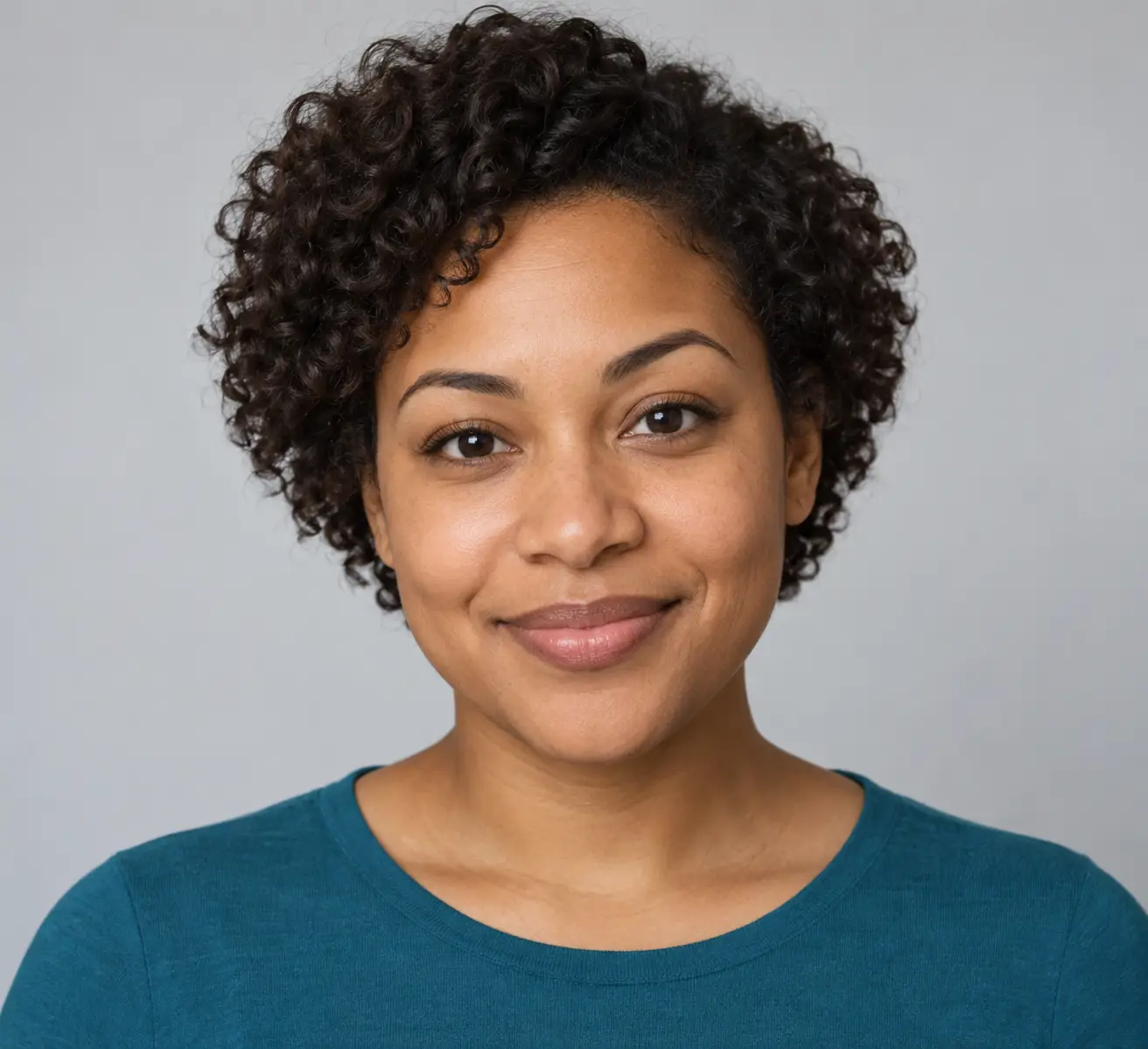
Input
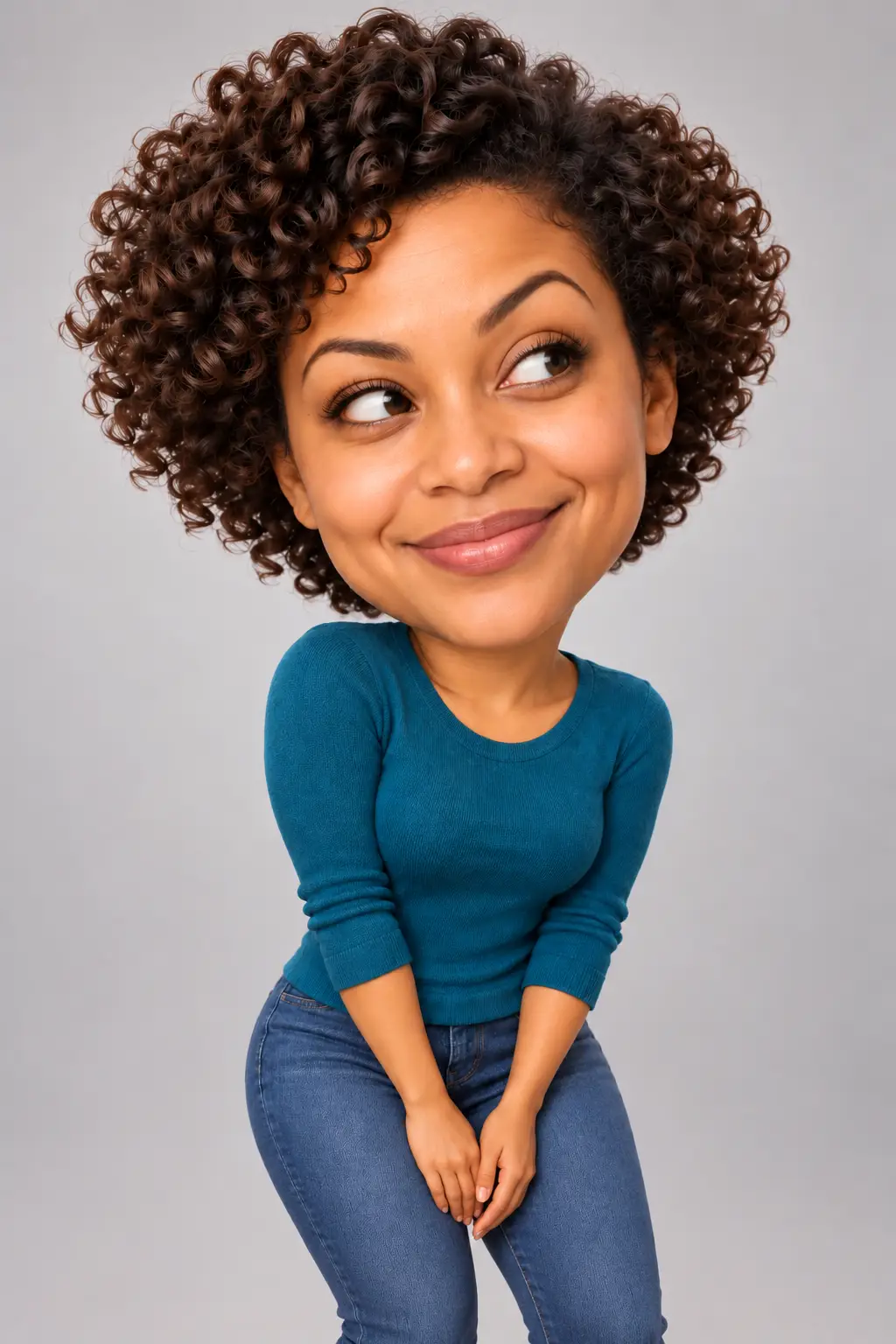
Synthetic fictional reference image: adult woman with an oval face, softly arched brows, rounded nose, warm medium-brown skin, dark-brown eyes, short natural dark curls and a teal top. Prompt: Use the uploaded portrait as a visual reference for the same fictional adult woman. Create a playful, polished 3D caricature portrait with an oversized expressive head and a compact but anatomically coherent body. Preserve recognizable cues from the reference: her oval face, softly arched brows with one slightly higher, rounded nose, warm medium-brown skin, dark-brown eyes, short natural dark curls, and teal top. Change only the expression to a mischievous side-eye with a small crooked smile; keep her age and facial structure recognizable. Show her from mid-thigh up, leaning slightly forward with relaxed hands, against a clean pale warm-gray studio background. Soft studio light, detailed curls and knitted fabric, friendly editorial finish. One person only; no text, logo, watermark, jewelry, or extra props. This is a generated caricature, not a verified likeness match. The first output understated the head-size change; follow-up: Edit the generated portrait only to make the caricature exaggeration unmistakable: enlarge the head to roughly 1.5 times a natural proportion and reduce the torso and limbs to a compact, coherent figure. Preserve the same fictional woman's face, curls, side-eye expression, teal top, pose, lighting, pale gray background, framing, and 3D editorial style. Keep the neck natural and the hands anatomically plausible. Change no other details. No text, logos or watermark.
Output
Generated a polished 3D portrait of the same synthetic fictional woman with a visibly larger head, compact body, side-eye expression, teal top and plain studio background. The targeted edit made the requested caricature proportion clearer. This single run does not test real-person likeness accuracy or guarantee the same result from another photo.
Tool settings
One fictional synthetic portrait reference and one generated-image edit. Portrait PNGs, 1024 x 1536; opaque background. Codex built-in image_gen; model, seed and quality setting not exposed. A separate targeted edit enlarged the head after the first output looked too natural.
Improve the result
- Keep the current image unchanged except for [one specific correction]. Preserve the same face cues, hairstyle, clothing, lighting and framing. This follow-up is untested.
Use the prompt in a real editing workflow
Start with one clear portrait and a simple scene. Name a few visible facial cues to retain, describe the exaggeration separately, and make one correction at a time. A prompt can guide the edit but cannot guarantee an exact likeness.
For a step-by-step walkthrough with a synthetic reference and edited example, read How to Make a Big-Head AI Caricature From a Photo.