Build a portrait lighting study
Use one subject and setting to explore how a specific light changes a portrait. Describe visible light direction and shadows instead of relying on a style label alone.
Tools: ChatGPT Images
What to provide
- A fictional subject description
- One setting kept consistent across variations
- A lighting setup described by direction, softness, colour and shadow pattern
Example Recorded test output
Input
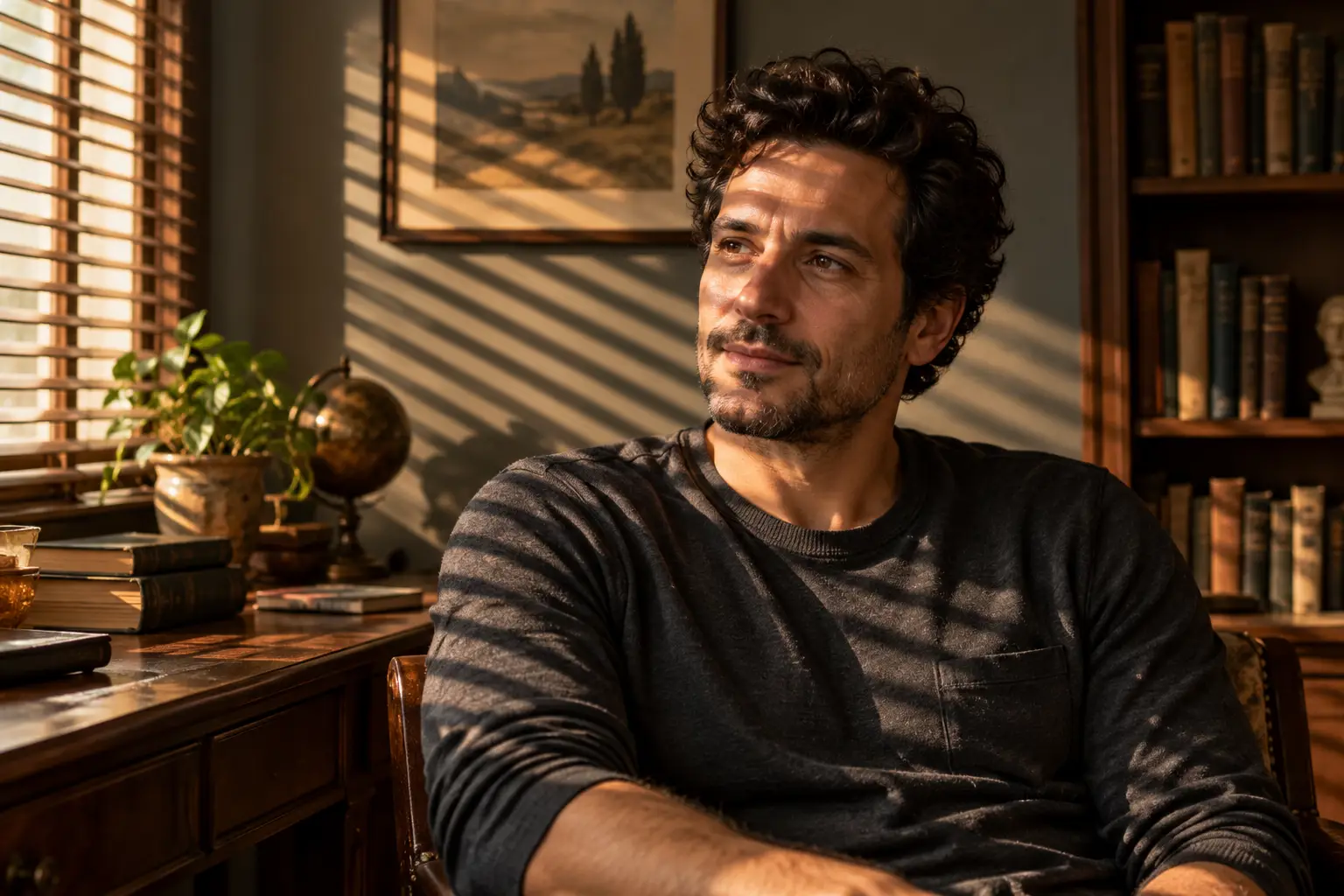
Use case: photorealistic-natural. Asset type: original editorial example for a guide to AI portrait lighting prompts. Create a wide landscape 3:2 cinematic environmental portrait of one fictional adult, around 35, with short dark curly hair and a plain charcoal shirt, seated in a quiet old reading room. Use a Venetian-blinds lighting setup: late-afternoon sunlight enters from frame left through narrow horizontal blinds, casting crisp diagonal bands of warm light and shadow across the subject's face, shirt and the muted wall behind. Keep the eyes and facial features readable, with gentle natural fill in the shadows, realistic skin texture, restrained warm neutrals and a calm thoughtful expression. Frame from mid-torso up with the subject slightly right of centre, enough uncluttered room background for a natural editorial crop. This is an invented person and a conceptual AI-generated portrait, not a real photograph or a depiction of the Instagram creator. No text, logos, watermark, extra people or theatrical smoke.
Output
Generated a fictional adult portrait in a reading room. The result shows strong warm diagonal blind shadows across the face, clothing and wall while keeping the eyes readable. It adds extra room objects and a framed landscape, so the setting is interpreted rather than tightly controlled.
Tool settings
Landscape 3:2 composition. Choose the aspect ratio and generation controls available in your image tool; names and model settings vary by product.
Improve the result
- Keep the subject, pose, clothing, camera angle and room unchanged. Change only the lighting to soft, even high-key window light; preserve readable facial detail.
- Keep everything else unchanged. Replace the light with a small direct flash close to the camera, with a crisp shadow behind the subject.
- Keep the same portrait and room. Use a cool moonlit key from frame left and a faint warm practical lamp in the background.
See the prompt in context
Use this prompt to compare lighting while holding a fictional portrait and setting steady. Our 20 AI portrait lighting prompts guide explains the 18 readable styles from the source reel and adds two original setups. The default Venetian-blinds example was generated; other lighting variations remain untested.