Relight a reference photo for sunset
Shift a scene toward warm late-day light while explicitly preserving its viewpoint, objects and crop.
Tools: An image editor that accepts reference images; recorded example uses Codex built-in image generation
What to provide
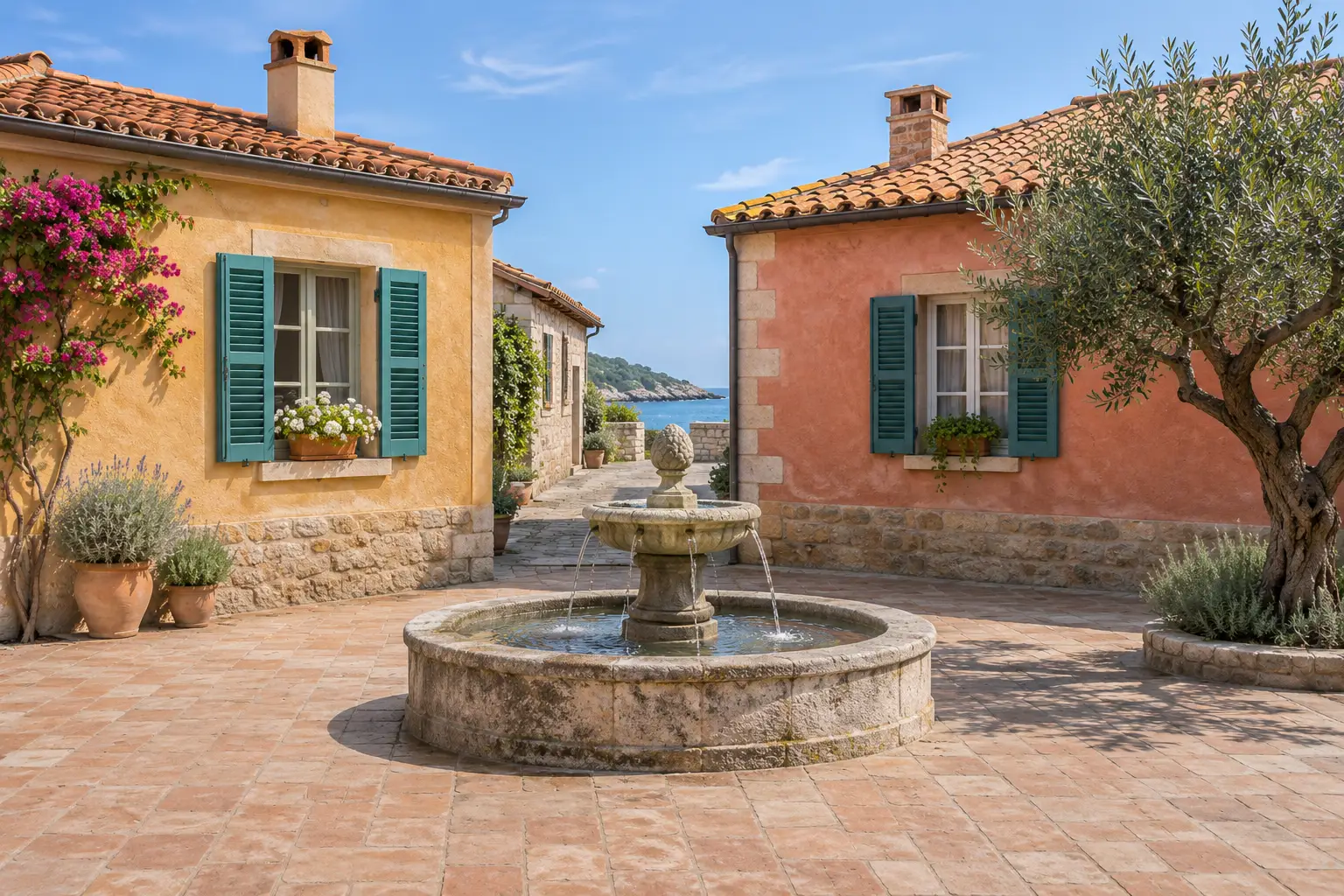
- Attach a photo you own or have permission to edit. The displayed defaults use our synthetic courtyard reference.
Example Recorded test output
Input
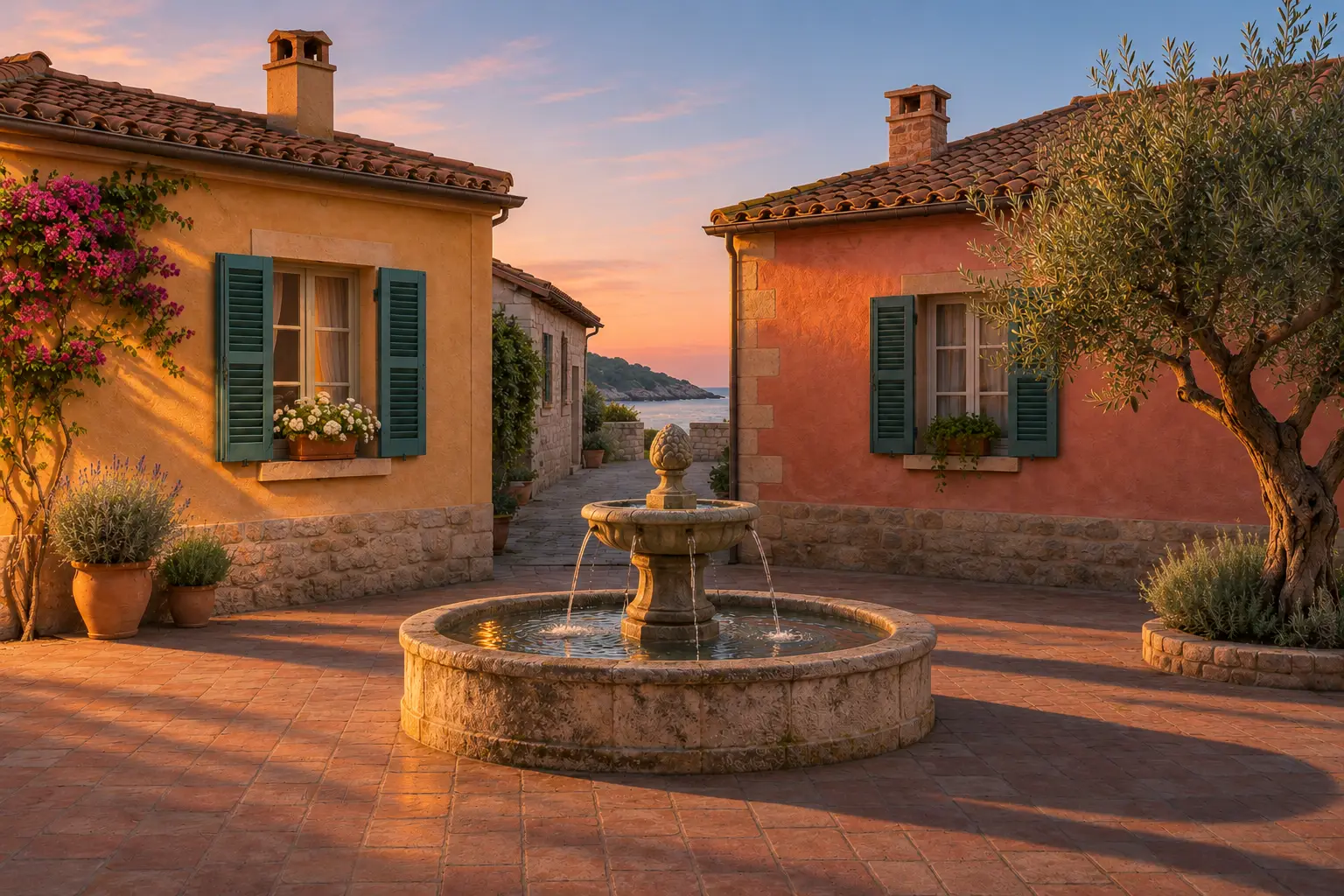
Use the attached image as the source image and edit target. Change the illumination to low warm sunlight entering from frame left, gentle amber edge light, longer shadows toward frame right and a soft peach-to-blue evening sky. Preserve the central round stone fountain, ochre house on the left, coral house on the right, teal shutters, terracotta paving and olive tree on the right, the original camera position, perspective and landscape crop. Make sky color, cast shadows, reflections and surface warmth consistent with that light direction. Keep building colors distinguishable and shadow detail readable; avoid a uniform orange filter. Do not add or remove objects, people, signs, words, logos or watermarks. Return one landscape 3:2 image. This is an illustrative relighting edit, not evidence of the real time or weather at a location.
Output
Warm side light, peach sky, darker roofs and longer ground shadows give the courtyard an evening appearance. The fountain, houses and tree retain a similar viewpoint and arrangement. Small textures, vegetation and illumination differ, so this is not a pixel-preserving color adjustment.
Tool settings
One landscape 3:2 still image. Use the aspect-ratio controls supported by your tool; no particular model or seed is required or claimed.
Improve the result
- Return to the original reference and correct one specific detail while retaining the other instructions. This follow-up is untested.
Choose the change before editing
This prompt changes one aspect of a reference image. Our photo-effects guide explains how to choose between geometry, miniature composition and relighting. The source and result are generated illustrations of a fictional courtyard.