Replace a portrait background
Replace the setting behind a person while specifying the foreground features and lighting to retain.
Tools: ChatGPT Images or an image editor that accepts a reference image. The example was run with the Codex built-in image tool.
What to provide
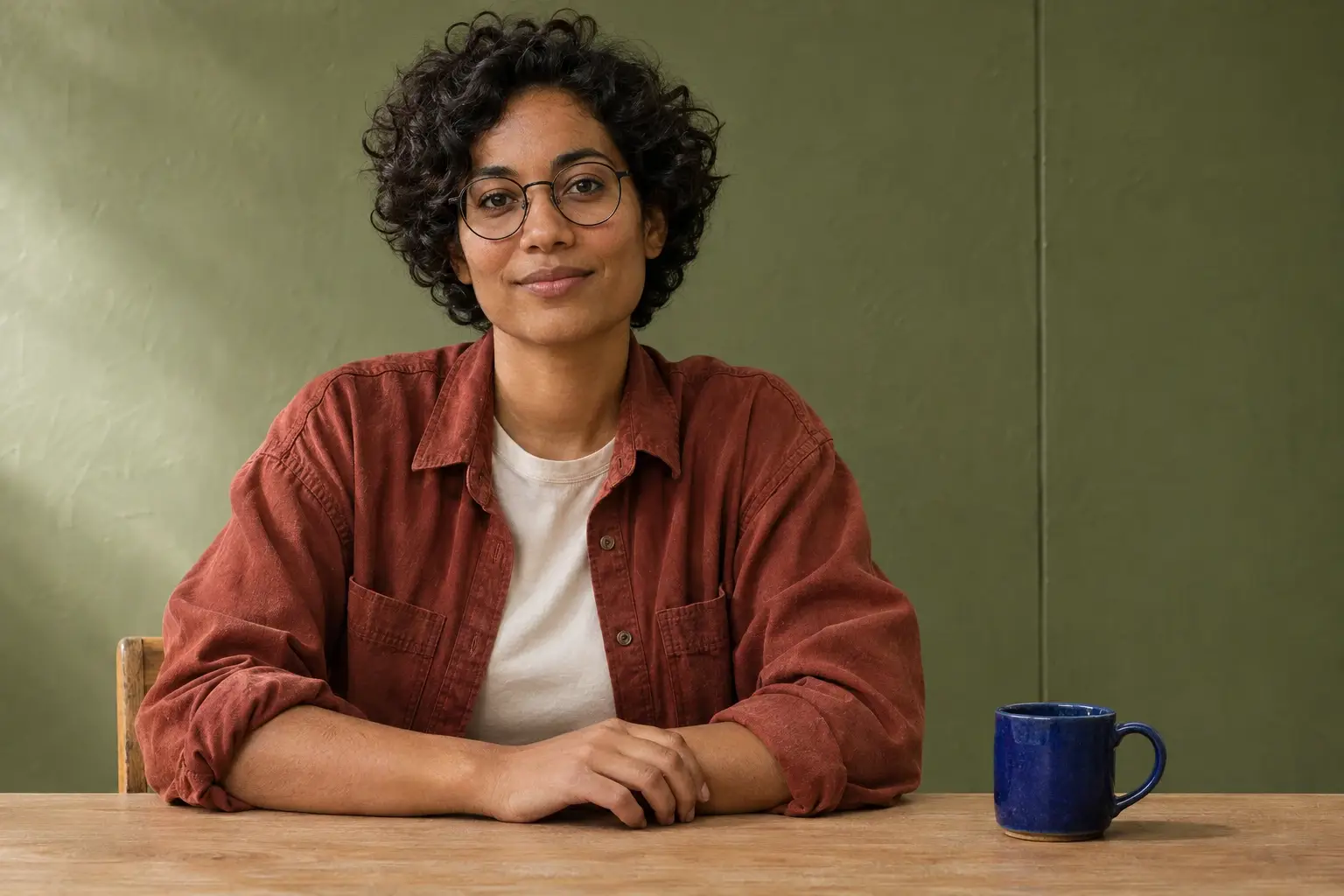
- Attach the displayed synthetic reference to reproduce the example, or a photo you have permission to edit.
Example Recorded test output
Input
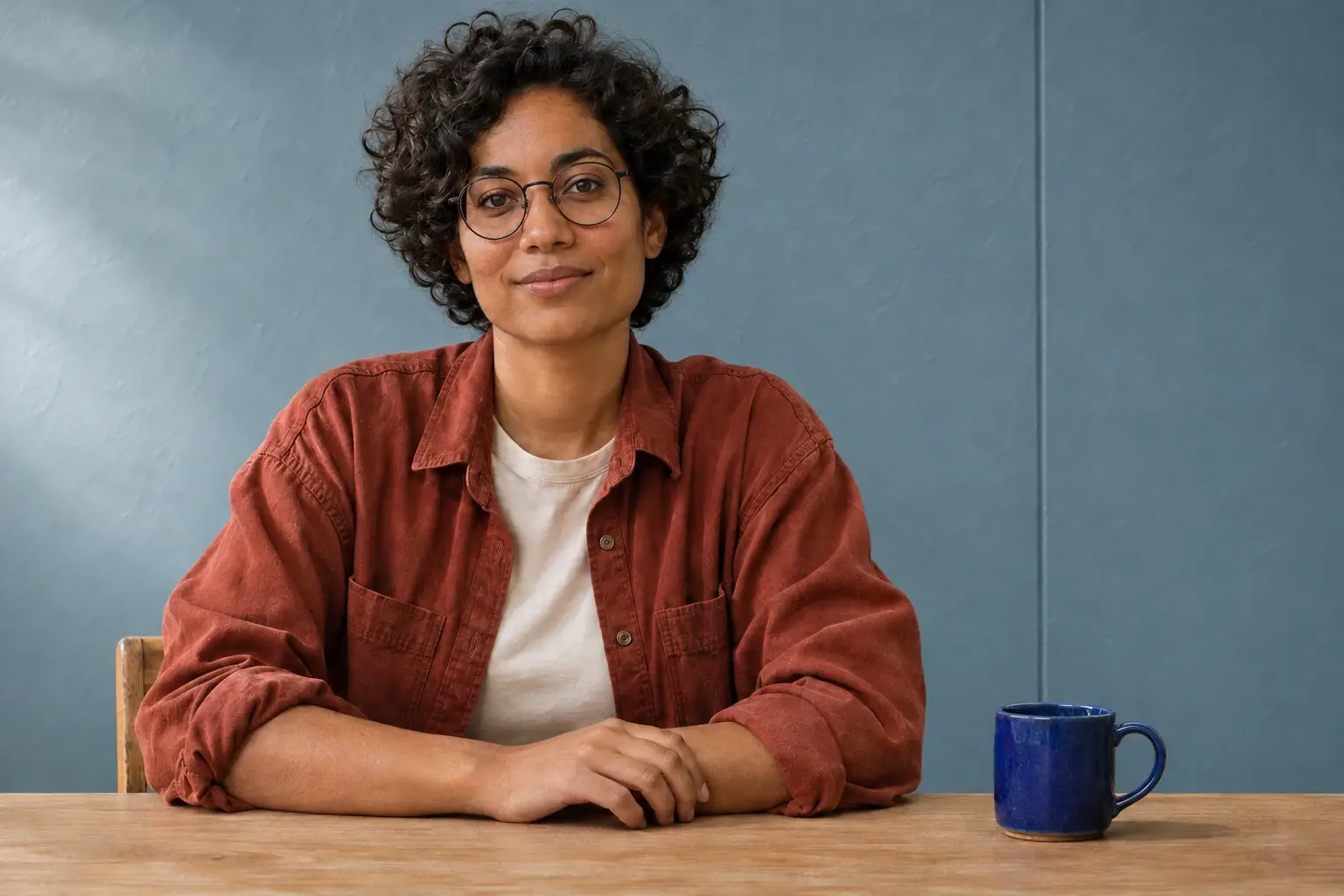
Attach the displayed synthetic portrait. Exact prompt used: Edit the attached portrait. Replace only the wall behind the subject with a muted dusty-blue plaster wall with a simple vertical join and a soft daylight gradient. Preserve the same face and expression, short curls, round dark glasses, rust-red overshirt, hand position, oak table, and cobalt mug, the crop, and the camera viewpoint. Match soft daylight from frame left so the new backdrop sits naturally behind the original foreground. Keep the fine curl edges and glasses frames clean; do not add props, lettering, or a second person. Return a single edited image.
Output
The wall turned dusty blue and the crop, glasses, hands and mug remained close to the original. Fine wall and clothing textures still changed. Check hair edges and glasses at full size.
Tool settings
One opaque result from the displayed source. Saved at 1536 × 1024 pixels. No seed, quality setting or exact underlying model was exposed.
Improve the result
- Untested follow-up: Try a slightly darker backdrop with the same light direction; inspect the hair edges again.
What to inspect before using the result
The wall turned dusty blue and the crop, glasses, hands and mug remained close to the original. Fine wall and clothing textures still changed. Check hair edges and glasses at full size.
Read the photo editing guide to see this edit alongside two other changes made from the same original. AI tools assisted with this example and its review.