Expand a photo canvas without cropping
Add space around a reference image for a wider composition, with explicit instructions about the edges and scene details to preserve.
Tools: ChatGPT Images or an image editor that accepts a reference image. The example was run with the Codex built-in image tool.
What to provide
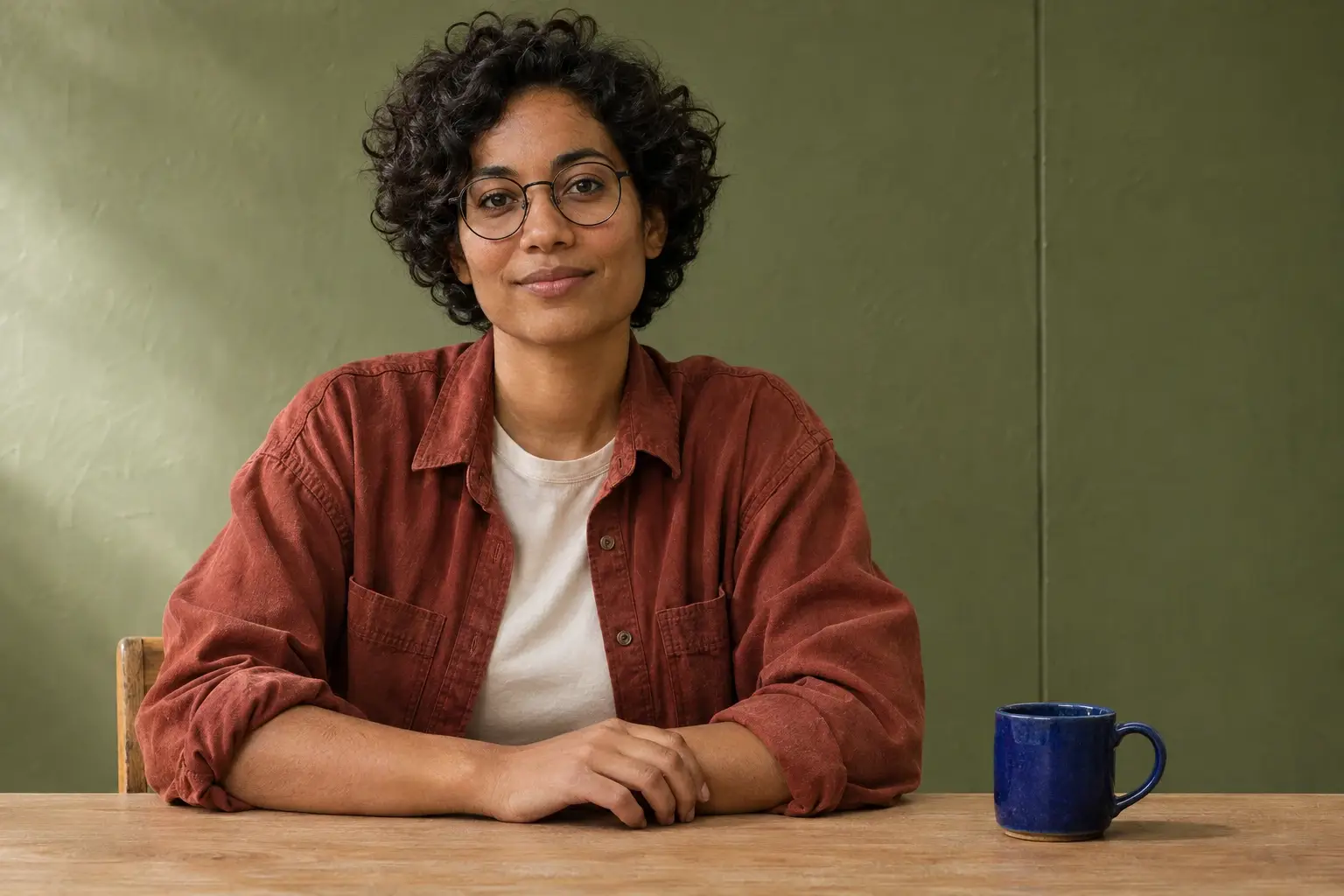
- Attach the displayed synthetic reference to reproduce the example, or a photo you have permission to edit.
Example Recorded test output
Input
Attach the displayed synthetic portrait. Exact prompt used: Extend the attached image to a 16:9 landscape frame. Keep the original scene as a fixed visual anchor: the seated woman, round glasses, rust overshirt, hands, and cobalt mug in their original relative positions and scale. Add space in both horizontal sides, with slightly more space on the right and continue the olive plaster wall and its lighting above the pale oak tabletop, continuing the wood grain naturally into the added area. Keep the horizon and tabletop line aligned; do not crop, stretch, add objects, or change the subject. Return a single wider edited image.
Output
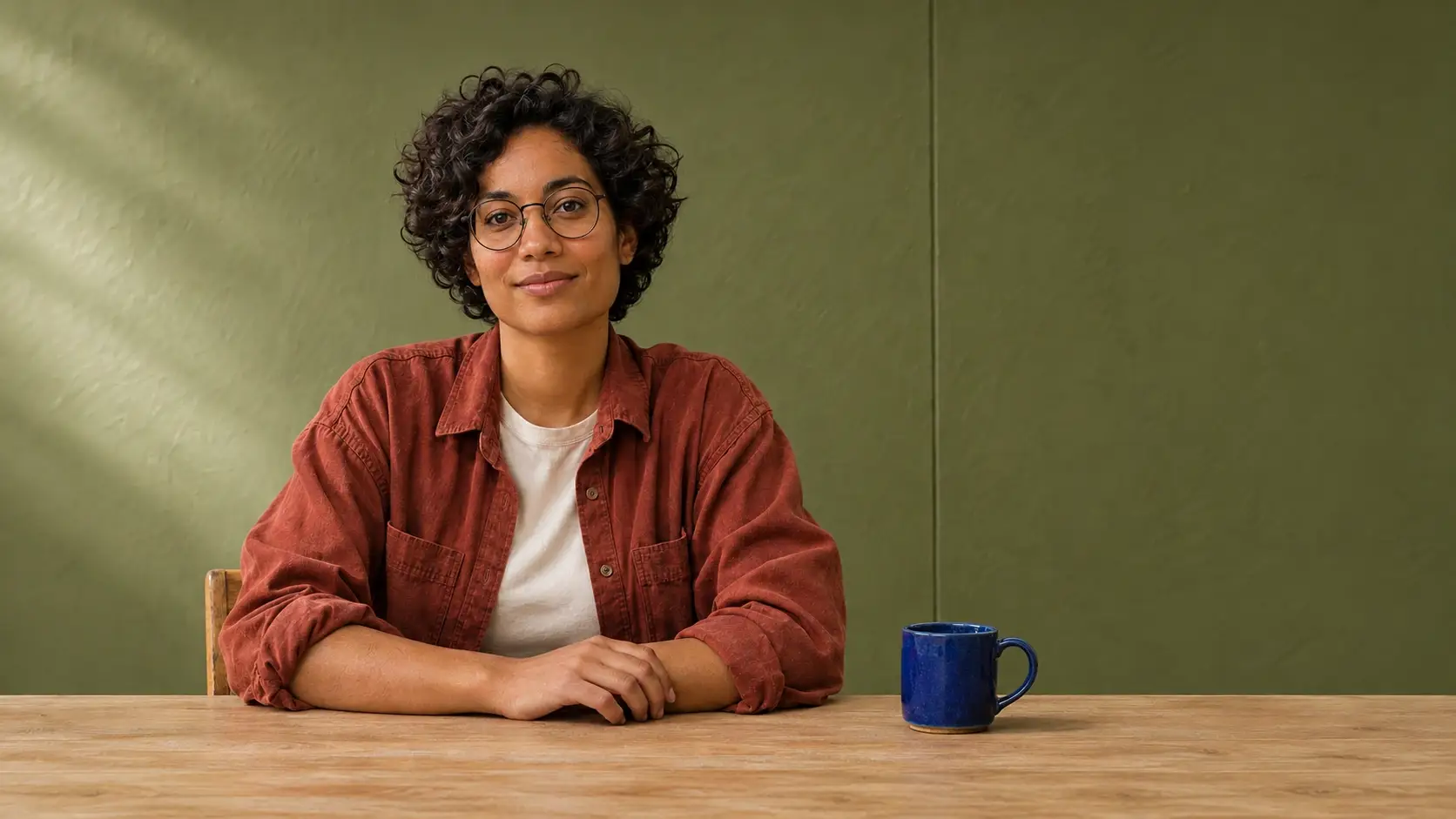
The output is close to 16:9 and adds room on the right, but it also adds headroom and makes the subject smaller in the frame. The original pixels were not locked. Use a separately protected source layer if exact preservation matters.
Tool settings
One opaque result from the displayed source. Saved at 1672 × 941 pixels. No seed, quality setting or exact underlying model was exposed.
Improve the result
- Untested follow-up: Request less headroom and compare subject size against the original before accepting.
What to inspect before using the result
The output is close to 16:9 and adds room on the right, but it also adds headroom and makes the subject smaller in the frame. The original pixels were not locked. Use a separately protected source layer if exact preservation matters.
Read the photo editing guide to see this edit alongside two other changes made from the same original. AI tools assisted with this example and its review.