Controlled digital-glitch greenhouse
Add controlled RGB edge offsets without obscuring the subject.
What to provide
- A permitted subject description. This example was generated from text only, without a reference image.
Example Recorded test output
Input
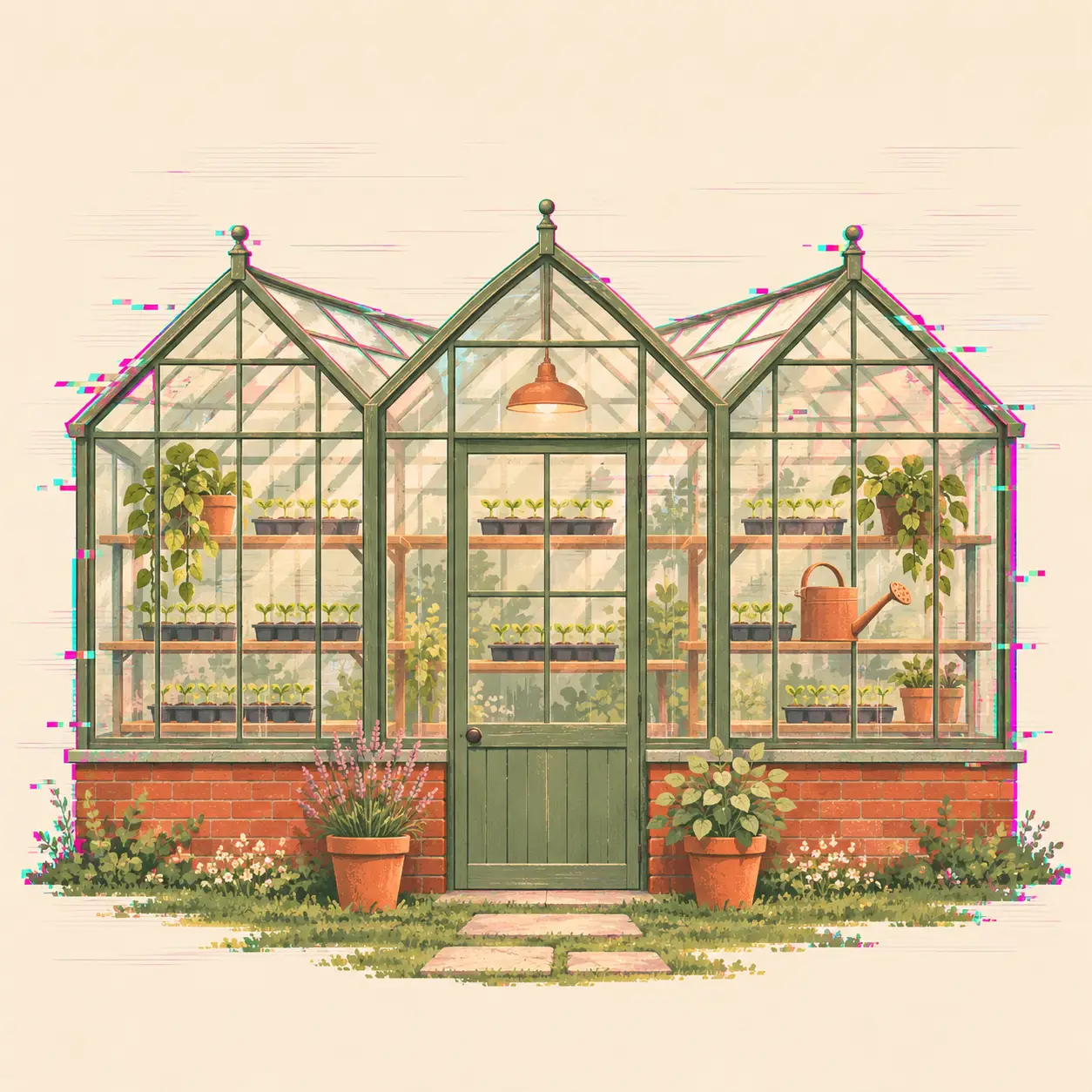
Create a square original editorial illustration of a small neighborhood greenhouse with three visible glasshouse bays, shelves of seedlings and one watering can. Render it as controlled digital-glitch greenhouse: subtle scan lines and small RGB pixel offsets at the outer edges while the greenhouse silhouette remains clean and readable. Use a sage, cream, terracotta and small cyan/magenta accents palette. Keep the main subject centered with comfortable margins and a clear silhouette. No lettering, logo, watermark, labels, border, copied artwork or identifiable real product. This is fictional generated concept art, not a measured plan or a photograph of an actual location.
Output
Small pixel offsets and scan-like streaks sit mostly along the outer edges. The roof, central door, seedlings and watering can remain readable.
Tool settings
One text-to-image run; 1254 x 1254 PNG. Opaque background. Codex built-in image_gen; model name, seed and quality control not exposed by the tool.
Improve the result
- Untested variation: change one visible detail in a new request, then inspect the complete output again.
Use this example
Add controlled RGB edge offsets without obscuring the subject.
Keep the default subject to follow the recorded input. Changing it may require edits to other scene-specific details in the complete prompt.
What was reviewed
Small pixel offsets and scan-like streaks sit mostly along the outer edges. The roof, central door, seedlings and watering can remain readable.
The simulated artifacts are decorative; no corrupted file or real signal-processing test is documented.
Read the photo and style guide for related examples. This is one recorded generation of a particular brief; other inputs and models may behave differently.
AI tools assisted with the prompt, generation and editorial review. No sponsorship, affiliate links or supplied products are involved.