The Reel’s 24 slash-prefixed labels cover portraits, product shots, lighting, illustration and comparison layouts. They are useful as a quick way to name a direction, but the slash does not turn them into special image commands. ChatGPT’s documented desktop slash menu is for app actions; image creation starts with a description of what you want to see. The label may still work as ordinary text, while the subject, framing and constraints explain the actual brief.
This guide translates each label into details you can control, then shows four generated examples with the exact prompts used. The examples are one-off demonstrations, not a controlled test of whether a slash improves the output. For official instructions, see OpenAI’s image guide and its slash-command reference.
Start with the image you need
A short label is most useful as a reminder. Turn it into a clear image brief by naming the deliverable, subject, setting, framing, visual treatment and details to keep or exclude. “/editorial” alone leaves the subject and layout open; “an editorial portrait of a fictional ceramicist, shoulders-up beside a studio window, soft daylight, room above the head, no text” gives the generator visible decisions to follow.
For a new image, describe the scene. For an edit, say what to change and what must stay the same. OpenAI recommends describing the intended result and, for focused edits, identifying the area or feature to change. A style word can guide the look, but it cannot guarantee exact anatomy, lettering, materials or preservation.
All 24 labels, translated into practical directions
These are interpretations of the source infographic’s shorthand, not official presets. Add the parts that matter for your image; you do not need to paste every suggestion into one prompt.
/editorial— Name the publication-like purpose, subject, crop, visual hierarchy and amount of negative space./luxury— Specify materials, restrained colors, controlled lighting and uncluttered styling; “luxury” alone does not establish quality or value./ugc— Describe an informal, user-generated-content-inspired setting, natural pose and imperfect framing. Generated content is not a real customer post./selfie— Set the arm’s-length viewpoint, camera height, crop and who is holding the camera./headshot— Choose a shoulders-up or closer crop, gaze, background and lighting. Use a fictional subject or a photo you have permission to edit./rawphoto— Ask for a candid, less-staged photographic look and describe natural texture. It does not prove that an image is unedited or authentic./macro— Name the small feature in focus, its surface texture, depth of field and surrounding scale./nightphoto— Set the night-time location, exposure mood and actual light sources, such as shop windows or street lamps./flash— Ask for direct flash and describe the hard shadows, reflections and distance from the subject./goldenhour— Describe warm, low-angle sunlight, its direction and the length or softness of shadows./moody— Replace the mood word with contrast, palette, shadow depth and atmosphere./minimal— Limit the number of objects, simplify the background and specify where the open space should remain./fashion— Describe garments, pose, fabric, framing and whether the setting feels like a street or studio shoot./foodphoto— Name the dish, plating, visible texture, surface, light direction and camera angle./productpremium— Define the product, materials, backdrop and highlight placement. Use approved product references for real branded items./flatlay— Specify an overhead view, surface, spacing and which objects should be fully visible./workspace— Name the desk or studio, equipment, working surface, time of day and how much visual clutter to include./sketch— Choose the drawing medium, line weight, paper texture, amount of shading and whether color is included./watercolor— Describe transparent washes, pigment edges, paper grain and how much detail should remain crisp./comic— Choose a single panel or page, outline weight, speech-bubble wording and reading order./anime— Describe broad visual traits, character pose, palette and background. Check face, hands and any text in the result./sticker— Set a bold silhouette, outline, simple colors and whether you want a plain or transparent background./infographic— Supply the verified facts, labels, audience and reading order. Check each word and relationship after generation./beforeafter— Use actual source material for a real comparison, or label a generated pair as an illustrative concept.
Some labels combine naturally, such as /flatlay with a food photograph, or /headshot with soft window light. Keep the brief internally consistent: a full-room view and a tight macro crop ask for different compositions.
Four examples: from shorthand to a usable prompt
Each example below uses the slash-style label in the text, followed by concrete instructions. The image was created from the complete prompt shown; no reference image was supplied. These outputs demonstrate a requested direction once, not repeatability across models or settings.
1. Editorial headshot: set the crop and light
The portrait brief combines /editorial, /headshot and /rawphoto. It names a fictional person, location, framing and natural skin texture. The result reads as a candid café portrait, but it remains generated artwork and must not be described as a real person or a documentary photograph.
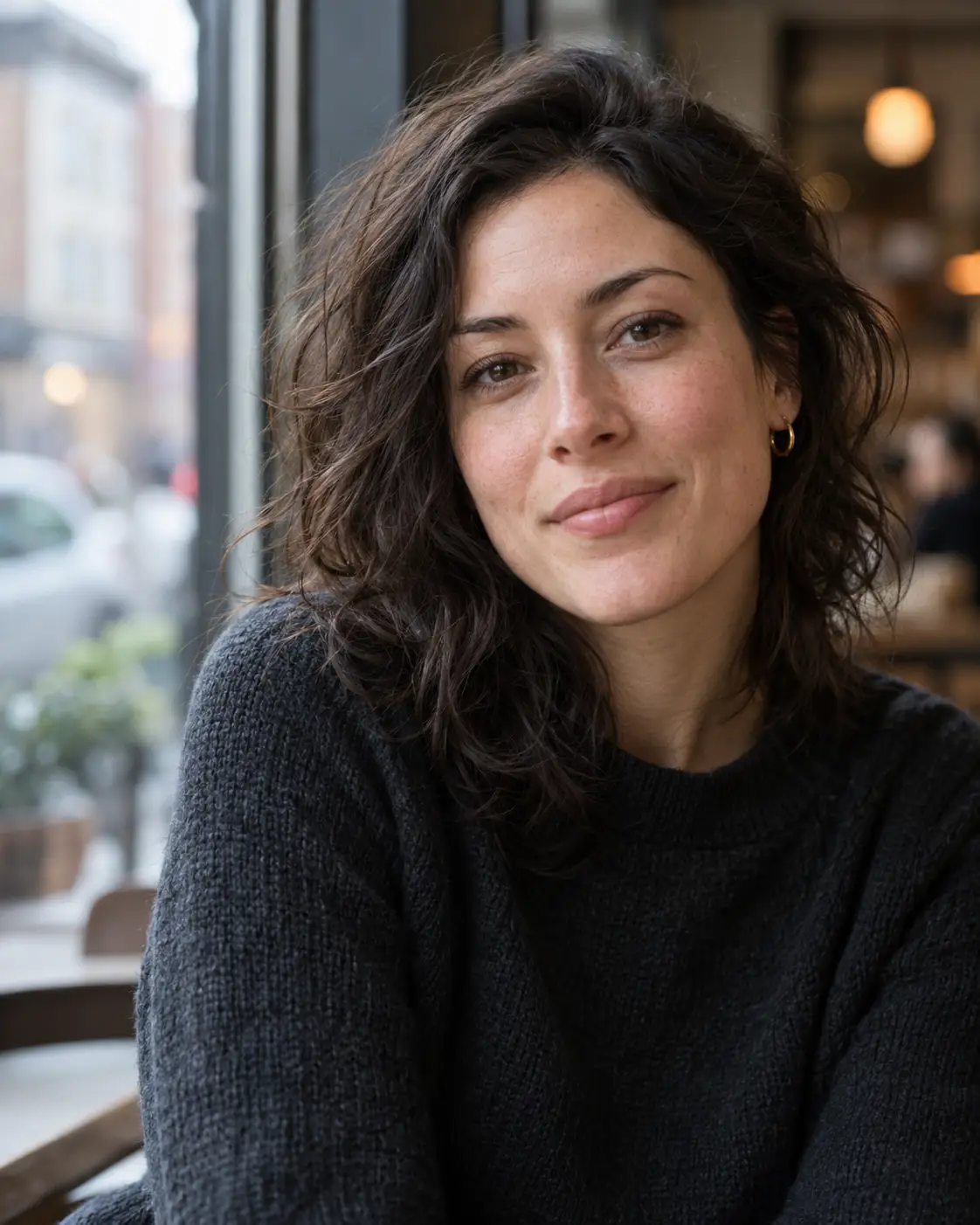
Exact prompt used
Use case: editorial-photo. Asset type: generated example image for a technology creativity guide. Primary request: create a photorealistic editorial headshot of a fictional adult woman, with the appearance of an unposed magazine portrait rather than a corporate studio headshot. Scene/backdrop: a quiet city café window with a softly blurred background. Composition/framing: vertical 4:5, shoulders-up, subject slightly right of center, natural eye-level view. Lighting/mood: soft overcast window light, neutral natural color, calm and candid. Materials/textures: realistic skin texture, subtle fabric texture, no airbrushing. Constraints: original fictional person only; no recognizable public figure, no text, logos, watermark, beauty retouching, or dramatic cinematic effects. This is generated concept art, not a real photograph or testimonial.
What to inspect
The shoulders-up framing, soft window light and shallow background keep attention on the face. Skin and hair contain generated detail, so the result is an illustration of a photographic direction rather than evidence of a real sitter or camera capture.
2. Premium flat-lay: name the materials
/luxury, /productpremium and /flatlay are broad cues. This prompt makes them concrete through the graphite finish, fabric, brass accent and overhead layout. The pictured headphones are unbranded concept art, not a purchasable model or product review.
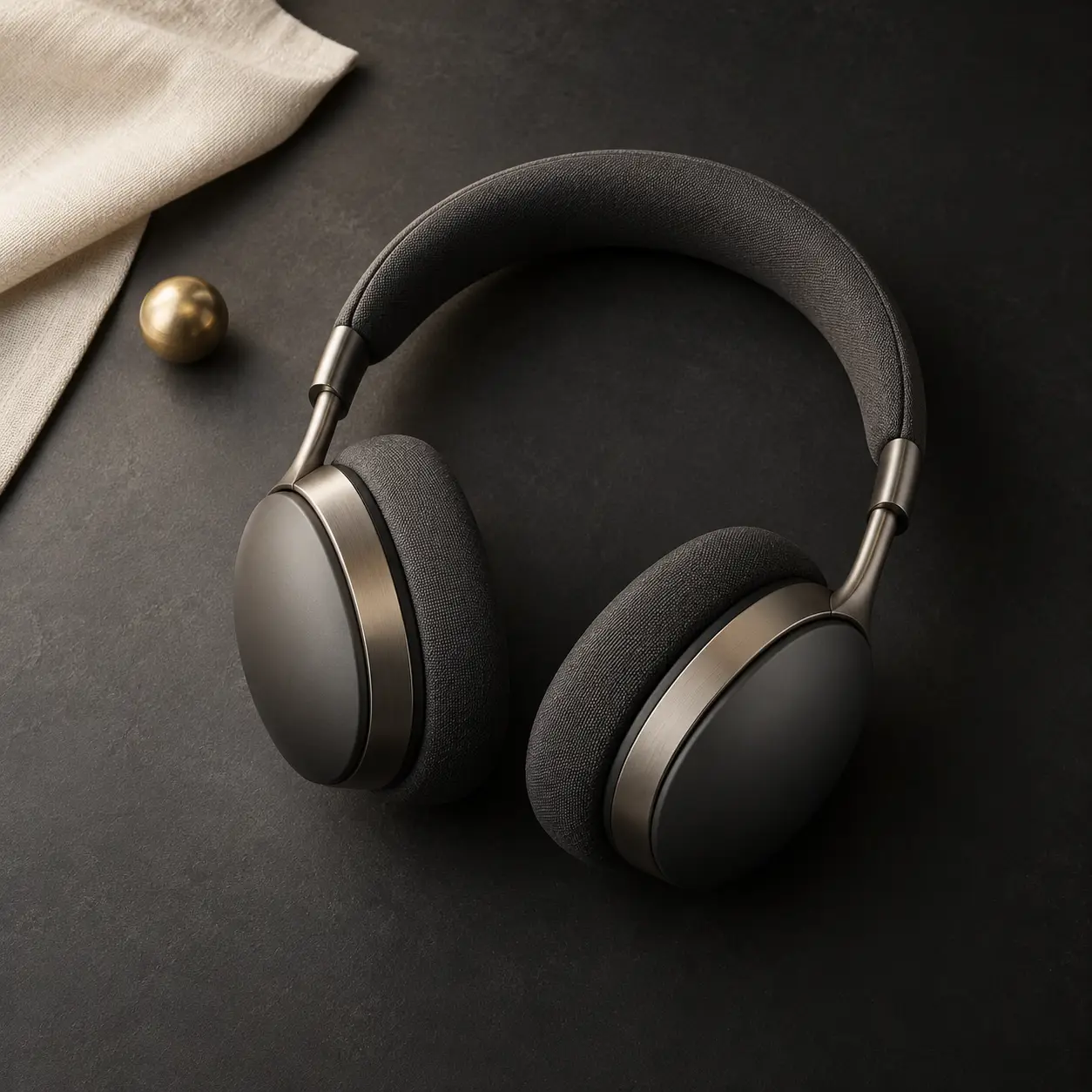
Exact prompt used
Use case: product-visual. Asset type: generated example image for a technology creativity guide. Primary request: create a premium-looking overhead flat-lay concept image of one unbranded pair of wireless headphones. Scene/backdrop: deep charcoal tabletop with a folded cream fabric card and one small brass accent. Composition/framing: square 1:1, headphones fully visible in a three-quarter overhead arrangement, generous negative space, one restrained focal point. Lighting/mood: soft directional studio light from upper left, subtle highlights and natural contact shadows. Materials/textures: matte graphite earcups, brushed metal arms, soft fabric cushions. Constraints: coherent headphones, no brand, logos, text, price, extra electronics, watermark, or marketing claims. Generated concept art, not an image of a real commercial product.
What to inspect
The full headphones stay visible against a dark tabletop, with the fabric cushion and metal arms giving the prompt tangible surfaces to render. The brass sphere and folded fabric are incidental additions; omit such props if a stricter product-only image is needed.
3. Watercolor: describe what makes it watercolor
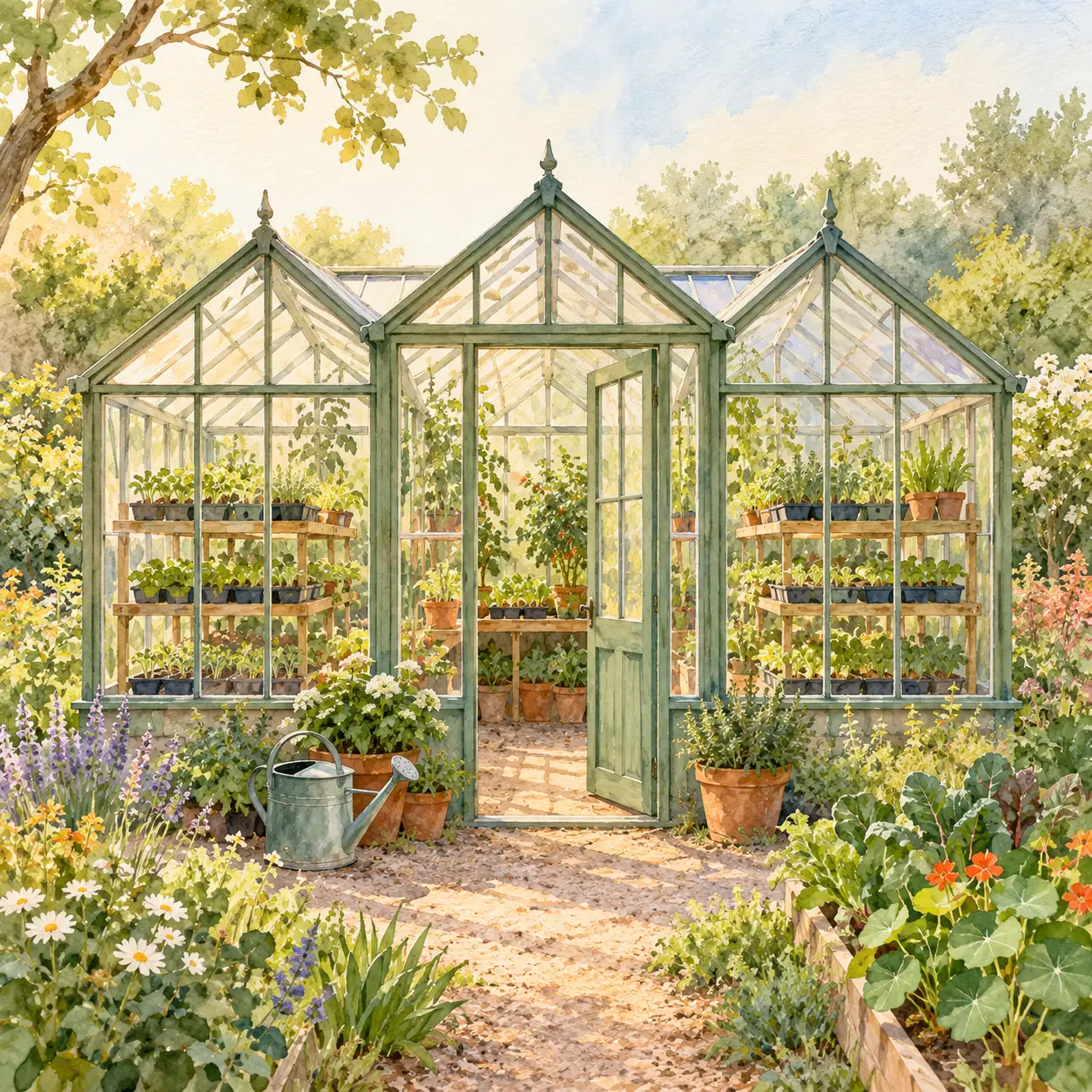
/watercolor becomes more useful when you specify pigment washes, soft edges and paper grain. The generated greenhouse shows a recognizable structure and warm garden palette. Its extra flowers and path are decorative interpretation, not construction details or a planting plan.
Exact prompt used
A clear, polished editorial illustration of a small neighborhood greenhouse in watercolor. Visible soft pigment edges, transparent washes and light paper grain. Three glasshouse bays with seedlings on shelves and a watering can by the door. Sage, warm cream and terracotta palette. Square framing, centered greenhouse, ample margin. No lettering, logo, border, photographic texture or extra buildings.
What to inspect
The greenhouse is centered and the watercolor treatment is visible in the softened edges and paper texture. The image adds a broad path, foreground flowers and extra plants. The exclusions reduce unwanted detail but do not guarantee a literal inventory.
4. Before and after: say whether it is real
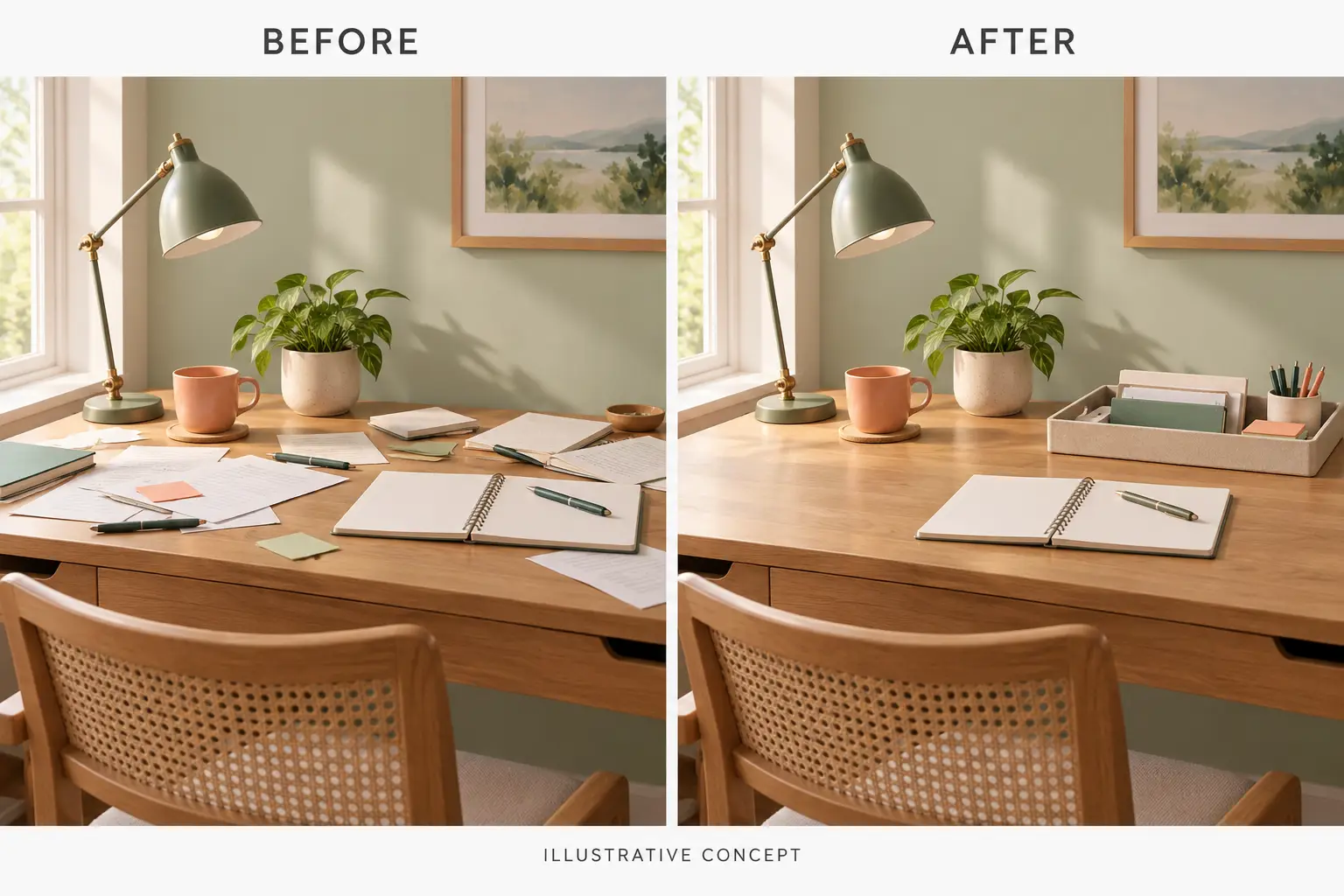
A generated diptych can show a design idea, but it cannot prove that a real desk was tidied. The prompt asks for matching furniture and light, then labels the result “ILLUSTRATIVE CONCEPT”. If you are documenting an actual change, use the real original and edited images, keep their provenance, and describe any edits.
Exact prompt used
Use case: comparison-graphic. Asset type: generated example image for a technology creativity guide. Primary request: create one landscape 3:2 diptych that illustrates a fictional home-office desk before and after a tidy-up. Composition/framing: two equal side-by-side panels with the same eye-level camera view, desk, lamp, notebook, plant, wall color and daylight direction. Left: loose papers and pens across the work surface. Right: those items grouped into one tray, leaving the notebook accessible. Lighting/mood: soft consistent daylight in both panels. Color palette: warm wood, ivory, sage, small coral accent. Text (verbatim): render BEFORE above the left panel, AFTER above the right panel, and ILLUSTRATIVE CONCEPT once at the bottom in smaller clear type. Constraints: keep the furniture and view broadly consistent; no statistics, people, brand marks, extra text, watermark or exaggerated dirt. Both panels are generated together. This is not evidence of a real transformation.
What to inspect
The labels and disclosure are legible, and the desk, lamp and window remain broadly similar. Fine details change between sides, so the image should be presented only as a generated concept, not as a record of a specific set of papers being moved.
Use a reusable template for your own scene
For a flexible starting point, see Techotick’s Image prompt: Create an image in a chosen visual style. It has editable inputs for the subject, style, scene details, palette and composition. Replace the example greenhouse with your own subject and describe what should be visible. Its watercolor example was tested; other styles and customized directions remain untested unless separately run.
A simple prompt structure is: deliverable + subject and setting + composition + style and light + constraints. Example: “Create a square watercolor illustration of a red bicycle outside a neighborhood library. Use loose transparent washes, visible paper grain and a limited brick-red, sage and cream palette. Keep the bicycle fully in frame; no lettering, logo or extra vehicles.”
Review the output before using it
- Check that the requested subject and crop are visible at the size and aspect ratio you need.
- Read all text and labels; correct spelling and factual details in the prompt or a separate design tool.
- Check people, hands, products and repeated objects for changes that matter to your use.
- Use approved source material for real products, real people and factual comparisons. A generated lookalike is not a documented photo edit.
- Make one focused follow-up at a time, then inspect the new result again. An instruction is not a guarantee.
About the sources and examples
The 24 shorthand labels were visible in a Persian-language Reel from kiosk_qom2; the same label set also appears in a separate Persian infographic by amirreza_creates. Techotick translated the concept into independent English briefs and did not reuse the Instagram image or branding. For more examples, continue with Set 1 or Set 2.
All five illustrations in this article, including the cover, were generated with the built-in image-generation tool on 30 October 2026 from the prompts shown or described here. No source images were supplied. The portrait is fictional, the headphones are unbranded, and the comparison is generated concept art. These examples are not a controlled comparison of slash labels against plain-language prompts.
Editorial disclosure: AI tools assisted with research and drafting; the complete article received a separate AI-assisted revision. All five images are generated illustrations. No sponsorship, affiliate links, supplied products or paid promotions are involved.
Image prompt examples
Sources
- Images in ChatGPT — OpenAI Help Center
- Slash commands — OpenAI
- Image prompting — OpenAI
- ChatGPT Image Codes: Short Codes with Full Prompts — MuftTools
- ChatGPT image styles and prompts: 12 creative looks — Peelaway
- ChatGPT image-prompts Set 1: design, product and cinematic examples — Techotick
- ChatGPT image-prompts Set 2: social-media examples — Techotick
- Instagram Reel by kiosk_qom2 — Instagram
- Instagram post by amirreza_creates — Instagram