Transform a reference scene into a material-built world
Change the material of a whole room or environment while explicitly naming the layout, colors and lighting to retain.
Tools: An image editor that accepts reference images. Recorded run: Codex built-in image_gen; tool did not expose the model name.
What to provide
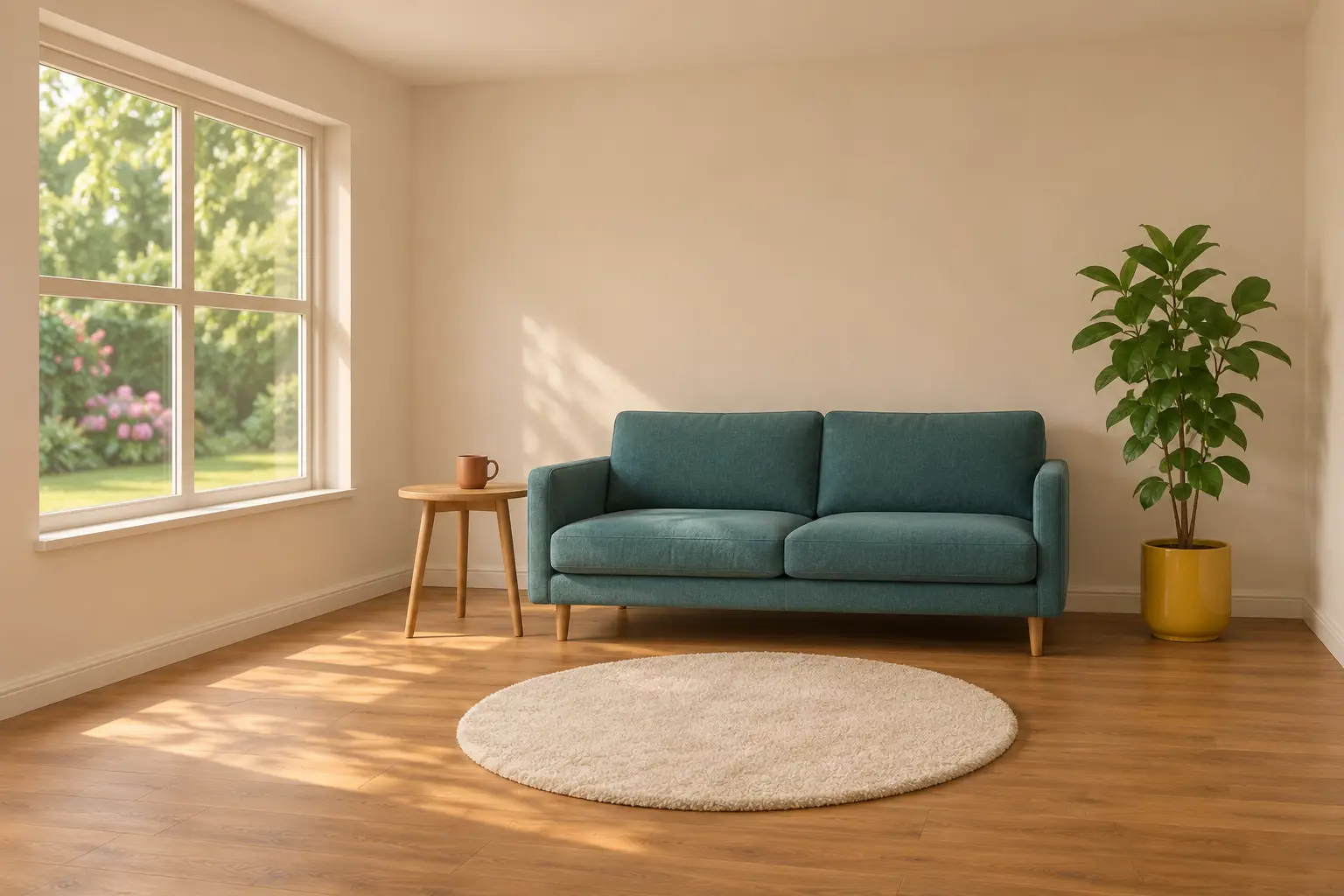
- Attach the scene you own or have permission to edit. To reproduce the displayed example, attach the displayed synthetic reading-corner source and retain all default inputs.
Example Recorded test output
Input
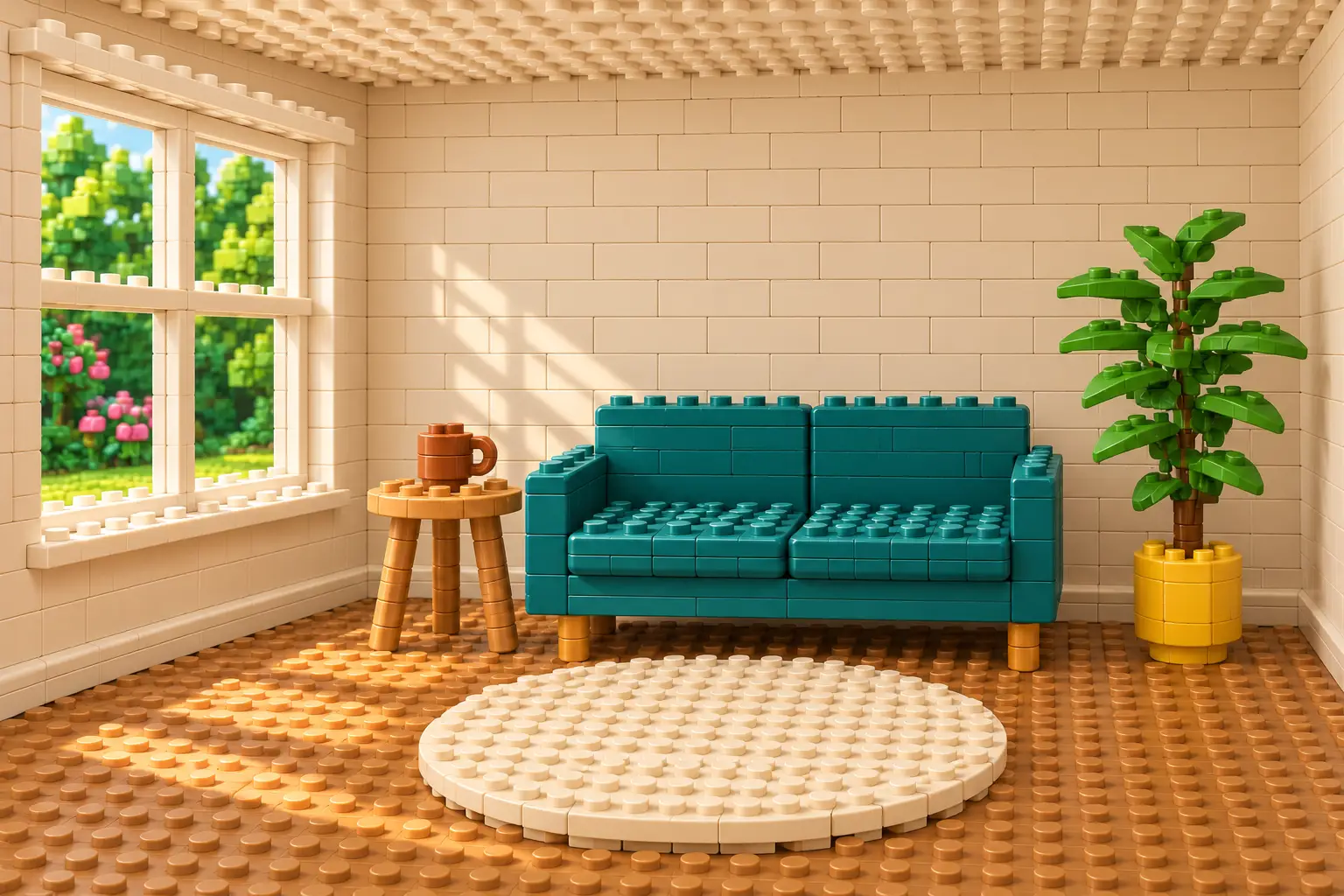
Reference: the displayed AI-generated reading-corner image. Exact tested default expansion: Use the attached image as the scene reference and edit target. Rebuild the entire visible room as a miniature set made from unbranded interlocking plastic toy bricks. Keep the camera position, perspective, crop, room proportions and the relative size and placement of the four-pane window on the left, teal two-seat sofa at center-right, round side table and terracotta mug to its left, leafy plant in the yellow pot at far right, and circular cream rug in front. Translate every visible material into small studded bricks, flat tiles and clearly joined block-built shapes: the wall, floor, sofa, table, mug, plant leaves, window frame and rug should all visibly belong to the same constructed world. Preserve the teal, cream, warm oak, terracotta, mustard and green palette and the soft daylight direction from frame left. Allow material and surface detail to change, while keeping the scene recognizable. Return one landscape 3:2 image. Do not add people, new furniture, words, logos, brand marks, watermarks, labels, borders or split panels. This is a generated transformation of a synthetic reference, not a photograph of a physical construction or a buildable toy design.
Output
The same broad room layout, teal sofa, left window, table, plant and rug remain recognizable, rebuilt in studded toy bricks and tiles. The mug acquires a lidded/studded top and small shapes drift. This is a generated illustration, not a photograph of a physical construction.
Tool settings
One reference-based image edit, 2 November 2026 UTC (3 November Sydney). Codex built-in image_gen; transparent_background=false. Requested landscape 3:2; observed PNG 1536 x 1024. Model name, seed and quality setting were not exposed by the tool. Prompt wording is not a fidelity guarantee.
Improve the result
- Untested follow-up: Reattach the original reference and the latest result. Correct only the mug to an open cup, without a lid; keep the toy-brick scene, colors, crop and other objects unchanged.
Attach the scene before using this prompt
The text alone does not identify the room. Attach the source image, replace the layout anchors with objects visible in your scene, and choose one material treatment. The default excludes people and extra furniture; adapt those constraints if they conflict with your intended result.
What the recorded example shows
The synthetic source and edited result share a recognizable arrangement. The generator added a lid-like top to the mug and changed fine shapes. Inspect each important object rather than accepting the edit because its overall style looks convincing.
Read the scene transformation guide for scale, material and environment choices and a review checklist. For a new text-only illustration, use the visual-style prompt.
AI tools assisted with the template, image generation and editorial review. No sponsorship, affiliate links or supplied products are involved.