← Image prompts

Techotick / Prompt library

43 photo and style prompt examples

Browse a generated image for every Set 3 label, from photo lighting and product layouts to papercraft, mosaic and ink wash.

Put it into practice43 ChatGPT Image Prompt Labels for Photos, Styles and Layouts

43 prompts to explore

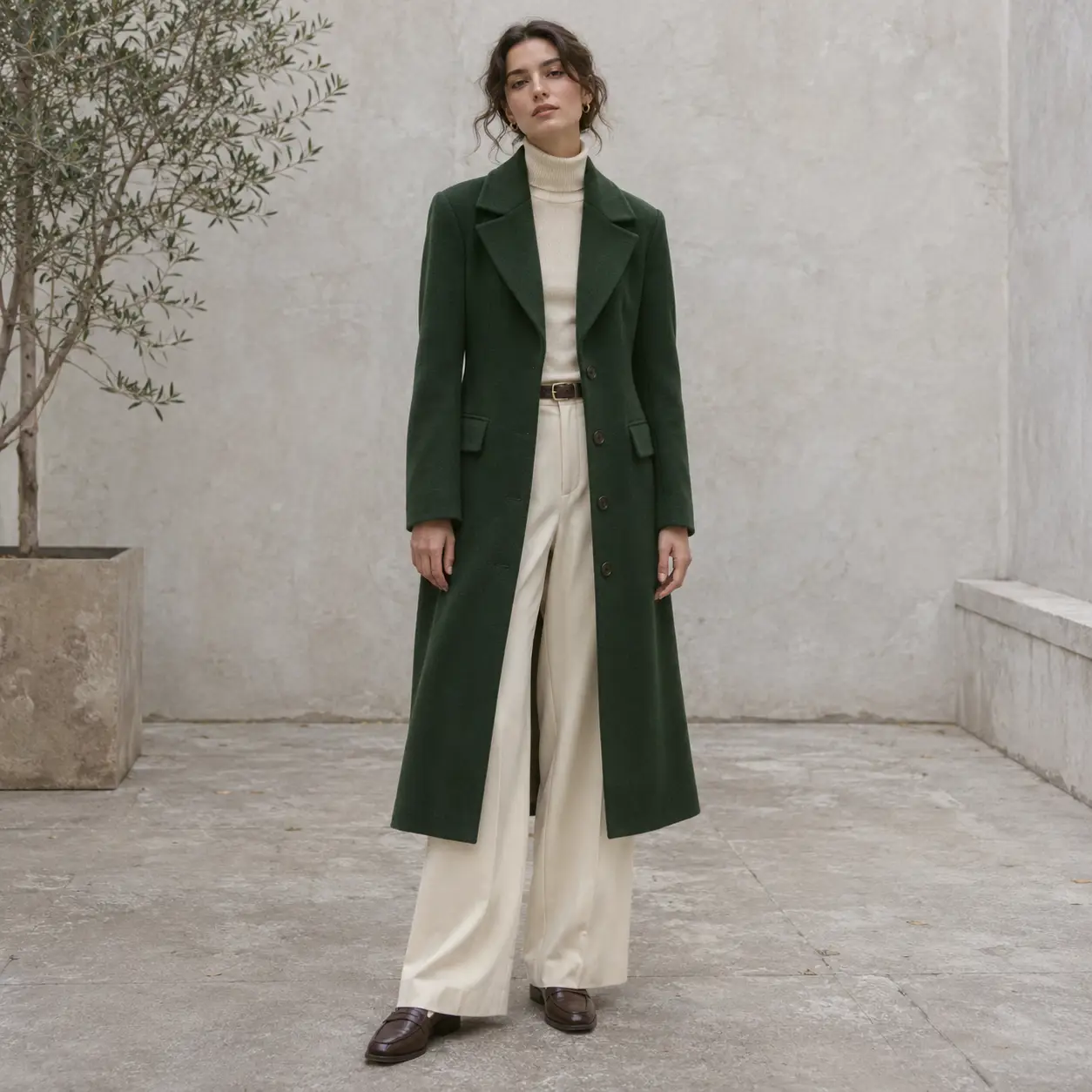
AI-generated fictional adult model in a forest-green coat and cream trousers in a pale courtyard.
Result preview

Recorded test output

ImageGenerateBeginner

Create an original fictional fashion editorial

Describe an original outfit, complete framing and natural fabric detail.

Use this prompt

What to provide

  • A permitted subject description. This example was generated from text only, without a reference image.
Make it yours

Fill in what you know. Empty fields stay as placeholders.

The default matches the recorded run. A new subject can require changes to other scene-specific instructions.

Ready to copy

Example Recorded test output

Input

Create a square photorealistic fashion editorial of one fictional adult model wearing a forest-green tailored coat over cream trousers in a simple pale concrete courtyard. Show the complete outfit and footwear, an easy standing pose, coherent hands relaxed at the sides, natural fabric folds and soft overcast light. Use an eye-level view with breathing room around the model and restrained styling. No copied designer branding, real-person likeness, crowds, text, logos or watermark. This is a generated fictional fashion concept.

Output

The full coat, trousers and both shoes are visible, with relaxed coherent hands and soft courtyard light. Plain garments and the quiet backdrop keep attention on the outfit.

AI-generated fictional adult model in a forest-green coat and cream trousers in a pale courtyard.
Result

Tool settings

One text-to-image run; 1254 x 1254 PNG. Opaque background. Codex built-in image_gen; model name, seed and quality control not exposed by the tool.

Improve the result

  • Untested variation: change one visible detail in a new request, then inspect the complete output again.
Tested with Codex built-in image_gen (model name not exposed by tool) on .

The model and garments are invented; no real designer, fit measurement or purchasable outfit is documented. Only the displayed default was run; customized inputs and follow-ups are untested. The slash label is descriptive shorthand, not a documented special image command. Generated imagery is not documentary evidence or a guarantee of repeatability.

Revision 1.0

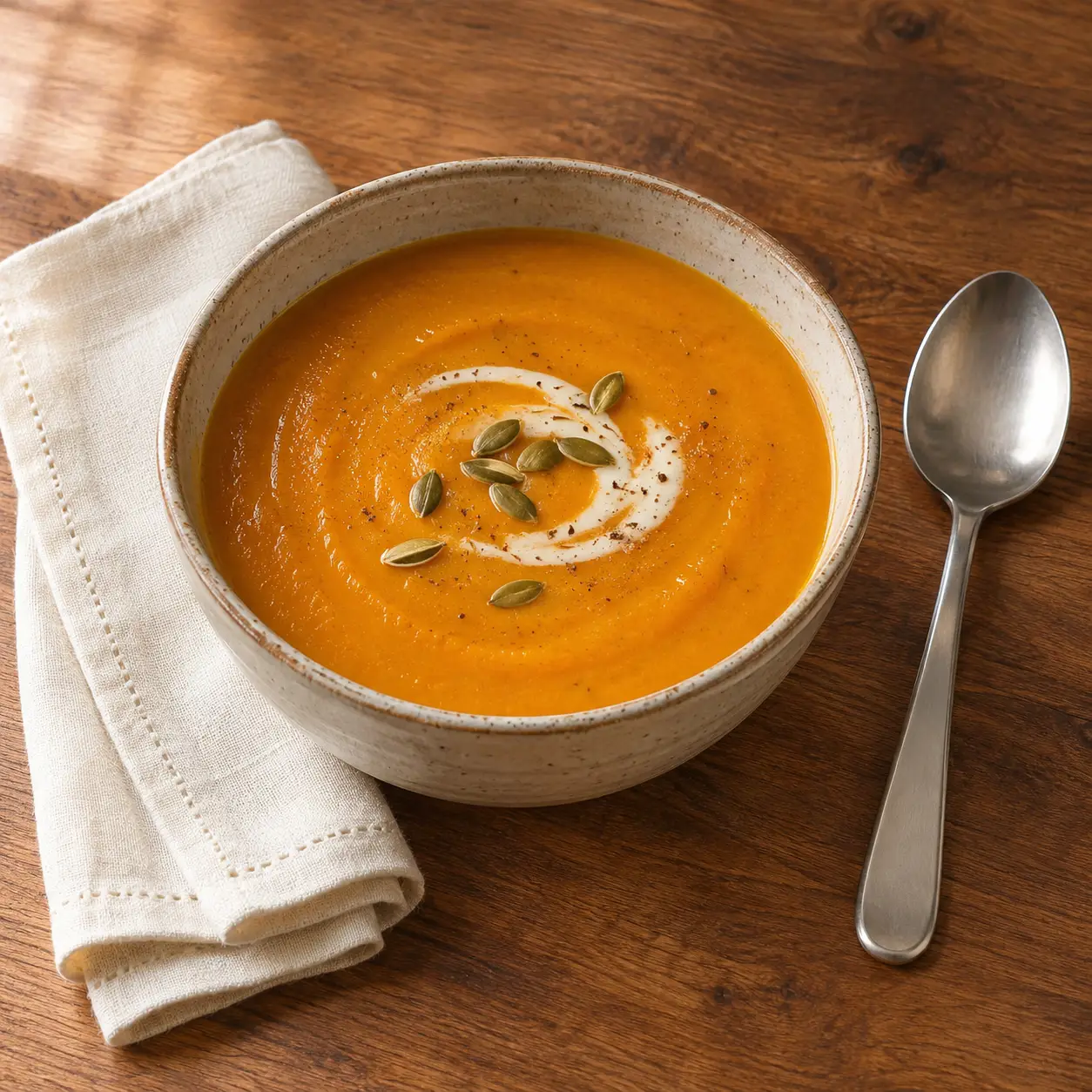
AI-generated bowl of pumpkin soup with a cream swirl, seeds, a spoon and a folded cream napkin.
Result preview

Recorded test output

ImageGenerateBeginner

Create an appetizing food-photography concept

Set the dish, garnish, surface and light in a food-photography brief.

Use this prompt

What to provide

  • A permitted subject description. This example was generated from text only, without a reference image.
Make it yours

Fill in what you know. Empty fields stay as placeholders.

The default matches the recorded run. A new subject can require changes to other scene-specific instructions.

Ready to copy

Example Recorded test output

Input

Create a square photorealistic food image of one ceramic bowl of roasted pumpkin soup topped with a small cream swirl and pumpkin seeds on a warm wood table. Use a three-quarter overhead view, broad soft window light from the left and believable soup texture. Add one folded cream napkin and one plain spoon beside the bowl, both fully visible. Keep the garnish restrained, food geometry coherent and color natural. No people, words, logos, steam effects or watermark. This is generated food imagery, not a photograph of a prepared meal or a nutrition claim.

Output

The bowl, soup texture, cream swirl, seeds and full spoon are clear under soft side light. The napkin extends partly beyond the frame, despite the requested full outline.

AI-generated bowl of pumpkin soup with a cream swirl, seeds, a spoon and a folded cream napkin.
Result

Tool settings

One text-to-image run; 1254 x 1254 PNG. Opaque background. Codex built-in image_gen; model name, seed and quality control not exposed by the tool.

Improve the result

  • Untested variation: change one visible detail in a new request, then inspect the complete output again.
Tested with Codex built-in image_gen (model name not exposed by tool) on .

The meal and ingredients are generated, not a recipe, restaurant dish or nutritional record. The output did not keep the entire napkin in frame. Only the displayed default was run; customized inputs and follow-ups are untested. The slash label is descriptive shorthand, not a documented special image command. Generated imagery is not documentary evidence or a guarantee of repeatability.

Revision 1.0

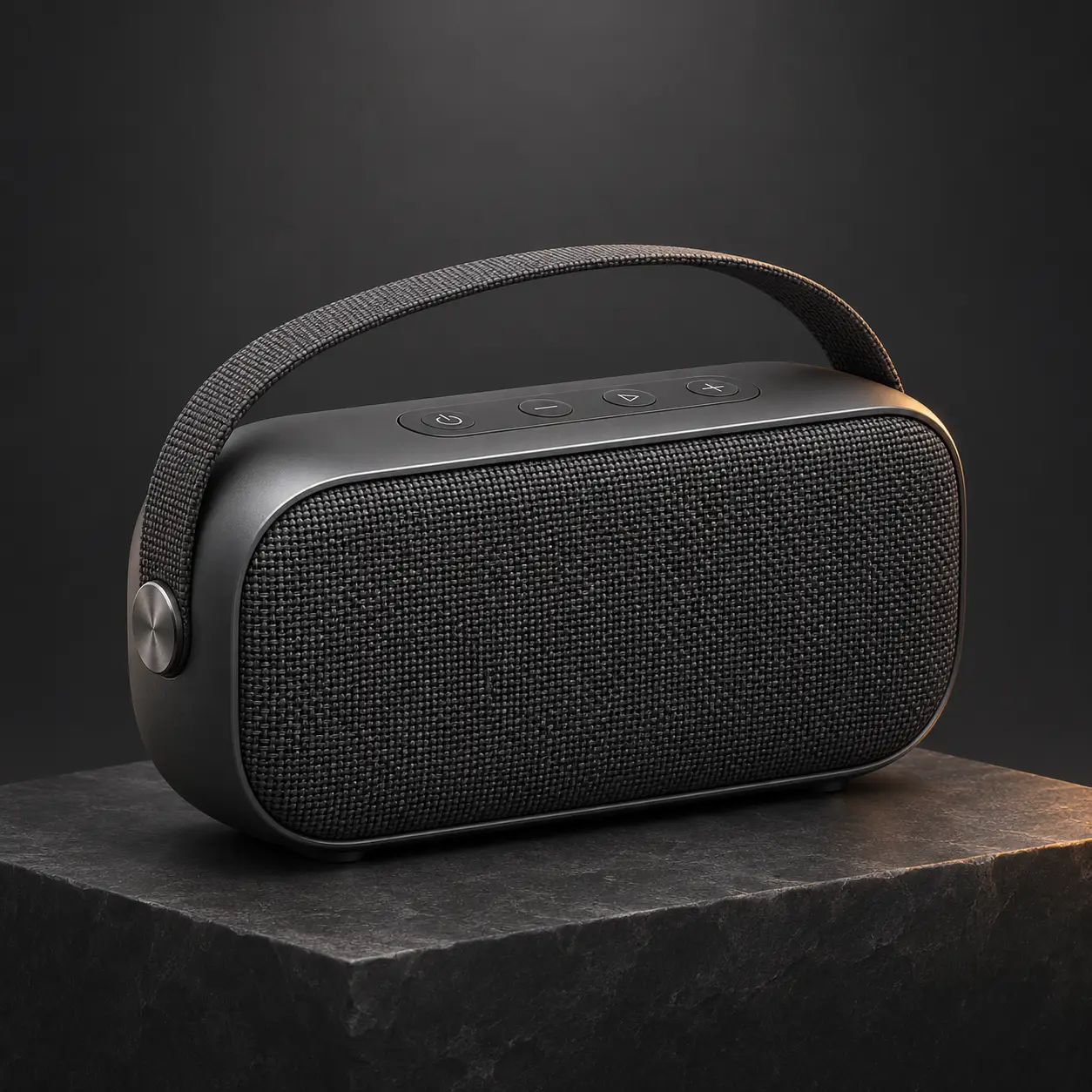
AI-generated unbranded graphite portable speaker with a woven grille on a dark stone plinth.
Result preview

Recorded test output

ImageGenerateBeginner

Create a polished unbranded product scene

Use material detail and restrained highlights for an invented premium product concept.

Use this prompt

What to provide

  • A permitted subject description. This example was generated from text only, without a reference image.
Make it yours

Fill in what you know. Empty fields stay as placeholders.

The default matches the recorded run. A new subject can require changes to other scene-specific instructions.

Ready to copy

Example Recorded test output

Input

Create a square premium product concept of one unbranded graphite portable speaker with a woven fabric grille on a low dark stone plinth. Show the complete product in a clear three-quarter view. Use soft overhead light, a narrow restrained warm rim highlight, subtle natural contact shadow and carefully controlled reflections. Keep the surrounding charcoal background uncluttered and show coherent fabric and metal details. No water effects, price, performance claim, lettering, logos, extra electronics or watermark. This is a generated fictional product, not a commercial model or endorsement.

Output

The complete speaker and carry handle appear in a clear three-quarter view. Woven grille texture, controlled highlights and contact shadows fit the product brief. The generator invented a simple set of control symbols.

AI-generated unbranded graphite portable speaker with a woven grille on a dark stone plinth.
Result

Tool settings

One text-to-image run; 1254 x 1254 PNG. Opaque background. Codex built-in image_gen; model name, seed and quality control not exposed by the tool.

Improve the result

  • Untested variation: change one visible detail in a new request, then inspect the complete output again.
Tested with Codex built-in image_gen (model name not exposed by tool) on .

The design, controls and materials are fictional. The image does not verify audio quality, specifications, manufacturing feasibility or a product for sale. Only the displayed default was run; customized inputs and follow-ups are untested. The slash label is descriptive shorthand, not a documented special image command. Generated imagery is not documentary evidence or a guarantee of repeatability.

Revision 1.0

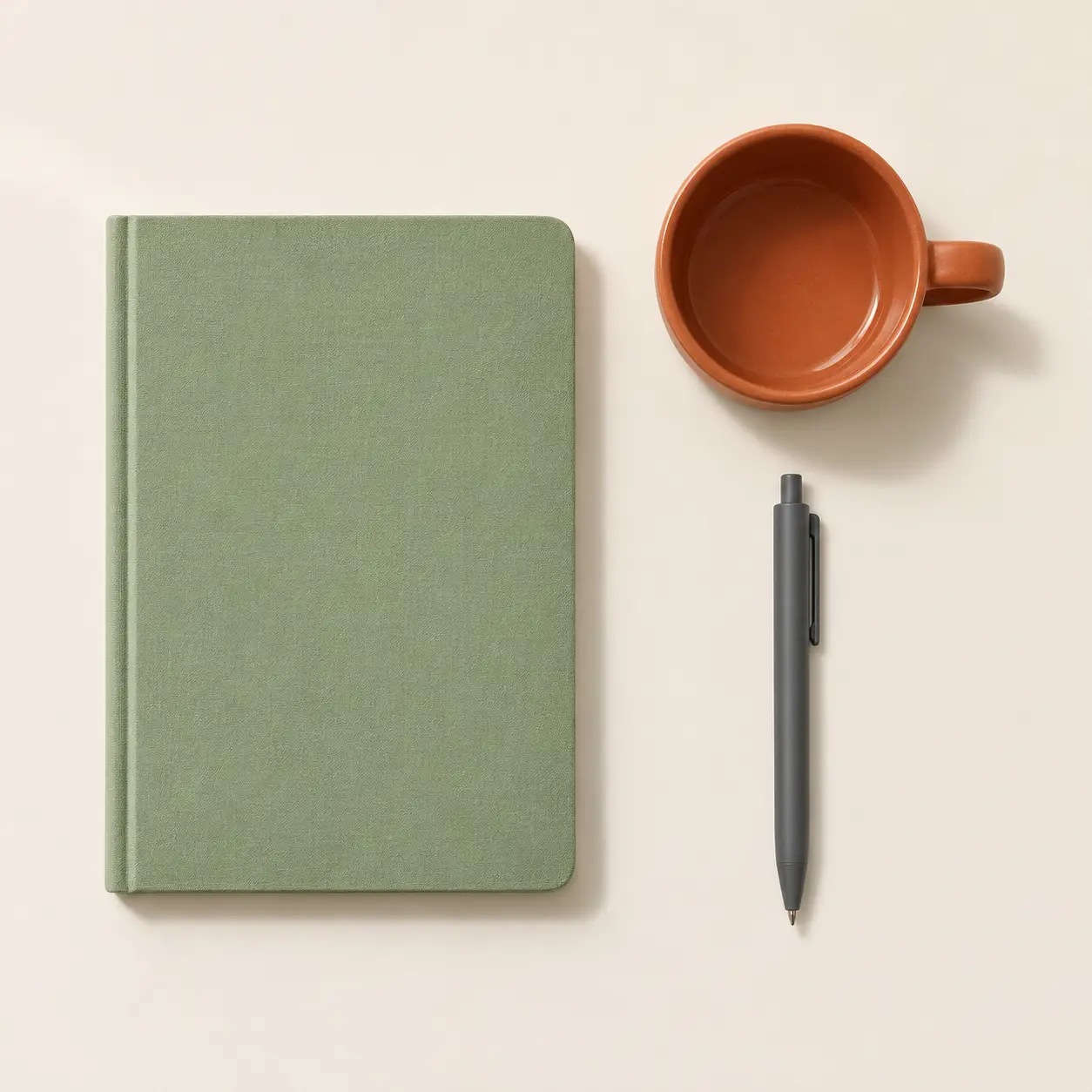
AI-generated overhead flat-lay of a sage notebook, terracotta mug and graphite pen on ivory.
Result preview

Recorded test output

ImageGenerateBeginner

Create a true overhead everyday-object arrangement

Arrange a few objects in a directly overhead view with clear spacing.

Use this prompt

What to provide

  • A permitted subject description. This example was generated from text only, without a reference image.
Make it yours

Fill in what you know. Empty fields stay as placeholders.

The default matches the recorded run. A new subject can require changes to other scene-specific instructions.

Ready to copy

Example Recorded test output

Input

Create a square photographic flat-lay illustration of one closed sage notebook, one terracotta mug and one plain graphite pen arranged deliberately on an ivory desk. Use a directly overhead camera with all objects lying on the same horizontal plane, clear spacing and the entire outline of each object visible. Put the notebook left, mug upper right and pen below it. Soft daylight enters from the upper left with short consistent shadows. No perspective tilt, extra objects, people, writing, logos or watermark. This is a generated arrangement.

Output

All three complete objects are visible from above, with the notebook on the left, mug upper right and pen beneath it. The spacing and short shadows remain clear.

AI-generated overhead flat-lay of a sage notebook, terracotta mug and graphite pen on ivory.
Result

Tool settings

One text-to-image run; 1254 x 1254 PNG. Opaque background. Codex built-in image_gen; model name, seed and quality control not exposed by the tool.

Improve the result

  • Untested variation: change one visible detail in a new request, then inspect the complete output again.
Tested with Codex built-in image_gen (model name not exposed by tool) on .

Object details and relative dimensions are invented. This is a generated arrangement rather than a photograph of real stationery. Only the displayed default was run; customized inputs and follow-ups are untested. The slash label is descriptive shorthand, not a documented special image command. Generated imagery is not documentary evidence or a guarantee of repeatability.

Revision 1.0

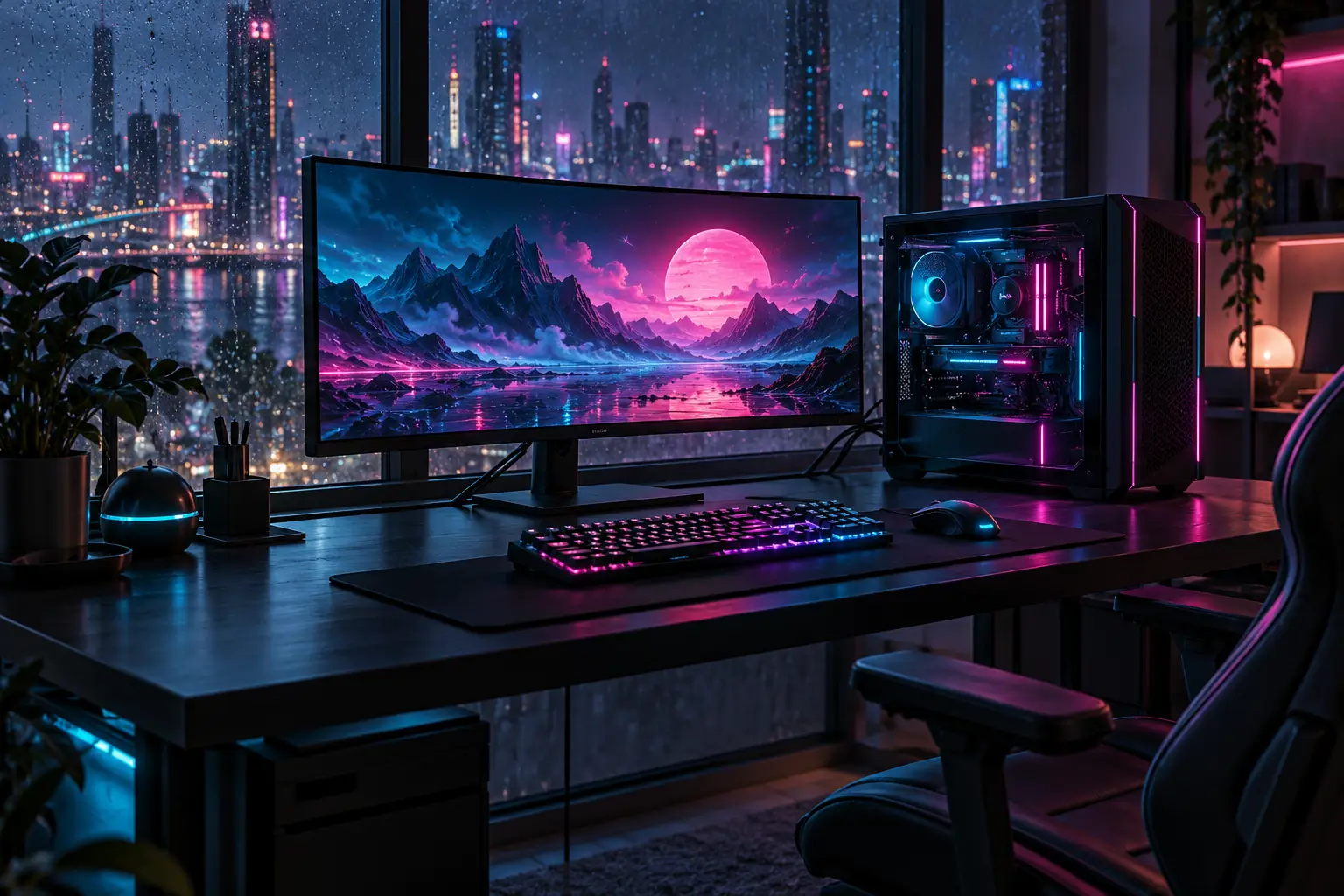
AI-generated futuristic gaming desk with an ultrawide monitor, desktop tower and cyan-magenta lighting
Result preview

Recorded test output

ImageGenerateBeginner

Create a futuristic neon gaming workspace

Compose an invented gaming desk with a monitor, tower and controlled neon lighting. Customize the light colors and abstract screen scene.

Use this prompt

What to provide

  • Name two restrained accent colors.
  • Describe original screen art without app UI, logos or readable text.
Make it yours

Fill in what you know. Empty fields stay as placeholders.

Name two restrained accent colors.

Describe original screen art without app UI, logos or readable text.

Ready to copy

Example Recorded test output

Input

Recorded inputs (2026-10-28): Accent light colors: cyan and magenta Abstract screen scene: original abstract neon landscape These defaults expand to the exact prompt used for the saved output. No reference image was supplied.

Output

Recorded AI-generated output from the exact default inputs. The screen, tower and keyboard have distinct silhouettes. Cyan and magenta lighting ties the equipment to the rain-speckled nighttime window.

AI-generated futuristic gaming desk with an ultrawide monitor, desktop tower and cyan-magenta lighting
Result

Tool settings

Actual recorded run: 2026-10-28. Built-in image_gen tool; model name, seed and quality setting were not exposed. Opaque background. Saved PNG: 1536 × 1024. No reference image. Layout directions in the template describe the requested composition, not guaranteed output settings.

Improve the result

  • Keep the equipment placement and framing. Replace neon lighting with soft daylight and simplify incidental desk objects.
  • Inspect the result at full size and at its intended display size. Recheck text, object structure and any changed details.

Tested with ChatGPT built-in image_gen (model name not exposed) on .

This is concept art rather than a real room or hardware specification. Ports, cooling, cable routing and component compatibility are not verified by the render. Tested refers only to one recorded run with the default inputs. Customized inputs and suggested follow-ups have not been separately tested. Slash labels are informal text in the prompt, not documented built-in commands.

Revision 1.0

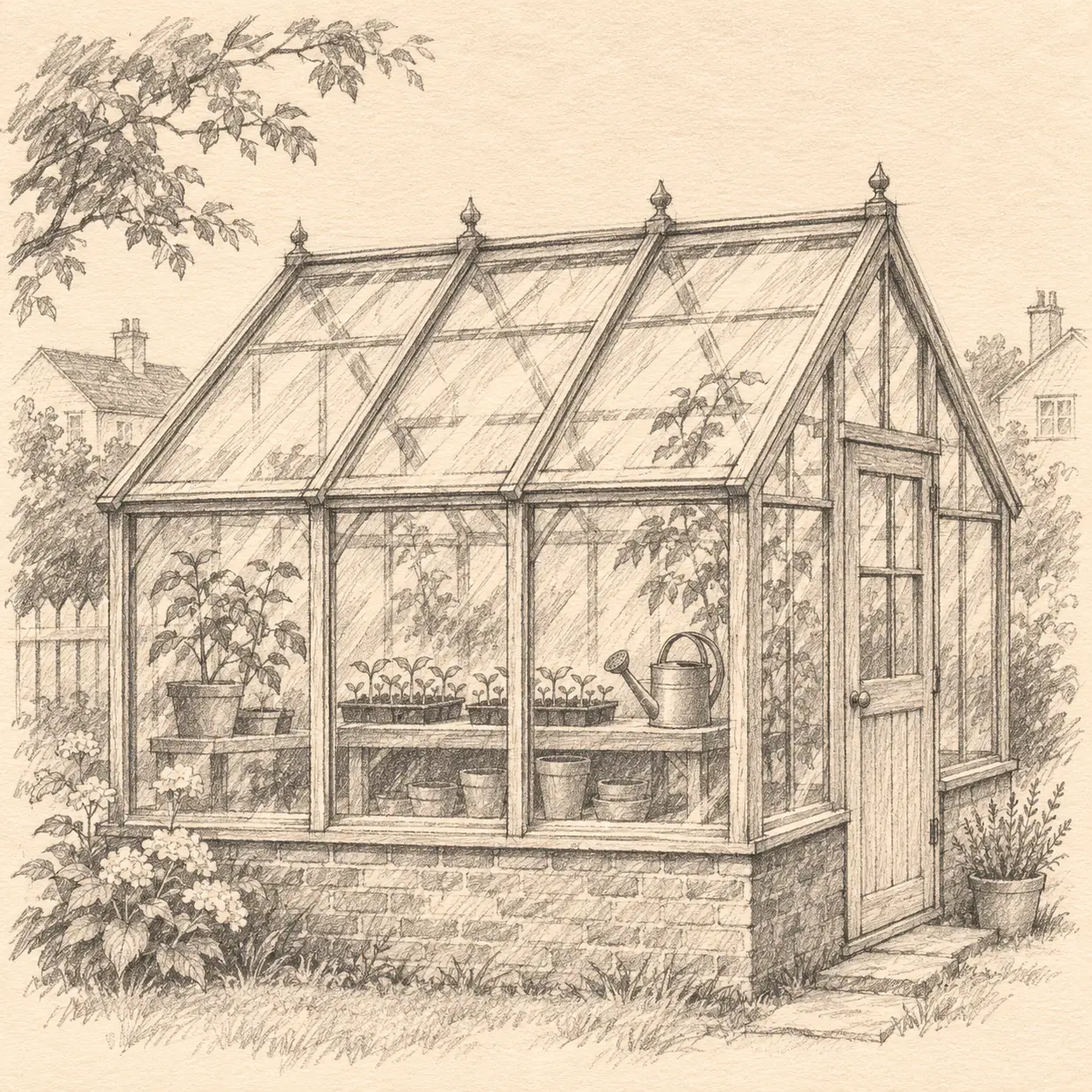
AI-generated graphite-style sketch of a glazed greenhouse with seedlings and a watering can.
Result preview

Recorded test output

ImageGenerateBeginner

Create a graphite architectural study

Specify line quality, shading and paper texture for a pencil-style study.

Use this prompt

What to provide

  • A permitted subject description. This example was generated from text only, without a reference image.
Make it yours

Fill in what you know. Empty fields stay as placeholders.

The default matches the recorded run. A new subject can require changes to other scene-specific instructions.

Ready to copy

Example Recorded test output

Input

Create a square hand-drawn graphite sketch of a small neighborhood greenhouse with three glazed bays, seedlings and a watering can on warm ivory paper. Use confident varied pencil lines, light construction marks, cross-hatched shadows and visible paper tooth. Keep the overall building silhouette clear and centered with generous margins. Monochrome graphite only; no watercolor, photorealistic texture, captions, dimensions, labels, lettering, logo or watermark. This is an illustrative study, not a measured construction drawing.

Output

Varied pencil lines, light construction marks, cross-hatching and textured ivory paper are visible. The greenhouse and watering can remain recognizable; extra plants and faint neighboring houses were added.

AI-generated graphite-style sketch of a glazed greenhouse with seedlings and a watering can.
Result

Tool settings

One text-to-image run; 1254 x 1254 PNG. Opaque background. Codex built-in image_gen; model name, seed and quality control not exposed by the tool.

Improve the result

  • Untested variation: change one visible detail in a new request, then inspect the complete output again.
Tested with Codex built-in image_gen (model name not exposed by tool) on .

The glazing geometry and bay count are approximate. This is an illustrative sketch, not measured architectural or construction documentation. Only the displayed default was run; customized inputs and follow-ups are untested. The slash label is descriptive shorthand, not a documented special image command. Generated imagery is not documentary evidence or a guarantee of repeatability.

Revision 1.0

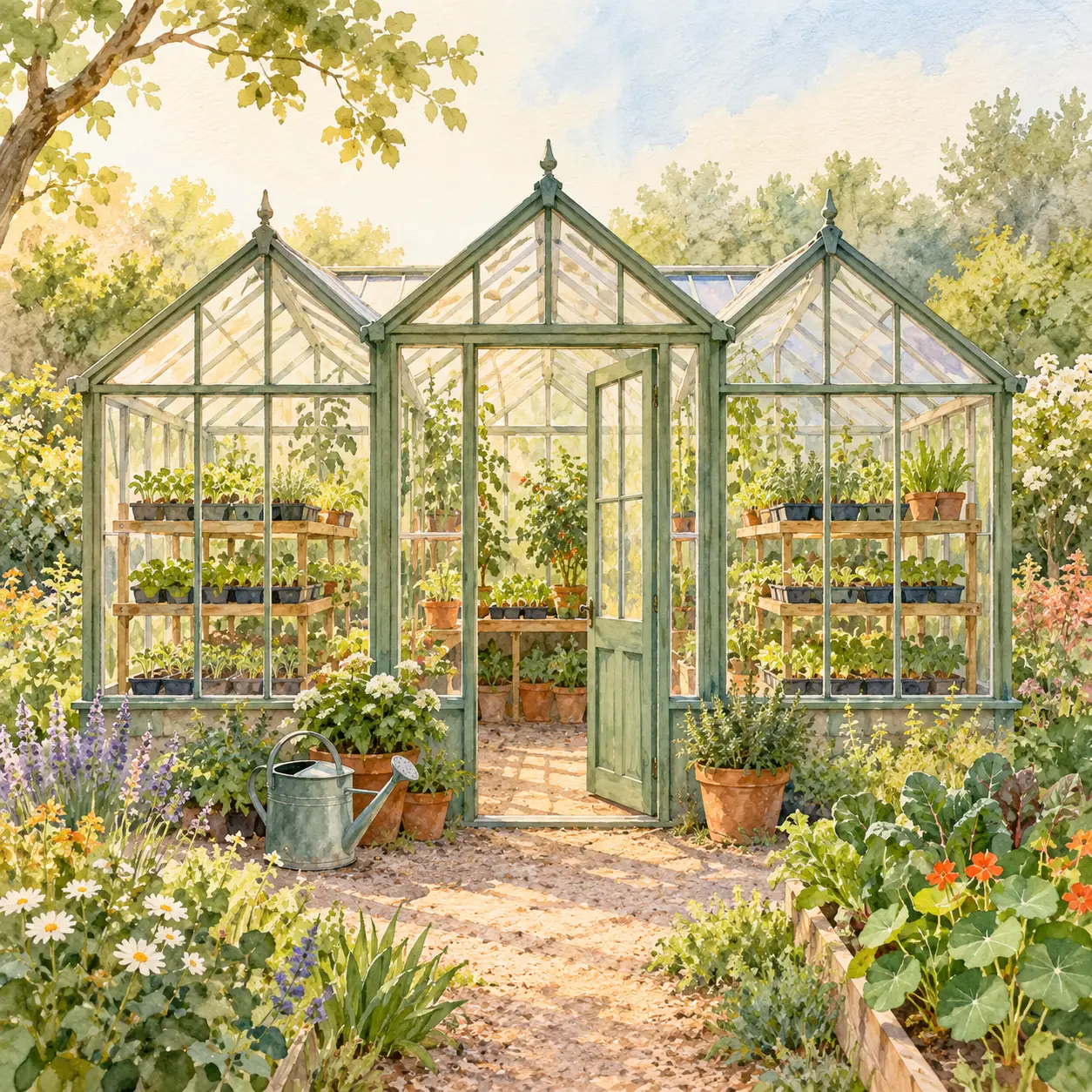
AI-generated watercolor-style greenhouse surrounded by flowers and a garden path.
Result preview

Recorded test output

ImageGenerateBeginner

Create a watercolor greenhouse illustration

Name pigment washes, soft edges and paper texture for a garden illustration.

Use this prompt

What to provide

  • A permitted subject description. This example was generated from text only, without a reference image.
Make it yours

Fill in what you know. Empty fields stay as placeholders.

The default matches the recorded run. A new subject can require changes to other scene-specific instructions.

Ready to copy

Example Recorded test output

Input

A clear, polished editorial illustration of a small neighborhood greenhouse in watercolor. Visible soft pigment edges, transparent washes and light paper grain. Three glasshouse bays with seedlings on shelves and a watering can by the door. Sage, warm cream and terracotta palette. Square framing, centered greenhouse, ample margin. No lettering, logo, border, photographic texture or extra buildings.

Output

The three glasshouse forms, open doorway and watering can are recognizable, with transparent-looking washes and paper grain. Extra flowers, plants and a broad path were added.

AI-generated watercolor-style greenhouse surrounded by flowers and a garden path.
Result

Tool settings

One text-to-image run; 1254 x 1254 PNG. Opaque background. Codex built-in image_gen; model name, seed and quality control not exposed by the tool.

Improve the result

  • Untested variation: change one visible detail in a new request, then inspect the complete output again.
Tested with Codex built-in image_gen (model name not exposed by tool) on .

The image is generated, not a scanned painting or botanical plan. Fine glazing and plant details are approximate. Only the displayed default was run; customized inputs and follow-ups are untested. The slash label is descriptive shorthand, not a documented special image command. Generated imagery is not documentary evidence or a guarantee of repeatability.

Revision 1.0

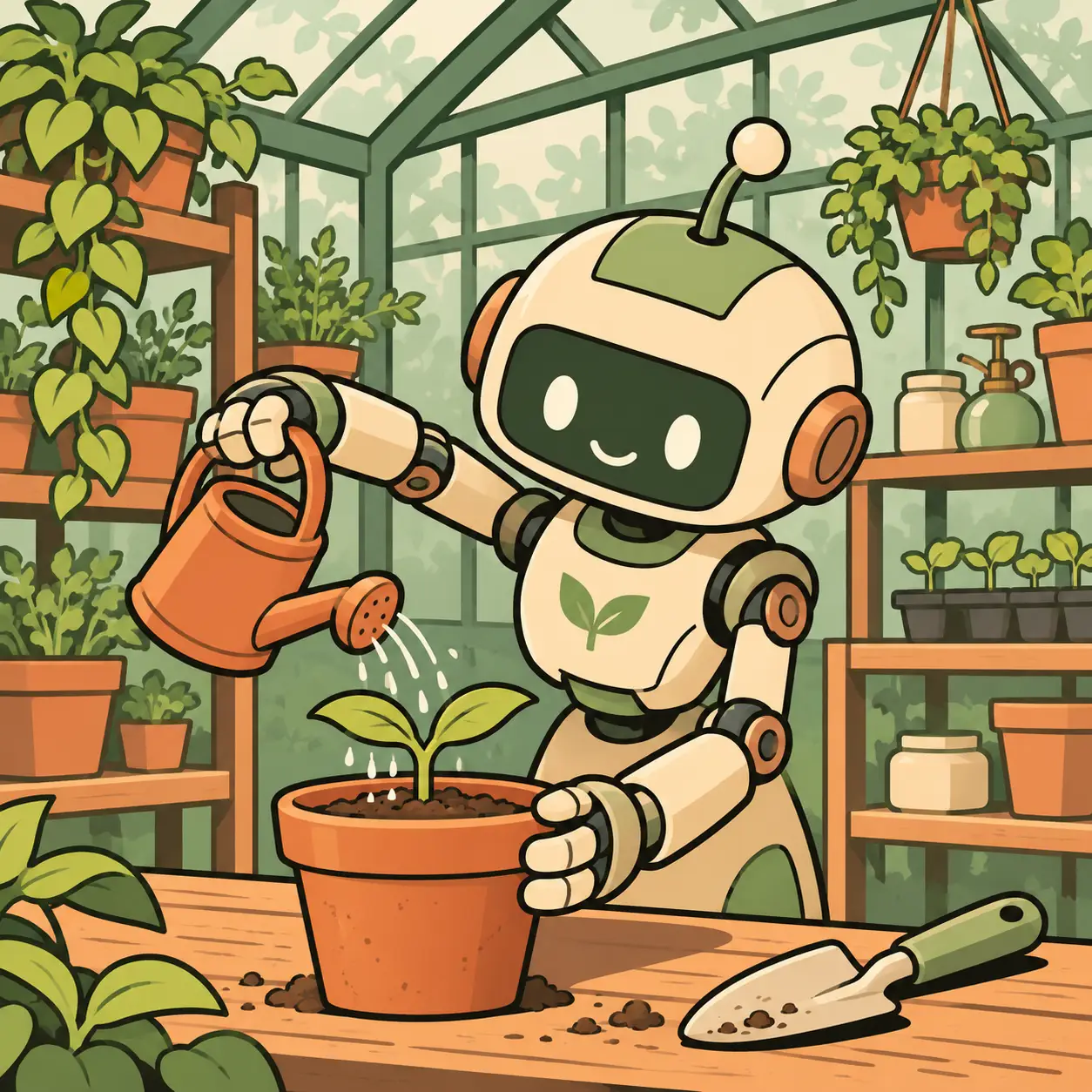
AI-generated comic of a friendly garden robot watering a seedling.
Result preview

Recorded test output

ImageGenerateBeginner

Create an original single-panel comic scene

Build a readable original comic scene with a simple action.

Use this prompt

What to provide

  • A permitted subject description. This example was generated from text only, without a reference image.
Make it yours

Fill in what you know. Empty fields stay as placeholders.

The default matches the recorded run. A new subject can require changes to other scene-specific instructions.

Ready to copy

Example Recorded test output

Input

Create a square single-panel comic illustration of a small garden robot carefully watering a greenhouse seedling. Use bold clean ink outlines, a limited sage, cream and terracotta palette, flat shadows and a readable foreground action. Give the original robot a friendly simple design with two arms, a small watering can and coherent joints. Show greenhouse shelves softly in the background. No speech bubbles, lettering, franchise characters, text, logo, watermark or border. This is original generated comic art.

Output

The two-arm robot, watering can and seedling are clear, with bold outlines and sage, cream and terracotta colors. Extra tools and pots fill the background.

AI-generated comic of a friendly garden robot watering a seedling.
Result

Tool settings

One text-to-image run; 1254 x 1254 PNG. Opaque background. Codex built-in image_gen; model name, seed and quality control not exposed by the tool.

Improve the result

  • Untested variation: change one visible detail in a new request, then inspect the complete output again.
Tested with Codex built-in image_gen (model name not exposed by tool) on .

The robot and setting are invented; this is a single still, not a tested comic sequence. Only the displayed default was run; customized inputs and follow-ups are untested. The slash label is descriptive shorthand, not a documented special image command. Generated imagery is not documentary evidence or a guarantee of repeatability.

Revision 1.0

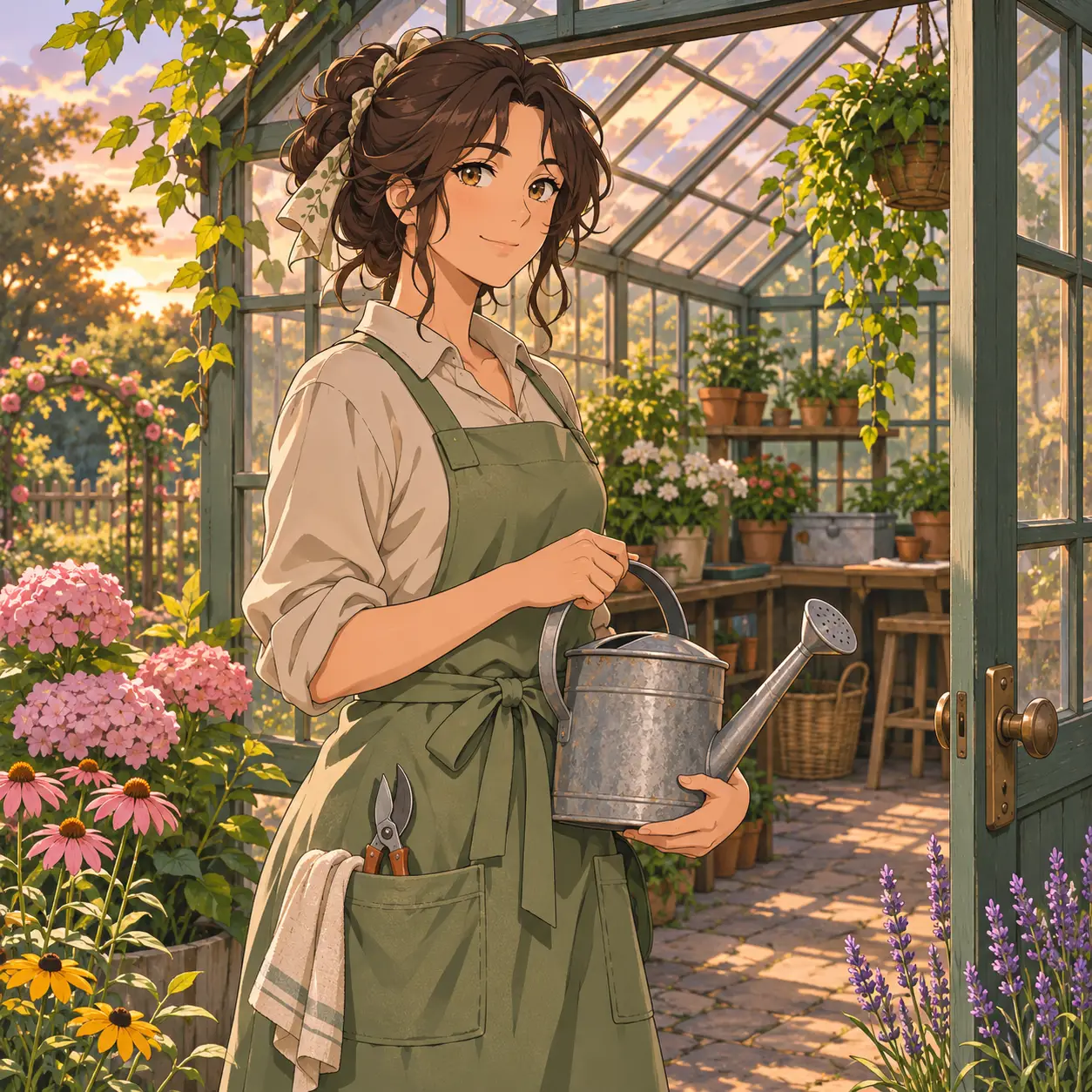
AI-generated anime-inspired adult gardener holding a watering can beside a greenhouse.
Result preview

Recorded test output

ImageGenerateBeginner

Create an anime-inspired garden illustration

Describe an original anime-inspired character and garden setting.

Use this prompt

What to provide

  • A permitted subject description. This example was generated from text only, without a reference image.
Make it yours

Fill in what you know. Empty fields stay as placeholders.

The default matches the recorded run. A new subject can require changes to other scene-specific instructions.

Ready to copy

Example Recorded test output

Input

Create a square original anime-influenced illustration of one fictional adult gardener in a sage apron beside a greenhouse doorway. Use clean linework, expressive but natural eyes, coherent relaxed hands holding one watering can, gentle cel shading and soft late-afternoon light. Show warm garden colors, a clear character silhouette and a detailed but quiet greenhouse background. Avoid any recognizable franchise character or named artist imitation. No lettering, logos, watermarks or decorative frame. This is a fictional generated illustration.

Output

The adult gardener has coherent hands around a metal watering can, clean linework, warm garden light and a softly detailed background. Flowers and apron tools were added.

AI-generated anime-inspired adult gardener holding a watering can beside a greenhouse.
Result

Tool settings

One text-to-image run; 1254 x 1254 PNG. Opaque background. Codex built-in image_gen; model name, seed and quality control not exposed by the tool.

Improve the result

  • Untested variation: change one visible detail in a new request, then inspect the complete output again.

Tested with Codex built-in image_gen (model name not exposed by tool) on .

The character is fictional and no specific franchise or artist is reproduced. Only this still was generated. Only the displayed default was run; customized inputs and follow-ups are untested. The slash label is descriptive shorthand, not a documented special image command. Generated imagery is not documentary evidence or a guarantee of repeatability.

Revision 1.0

AI-generated greenhouse sticker with two leaves, a white outline and transparent background.
Result preview

Recorded test output

ImageGenerateBeginner

Create a simple greenhouse sticker

Create a simple greenhouse sticker concept with a transparent surround.

Use this prompt

What to provide

  • A permitted subject description. This example was generated from text only, without a reference image.
Make it yours

Fill in what you know. Empty fields stay as placeholders.

The default matches the recorded run. A new subject can require changes to other scene-specific instructions.

Ready to copy

Example Recorded test output

Input

Create one square sticker graphic of a cheerful little greenhouse with two leaves sprouting above its roof. Use a bold readable silhouette, thick white die-cut-style outline, crisp dark-green linework and simple sage, cream and terracotta shapes. Keep the complete sticker centered with transparent space around it; no background scene or extra stickers. No gradients that obscure the outline, tiny details, lettering, logos, watermark or painted checkerboard. Return an actual transparent-background image.

Output

The greenhouse and two leaves have a clear silhouette with a thick white outline. The PNG alpha channel was checked and includes fully transparent pixels.

AI-generated greenhouse sticker with two leaves, a white outline and transparent background.
Result

Tool settings

One text-to-image run; 1254 x 1254 PNG. Transparent background requested; alpha verified during asset review. Codex built-in image_gen; model name, seed and quality control not exposed by the tool.

Improve the result

  • Untested variation: change one visible detail in a new request, then inspect the complete output again.
Tested with Codex built-in image_gen (model name not exposed by tool) on .

Small rough white edge flecks remain. This is raster artwork, not a production die-cut path or vector file. Only the displayed default was run; customized inputs and follow-ups are untested. The slash label is descriptive shorthand, not a documented special image command. Generated imagery is not documentary evidence or a guarantee of repeatability.

Revision 1.0

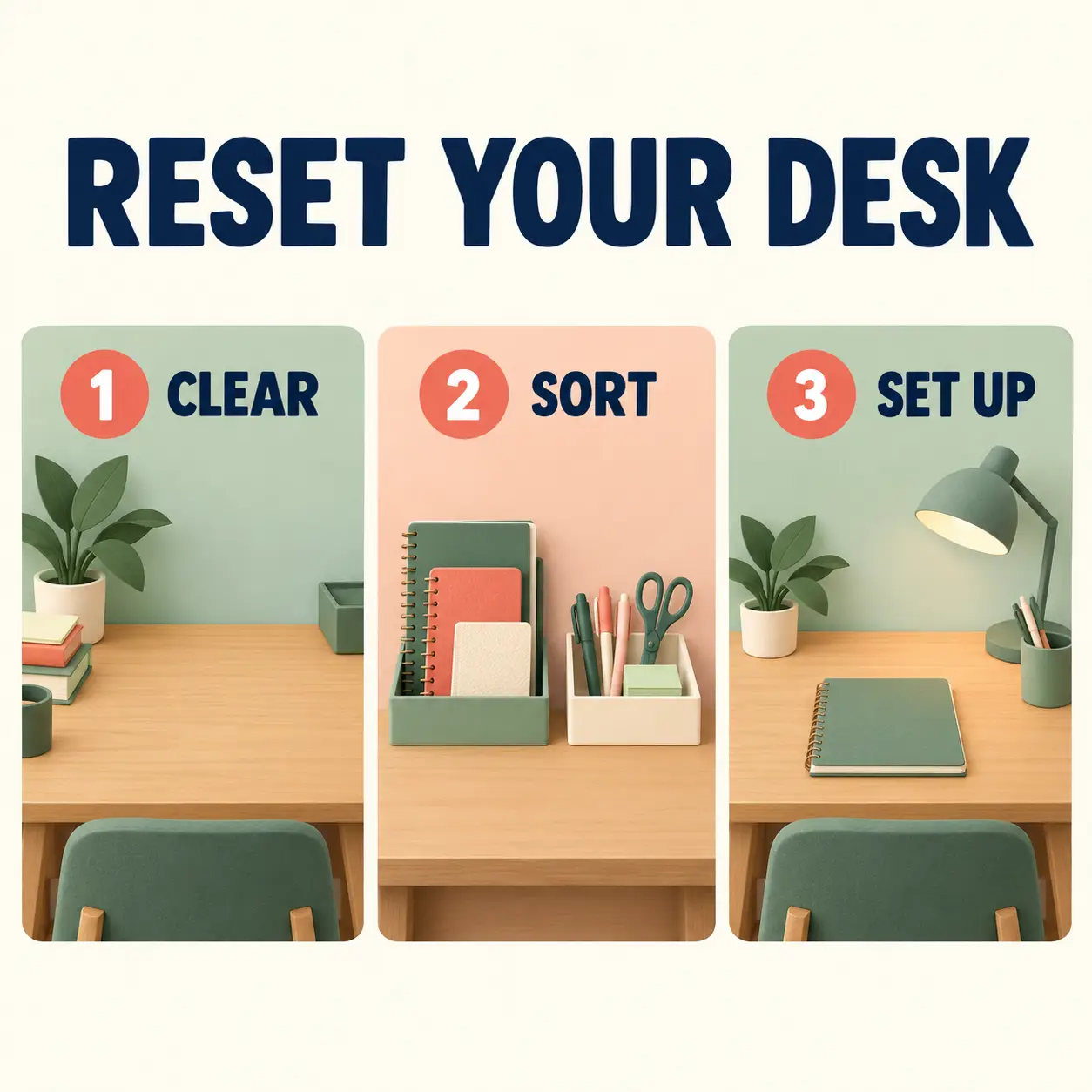
AI-generated three-step desk-reset infographic showing Clear, Sort and Set Up
Result preview

Recorded test output

ImageGenerateBeginner

Create a three-step desk-reset infographic

Illustrate a supplied Clear, Sort, Set Up checklist. Customize its title and accent colors while retaining the three desk-organizing steps.

Use this prompt

What to provide

  • Use a short title that accurately describes the fixed desk-reset checklist.
  • Name two coordinated colors with enough contrast for navy labels.
Make it yours

Fill in what you know. Empty fields stay as placeholders.

Name two coordinated colors with enough contrast for navy labels.

Use a short title that accurately describes the fixed desk-reset checklist.

Ready to copy

Example Recorded test output

Input

Recorded inputs (2026-10-29): Graphic title: RESET YOUR DESK Illustration accent colors: sage and coral These defaults expand to the exact prompt used for the saved output. No reference image was supplied.

Output

Recorded AI-generated output from the exact default inputs. The title and three numbered labels appear in left-to-right order. Grouped stationery occupies the middle panel, and the final panel leaves the notebook accessible.

AI-generated three-step desk-reset infographic showing Clear, Sort and Set Up
Result

Tool settings

Actual recorded run: 2026-10-29. Built-in image_gen tool; model name, seed and quality setting were not exposed. Opaque background. Saved PNG: 1254 × 1254. No reference image. Layout directions in the template describe the requested composition, not guaranteed output settings.

Improve the result

  • Keep all wording and the three-panel reading order. Simplify incidental objects without changing the supplied steps.
  • Inspect the result at full size and at its intended display size. Recheck text, object structure and any changed details.

Tested with ChatGPT built-in image_gen (model name not exposed) on .

The checklist is an editorial organizing suggestion, not research or a productivity measurement. Inspect every label and visual relationship. Individual objects differ between panels. Tested refers only to one recorded run with the default inputs. Customized inputs and suggested follow-ups have not been separately tested. Slash labels are informal text in the prompt, not documented built-in commands.

Revision 1.0

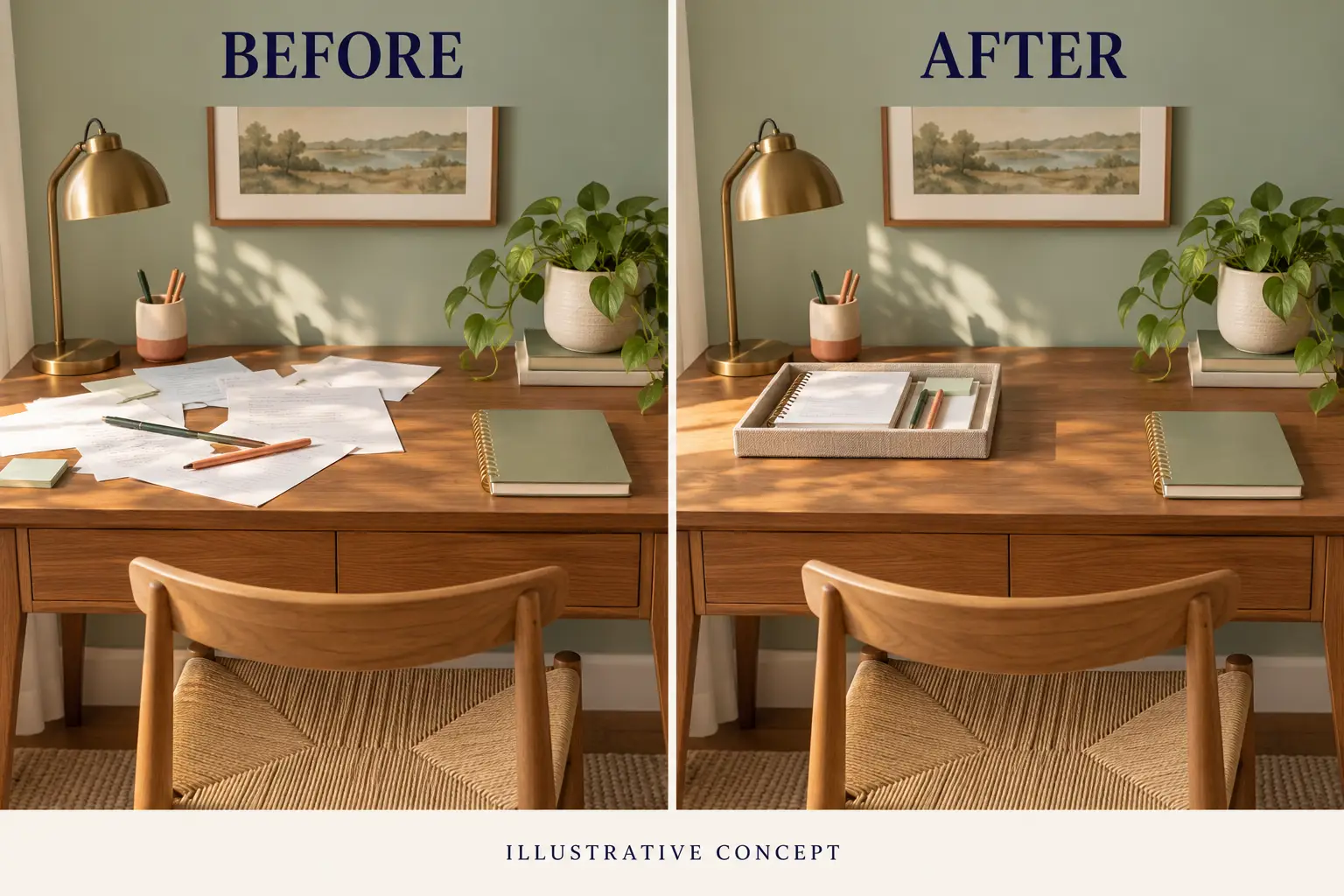
AI-generated illustrative before-and-after desk concept showing a cluttered and an organized workspace
Result preview

Recorded test output

ImageGenerateBeginner

Create an illustrative desk before-and-after concept

Generate one clearly disclosed split-panel desk concept, with matched furniture and lighting. Customize the wall color and desk finish.

Use this prompt

What to provide

  • Use a muted wall color that works in both panels.
  • Describe a consistent visible desk material for both panels.
Make it yours

Fill in what you know. Empty fields stay as placeholders.

Use a muted wall color that works in both panels.

Describe a consistent visible desk material for both panels.

Ready to copy

Example Recorded test output

Input

Recorded inputs (2026-10-29): Wall and palette color: sage Desk finish: warm-wood These defaults expand to the exact prompt used for the saved output. No reference image was supplied.

Output

Recorded AI-generated output from the exact default inputs. BEFORE, AFTER and ILLUSTRATIVE CONCEPT are readable. Furniture and lighting broadly align while papers move into a tray arrangement, with some fine-detail differences.

AI-generated illustrative before-and-after desk concept showing a cluttered and an organized workspace
Result

Tool settings

Actual recorded run: 2026-10-29. Built-in image_gen tool; model name, seed and quality setting were not exposed. Opaque background. Saved PNG: 1536 × 1024. No reference image. Layout directions in the template describe the requested composition, not guaranteed output settings.

Improve the result

  • Keep the two-panel layout, disclosure and furniture. Refine the tray arrangement without adding measured claims or changing the lighting.
  • Inspect the result at full size and at its intended display size. Recheck text, object structure and any changed details.

Tested with ChatGPT built-in image_gen (model name not exposed) on .

Both panels were generated together from text. This is a recorded generation of an illustrative comparison, not a real clean-up, source-versus-edit test, customer result or proof of product effectiveness. Tested refers only to one recorded run with the default inputs. Customized inputs and suggested follow-ups have not been separately tested. Slash labels are informal text in the prompt, not documented built-in commands.

Revision 1.0

Showing 12 of 43 prompts

Load more prompts

Choose a visual direction

Each card opens a complete prompt with a generated example and its recorded input. Keep the default fields to copy the tested brief, or customize them for an untested variation. These slash labels are informal shorthand.

Many style examples share a greenhouse brief, but were generated separately from text. They do not preserve one identical reference scene. Read each result’s observations and limitations before using it.

Read the 43-label photo and style guide for the full glossary and inspection checklist. All example imagery is generated; no customer results, real products or measured plans are documented.